












.thumb.png.6cba57c5e88519e419516e3ed1152e01.png)
By Troy
GM Development programming system, aka DPS
GM Development programming system, aka DPS, is an in-house software that General Motors technicians use to develop software for GM vehicle electronic modules. DPS functions similarly to the GM SPS client. By itself, DPS can only perform the basic function of reading the ECU VIN and basic information. To program a module using DPS, you must acquire the corresponding calibration files and custom DPS scripts to complete any DPS programming. Only limited information, and no complete documentation, is available to the public on using DPS. All the information posted on this website about DPS was developed over time through a routine trial-and-error process. Note: You must have a GM-compatible OBD diagnostic interface for connecting DPS to your vehicle, such as the VXdiag NANO GM, DrewTech Mongoose Pro-GM2, or GM MDI-2 interface. Any diagnostic interface compatible with GM GDS2 will work with DPS. You need access to the GM SPS service to gather calibration files for your GM vehicle's electronic modules.
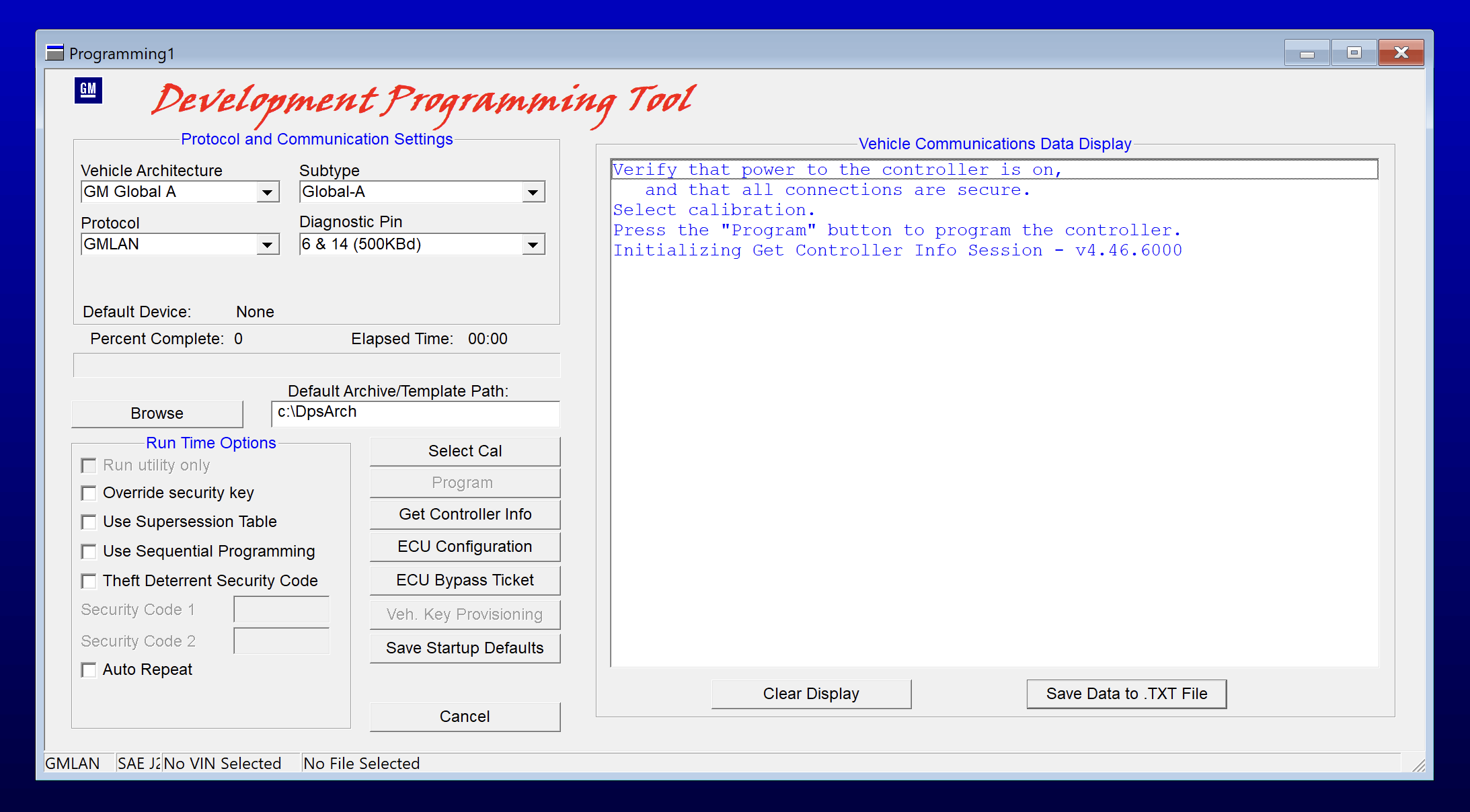
GM DPS
The things you can do with DPS.
Manually program default or modified calibration files to GM vehicle modules without using the GM SPS service.
Change the VIN in a used GM vehicle module using my special DPS VIN change files.
Change the PIN in a used secondhand GM vehicle module using my special DPS PIN change files.
Unlock/remove the theft lock from a used secondhand GM radio module by using my special DPS Radio VIN change files.
Change the mileage in GM vehicles by using my special mileage correction file.
Reset and program various functions in GM electronic modules using my Type4 application files.
Using DPS
Reading a module's VIN
In this example, you will read the ECM's VIN.
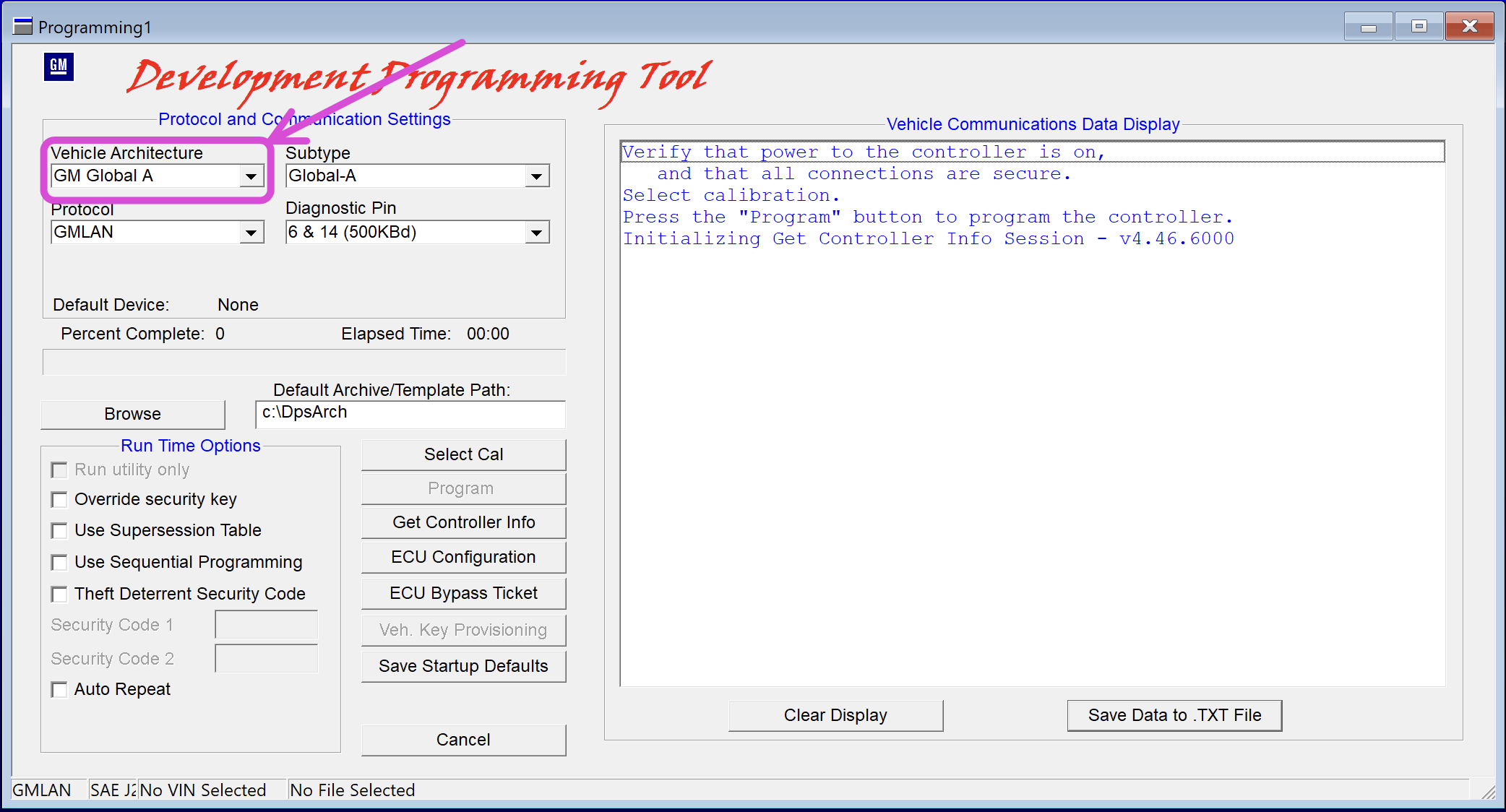
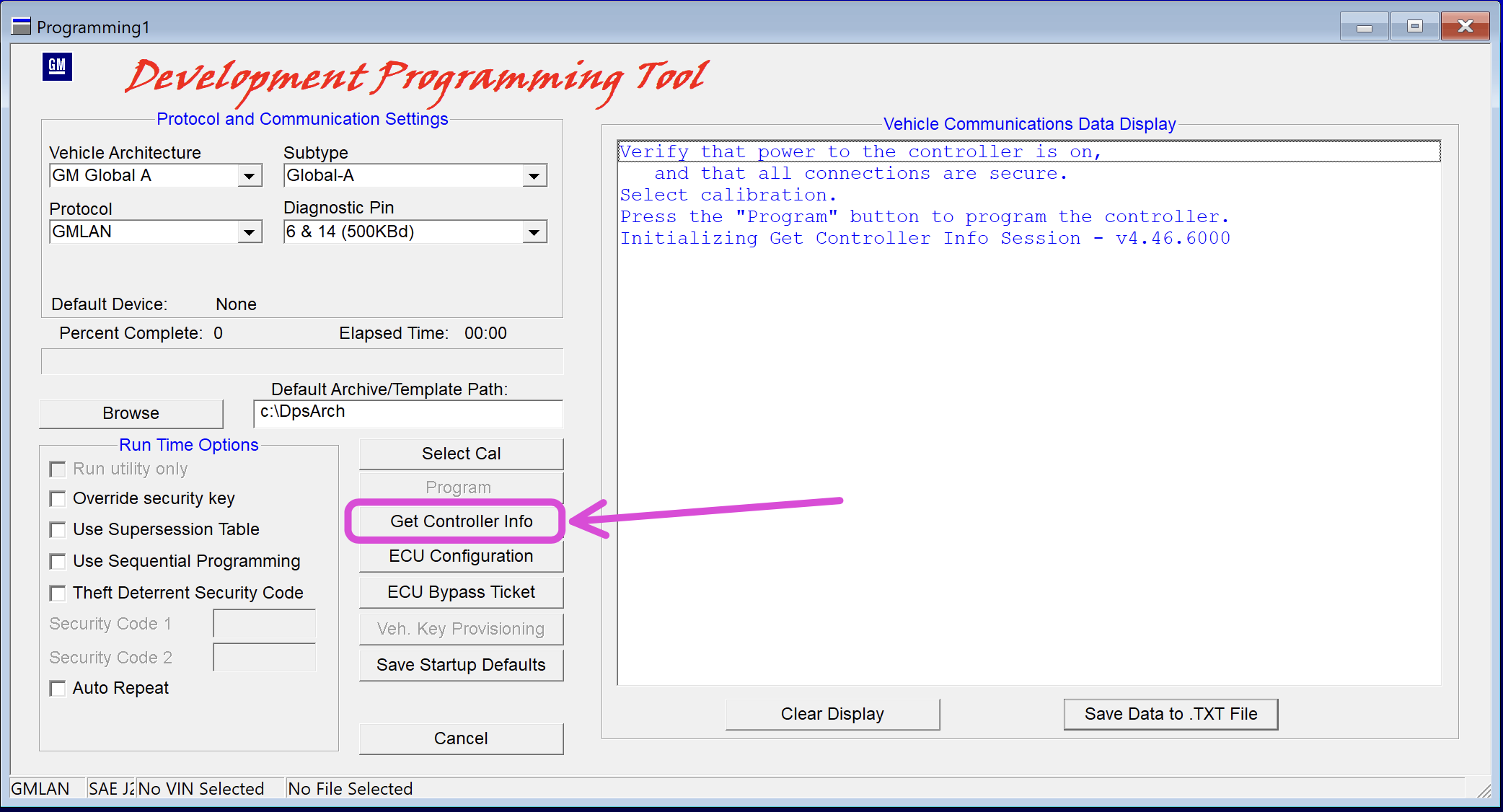
Select the "Vehicle Architecture". In this case, select "Global-A".
Note: Only GM Global-A vehicles can be programmed using the cracked version of DPS. Unlike GM Global-A vehicles, GM Global-B vehicles need a DPS version that can connect to GM servers to retrieve the Global-B 12-byte seed key for the modules. I do not offer any solutions for GM Global-B vehicles.
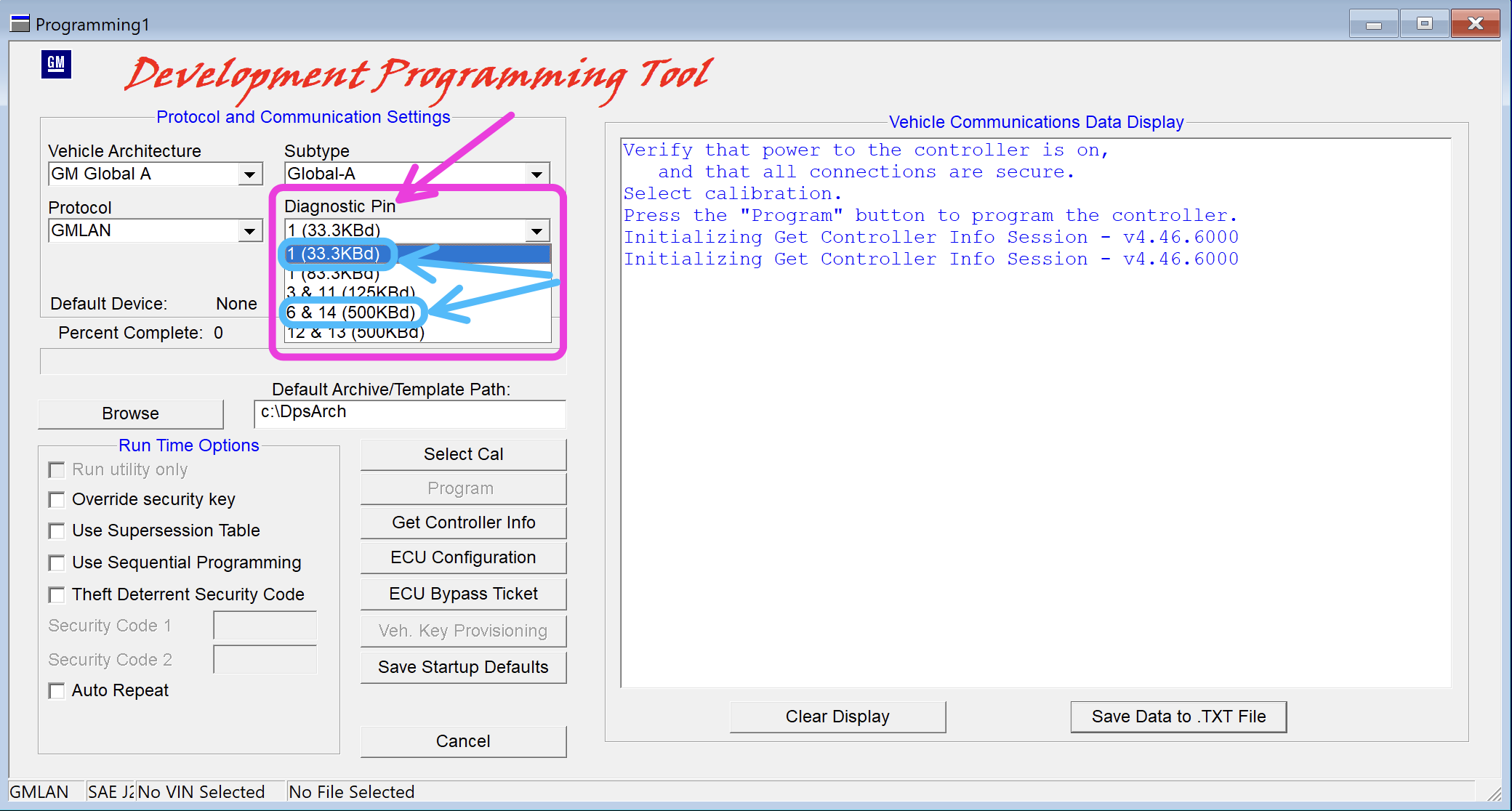
All the modules in the GM vehicle have an ECU ID address and are primarily connected to one of two CAN bus diagnostic pins: pin 1 (low-speed CAN bus) or pins 6 and 14 (high-speed CAN bus). You must first assign the correct diagnostic pin for the module you need to read or program. Select PIN 1 (33.3KBd) or PIN 6 & 14 (500KBd).
Set the correct diagnostic pin in the DPS settings. The ECM is on diagnostic pin 6 & 14 (high-speed CAN bus).
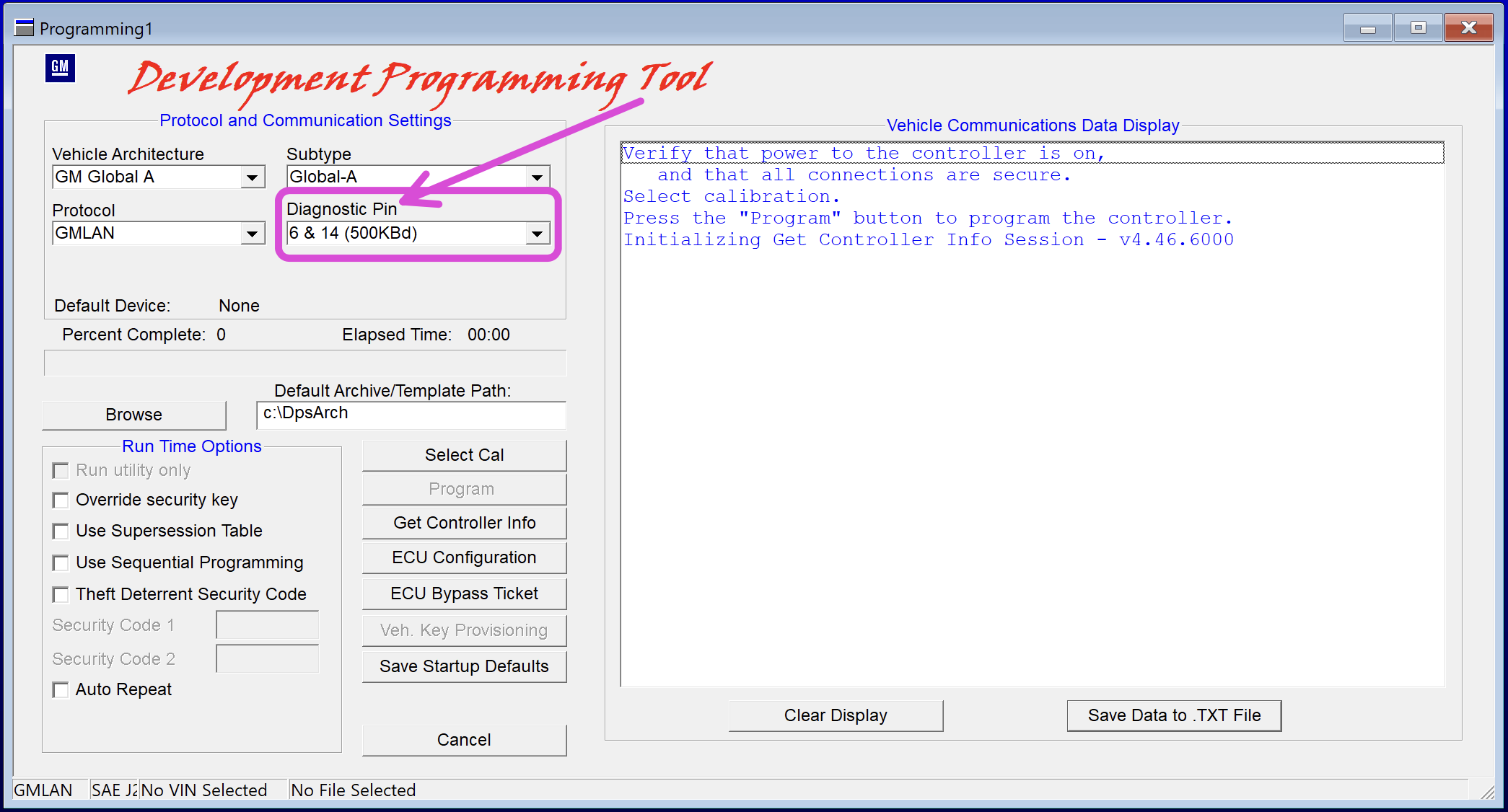
Click "Get Controller Info".
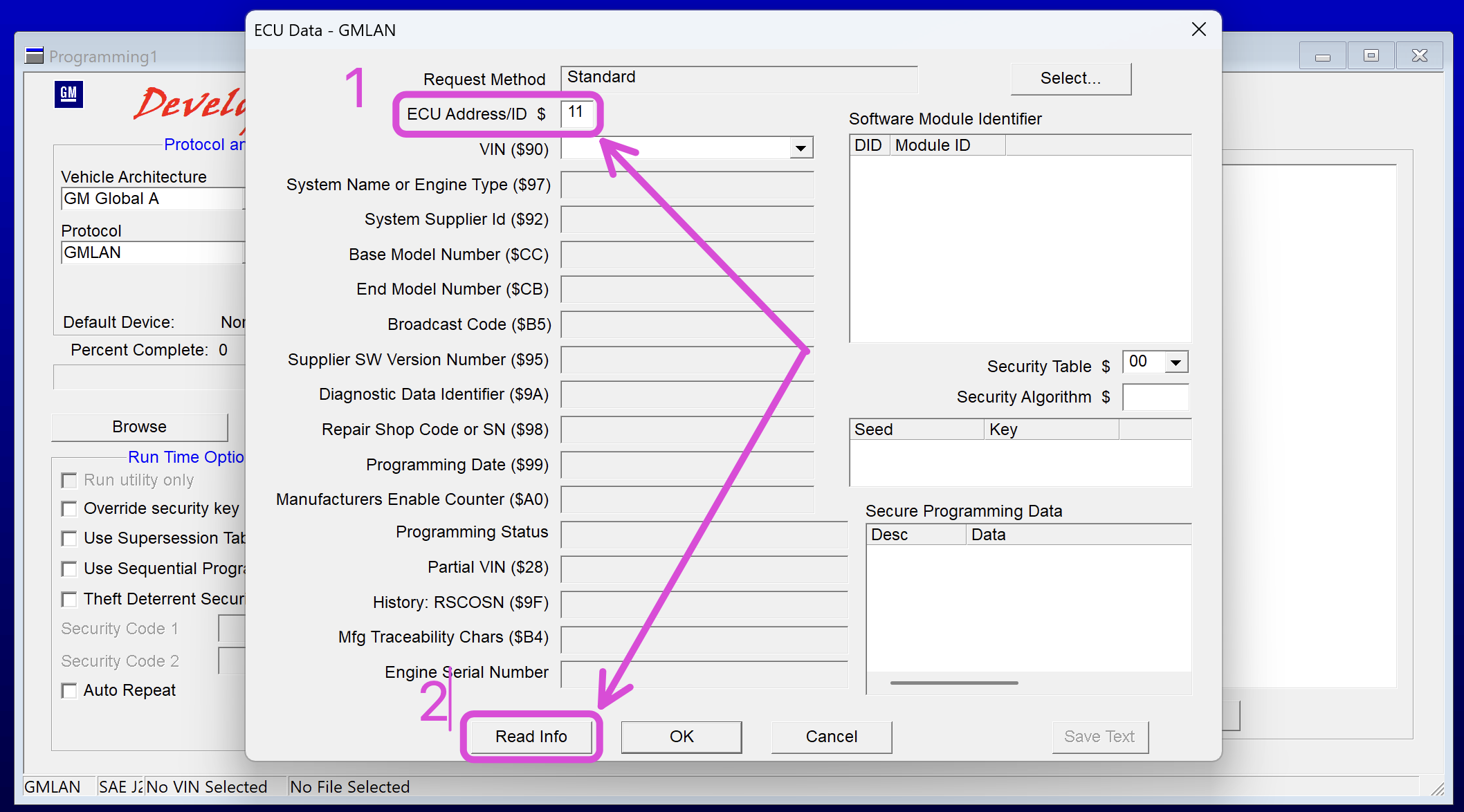
Input the module's ECU ID address; in this case, input "11", which is the ECU ID for the ECM. Click "Read Info" to read the module's VIN and other information.
GM modules ECU ID addresses
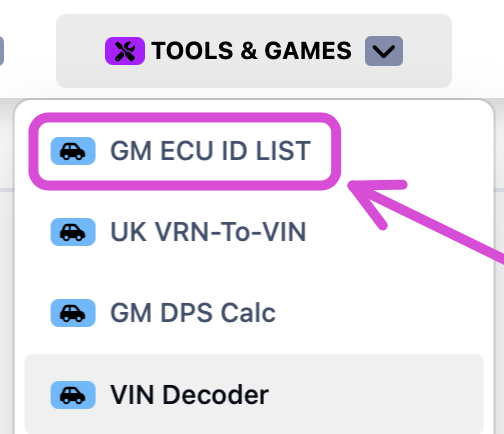
You can find a pre-made list of all the module's ECU ID addresses at this link, or via the website's top menu under "TOOLS & GAMES".
Recycle used GM modules
Instead of purchasing a new module from GM when you need a replacement, you can purchase a used module from websites like eBay, etc, which is cheaper. Change the VIN and PIN, program the vehicle's correct calibrations into the used module, and make it fully functional for the intended vehicle.
Note: You can only recycle a module from a vehicle of the same year and model as the one you're repairing. For example, if the vehicle you're repairing is a 2018 GM Silverado, you must source the use module from a 2018 GM Silverado. Modules taken from a 2013 GM Silverado will not function in a 2018 GM Silverado.
Changing the VIN in a used module using the DPS software
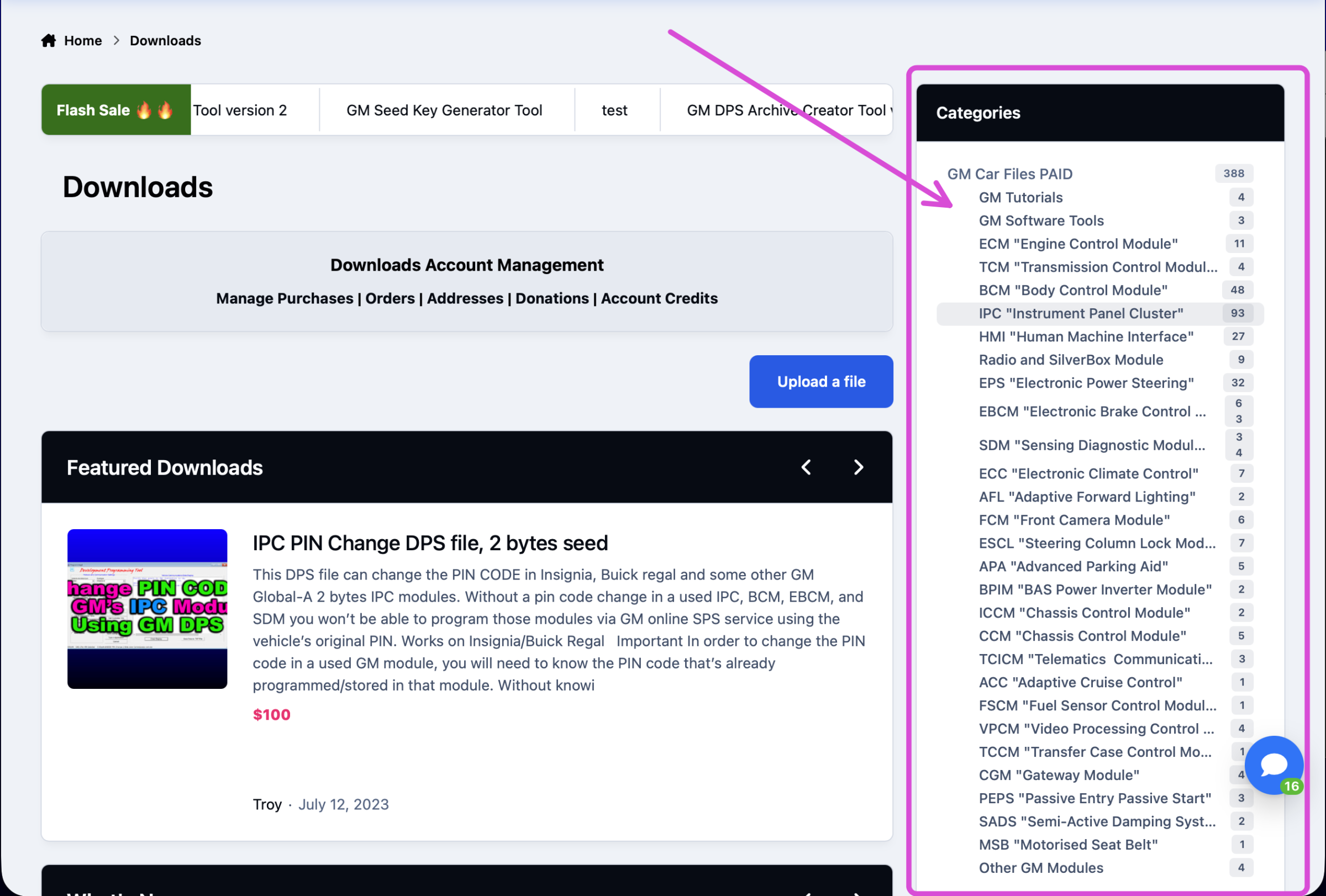
By itself, DPS cannot change the VIN or the PIN in a used module. To change the VIN or PIN, you will need special DPS files that can perform this task. Many DPS VIN and PIN change files are located in the download section of this website.
In the download section, you can select various modules to find the correct files for your model vehicle. If you do not see the vehicle model that you need files for, contact @Troy, he will be able to create the correct DPS files for you.
Example video for changing a module's VIN.
Changing the PIN in a used module using the DPS software
For more information about GM modules that use a security PIN, click this weblink.
All modules in a GM vehicle assigned to the security system store a PIN. When the GM vehicle electronic system boots, the GM vehicle theft security system scans all the modules and checks the PIN. If more than three modules have an incorrect PIN, the vehicle won’t start.
To recycle any of these modules, you must change the VIN and PIN to match the vehicle you're repairing.
Many DPS PIN change files are located in the download section of this website.
In the download section, you can select various modules to find the correct files for your model vehicle. If you do not see the vehicle model that you need files for, contact @Troy, he will be able to create the correct DPS files for you.
Example video for changing a module's PIN.
Changing the vehicle mileage with DPS
You can change the mileage on many GM vehicle models using this DPS Type 4 file.
Example video for changing the mileage in GM vehicles.
Unlock and remove the theft lock from the GM HMI and the radio module.
GM HMI and radio theft-lock removal example video.
You can remove the theft lock from a used HMI module by using this DPS file.
DPS theft-lock removal file for HMI and radio module used in the North American market.
DPS theft-lock removal file for HMI and radio module for the European market.
DPS files for activating various features, including Arabic, video-in-motion, Track-Pad, and rear camera, are located in the HMI download section of the website.
Unlock and remove the theft lock from various GM radio modules.
Theft-lock removal DPS files for various radio modules are available in the radio download section of the website.
Programming a GM module using DPS
To program a GM module using DPS, you first need to acquire the module's calibration files and compile the calibrations into a DPS archive file. By doing this, you can program a module without using the GM SPS service. Alternatively, +Contributor members can request the module's calibration files in this forum topic.
This course tutorial illustrates how to acquire the module's calibration files.
This course tutorial illustrates how to manually create the DPS archive file, which you can then use to program the module.
Alternatively, you can automatically create the DPS archive file using this tool for quick DPS archive file creation.
DPS archive creator tool version-2
For advanced GM programming users, you can use this special tool to generate the seed key for GM Global-A 2 and 5-byte seed modules.
Activate or deactivate features in most GM IPC (Instrument Cluster) with DPS
This course tutorial illustrates how to manually activate or deactivate features on most GM IPCs (Instrument Clusters) with DPS.
Various DPS tutorial courses are located in the course section of the website.
DPS User Guide.
-
 9
9
-
 2
2























































.jpg.434408b0b61b4552ae25cde5c0b5a388.jpg)





.jpeg.503ad3cbf167f180662b9e06a35f1911.jpg.4256ffb79777f00833ddbf666186ef55.jpg)




-min.jpeg.e57f393a5b1034dc5ead0fdf0e5be0a7.jpg.8b0eac9dbd8dd2120749a61afa119519.jpg)




.jpeg.7788c0ed0981e43684ee21be2e0cfd0c.jpg.5fe699189bcf0d18517707ce4222e81a.jpg)


.thumb.jpg.0f819d95317e386a92453772edb75c6b.jpeg.61f2c44081948bc780313ab6fcfdc53b.jpeg)













.jpeg.c58f6a017dba02d1386e26ad62d32fe5.jpeg)




.jpg.9dd8d45a3fad0a651bb2bc39ddead936.jpg.7a19f233d3331becb9d93ee7cfc63379.jpg)




.jpg.3dfde5099751bef5f6e2d27f3d463275.jpg.edf3062b4fb37e14c71ab2caa86c1053.jpg)






















Recommended Comments
Join the conversation
You can post now and register later. If you have an account, sign in now to post with your account.