Skip to content
Install the CameraLoops App

Browse CameraLoops via the app. Learn more.

www.CameraLoops.ru

Use the CameraLoops full-screen app on your home screen with push notifications, badges and more.

To install the CameraLoops app on iOS and iPadOS
  1. Tap the Share icon in Safari
  2. Scroll the menu and tap Add to Home Screen.
  3. Tap Add in the top-right corner.
To install the CameraLoops app on Android
  1. Tap the 3-dot menu (⋮) in the top-right corner of the browser.
  2. Tap Add to Home screen or Install app.
  3. Confirm by tapping Install.

Hacking GM Global-B modules

I'm on a mission to create a bench setup for some GM Global-B architecture modules. My aim is to figure out some method which can be used to recycle GM Global-B modules, including changing VIN and PIN. I have some Global-B modules coming from the USA, an IPC, BCM and an ECM for starters. 


Things I need to know before those modules arrive.

  1. I need to know if I can connect a Global-B BCM direct to the power and Canbus data line and have DPS read the VIN, similar to the Global-A modules?

  2. Will I need to route the BCM through another module, like the Network Gateway Control Module to read the Global-B VIN with DPS?


This article is a placeholder for future experiments and findings.


Update 8/March/2023

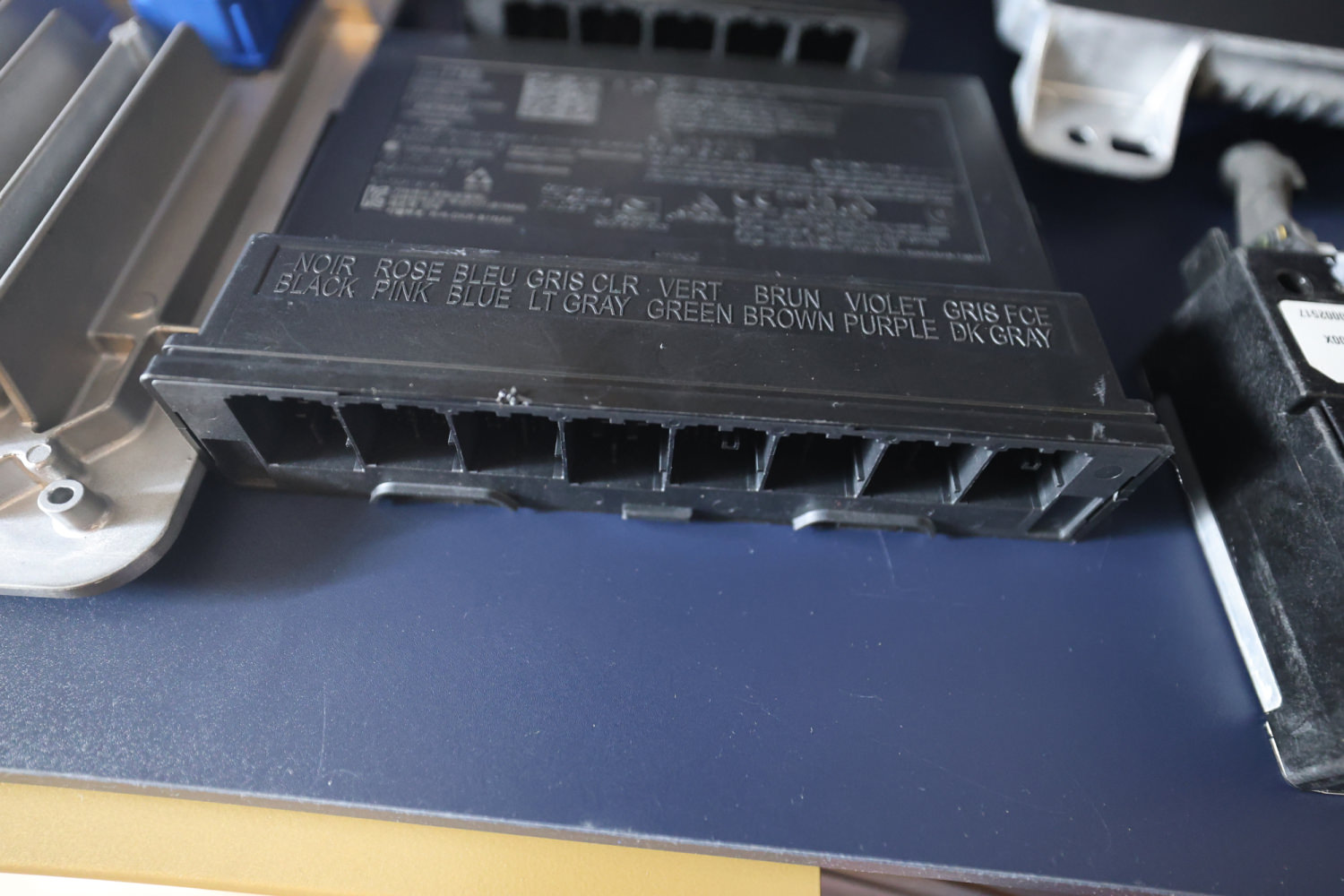
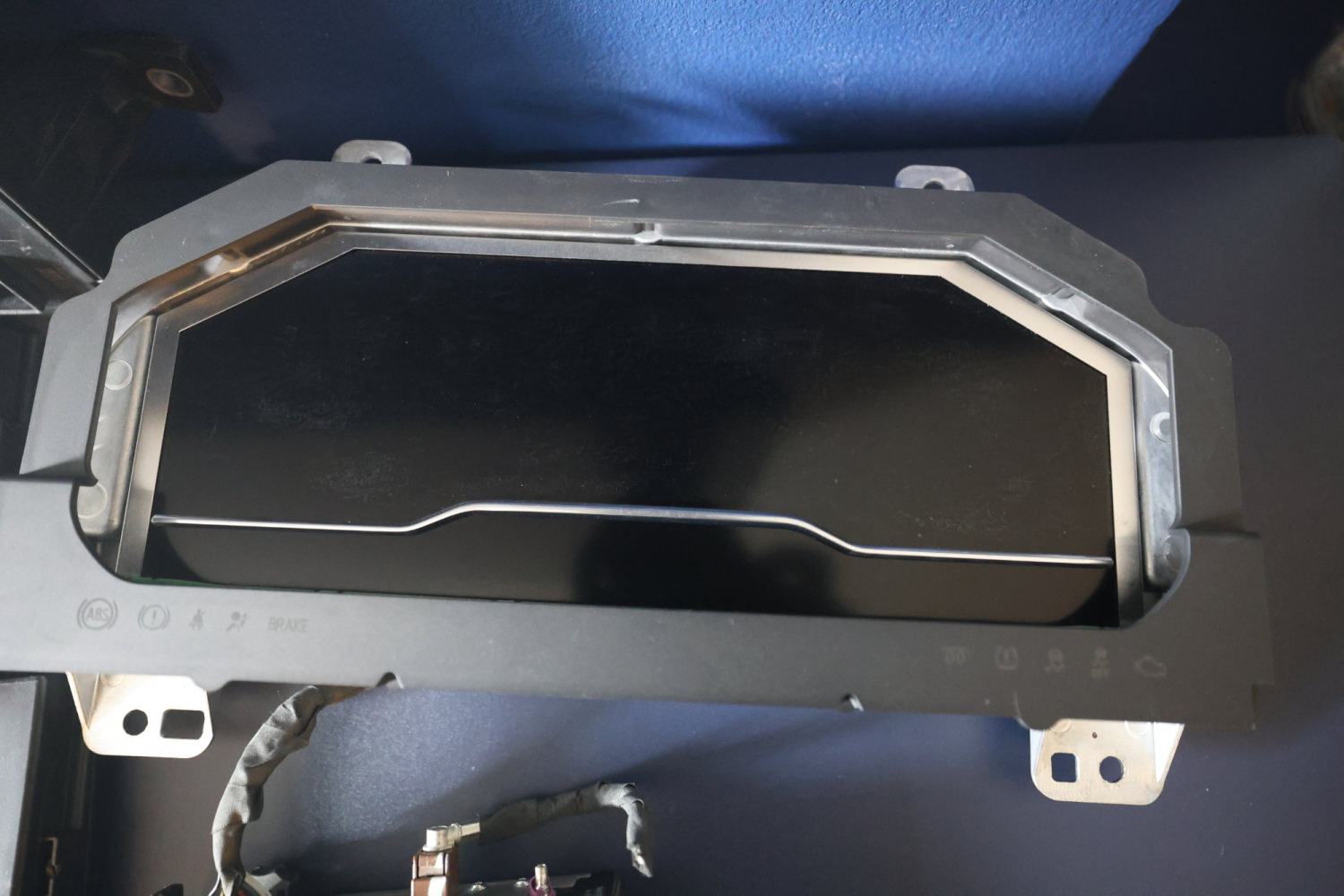
Today I received my new toys from the USA. An IPC and a BCM, from a 2022 Sierra 1500 Global-B. A BCM and an ECM from a 2022 Silverado 1500 Global-B. A BCM and an ECM from a Chevy Onix Global-B. I don't have the wiring loom, so I'll need to connect them using jumper wires which is going to take me a long time to figure out. Hopefully, I'll have this bench setup up and running.
image.jpegR6_20042.JPG

R6_20044.JPGR6_20043.JPG


Update 17/March/2023

I've tried for a few days to get DPS to read the VIN in these modules without any success. Anyone has info and a working Global-B bench setup, can you tell me which data pin number on the OBD connector and the BCM pin number for reading VIN with DPS?

Looking at the data OBD connector schematics, I can see the 4 data lines going directly to the gateway module. On the gateway schematics, I can see two 60Ω resistors, do you think I need to add 2 60Ω resistors to the data lines in order to read the VIN with DPS?

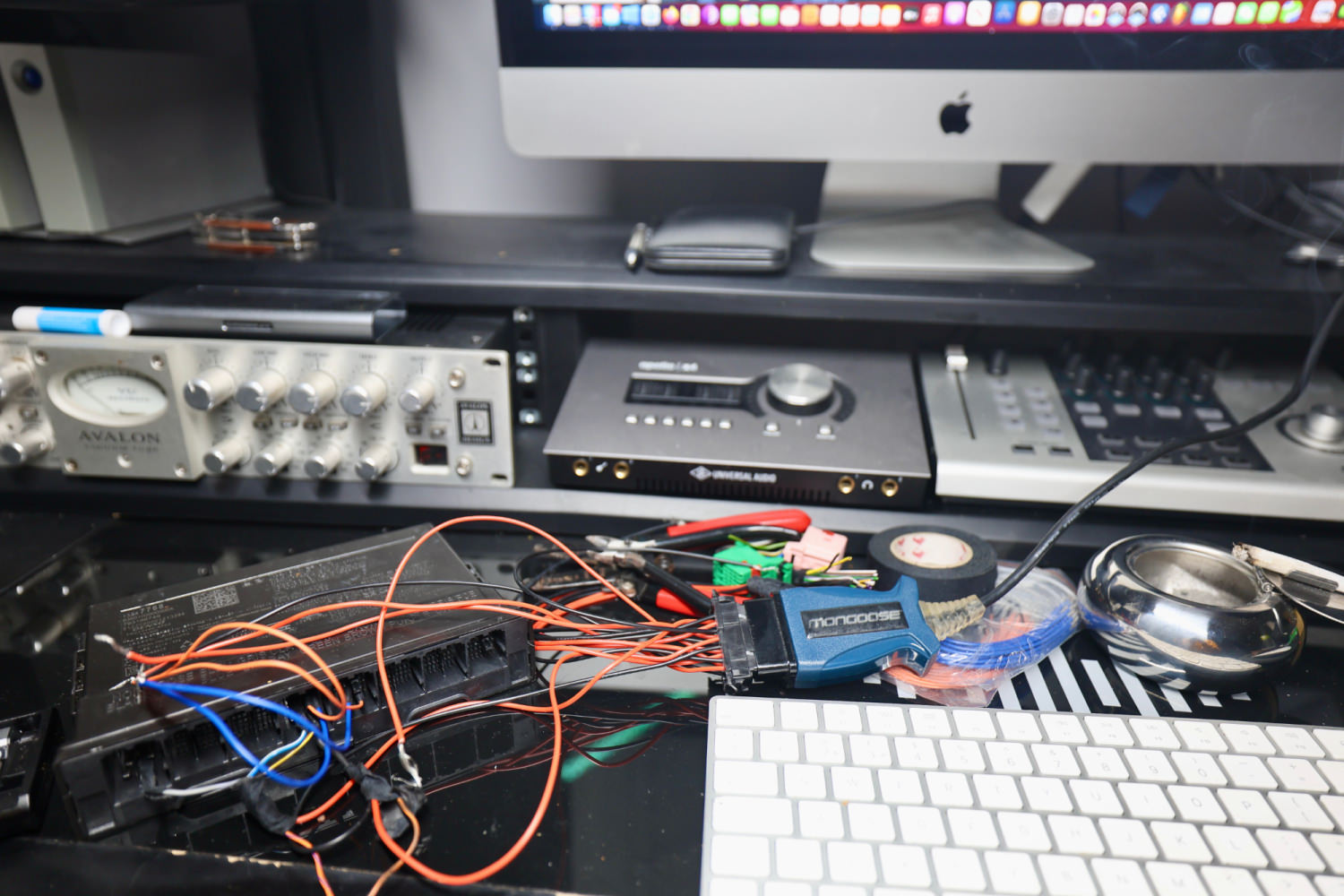
image.png

R6_20047.JPG


R6_20048.JPG


Update 19/March/2023

I've added the 2 60Ω resistors to PIN 6 and 14 data lines. However, I still can't get DPS to read the VIN from the BCM. My next route is to source a Global-B 2022, 3-plug port K56 serial data gateway module. Until then, I'll have to place this puzzle on pause. 


I see that DPS has the option for "with or without gateway". 

image.png

 K56 Serial Data Gateway Module
The K56 Serial Data Gateway Module gates messages between the CAN networks described in the Controller Area Network (CAN) Bus Description section below. The K56 Serial Data Gateway Module needs to know what CAN control modules are present on a given vehicle in order to enable/disable loss of communication DTCs and to know what CAN control modules to track for their communication status. The K56 Serial Data Gateway Module has the ability to learn the diagnostic addresses list of CAN control modules to identify what CAN control modules are equipped on the vehicle and what CAN buses they are on. If the K56 Serial Data Gateway Module is replaced, this learn/verification process will have to be done again through K56 Serial Data Gateway Module programming and setup procedure in SPS. This learn process will not cause any previously learned contents to be forgotten/overwritten. If the learn process is not done on a new K56 Serial Data Gateway Module, DTC U1977 will be set until the learn procedure is executed. If the learn is invalid due to control module internal malfunction or a K56 Serial Data Gateway Module swap, DTC U3000 42 or DTC U3002 56 will be set. If any of these DTCs sets, the K56 Serial Data Gateway Module will enable loss of communication for all CAN control modules. This will result in loss of communication DTCs being set against CAN control modules that are not equipped on the vehicle.
A fault can be localized by monitoring the normal mode messages on a CAN bus. The K56 Serial Data Gateway Module will monitor one signal per CAN control module per CAN bus to determine control module status. When a signal times out, a loss of communication event will be started.


Update 27/March/2023

Using @T c suggestion for reading the VIN with DPS at the beginning when ECM is powered on. That worked, and I can read the VIN with DPS in the 2021 global-B Chevy Onix ECM. The Onix doesn't have a separate gateway module like some of the other GM vehicles. I think the Onix gateway module is combined in its BCM. My BCM seems faulty, so I couldn't test with both modules fully connected. 

I should receive the global-B gateway module sometime this week, hopefully then I'll get the other modules working.

image.png


image.jpeg

GM Techlink article, which has some info.


Update 12/April/2023

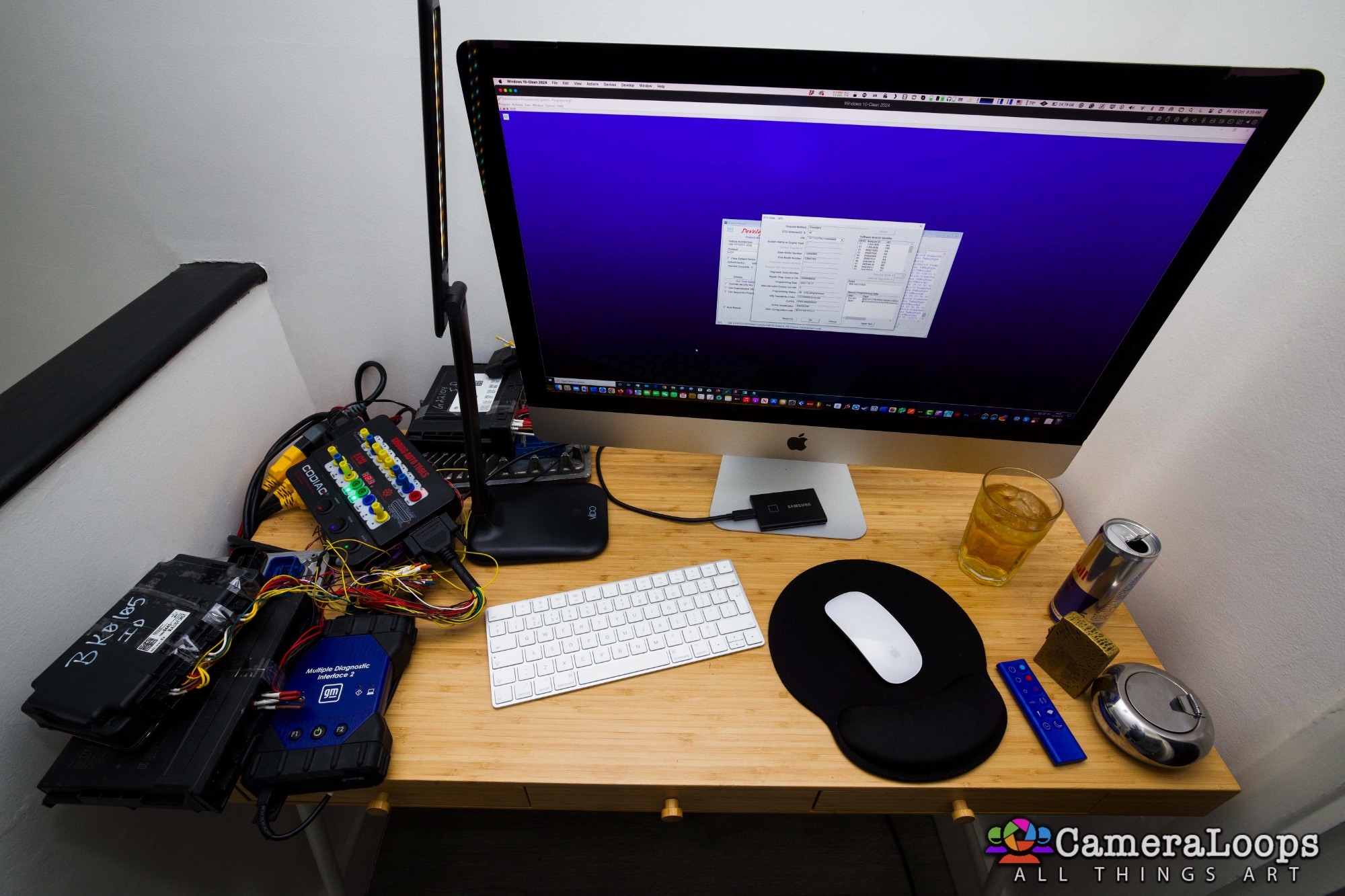
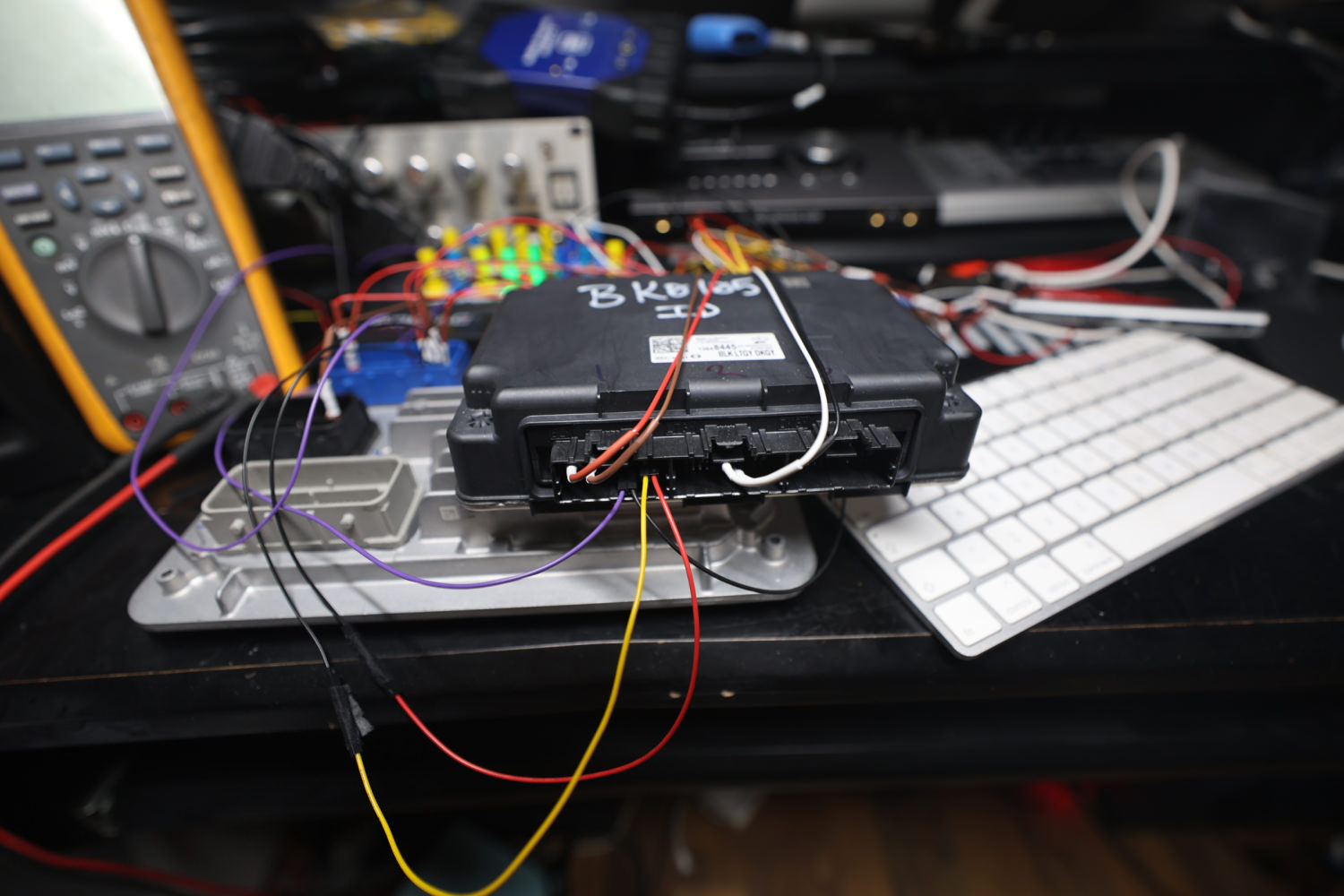
I received and connected the serial gateway module with the other modules, as shown in the GM SI schematics. I can now read the VIN with DPS anytime for all modules and perform partial programming, which is excellent. One step further. 
Global-B command functions differ from Global-A, which will take me some time to understand fully.
You will need the serial data gateway module and a genuine MDI2 to do any programming for a Global-B bench setup.

R6_23721.JPG


R6_23723.JPG


image.png


Data Link Communications Description and Operation.pdf


Update 18/October/2024

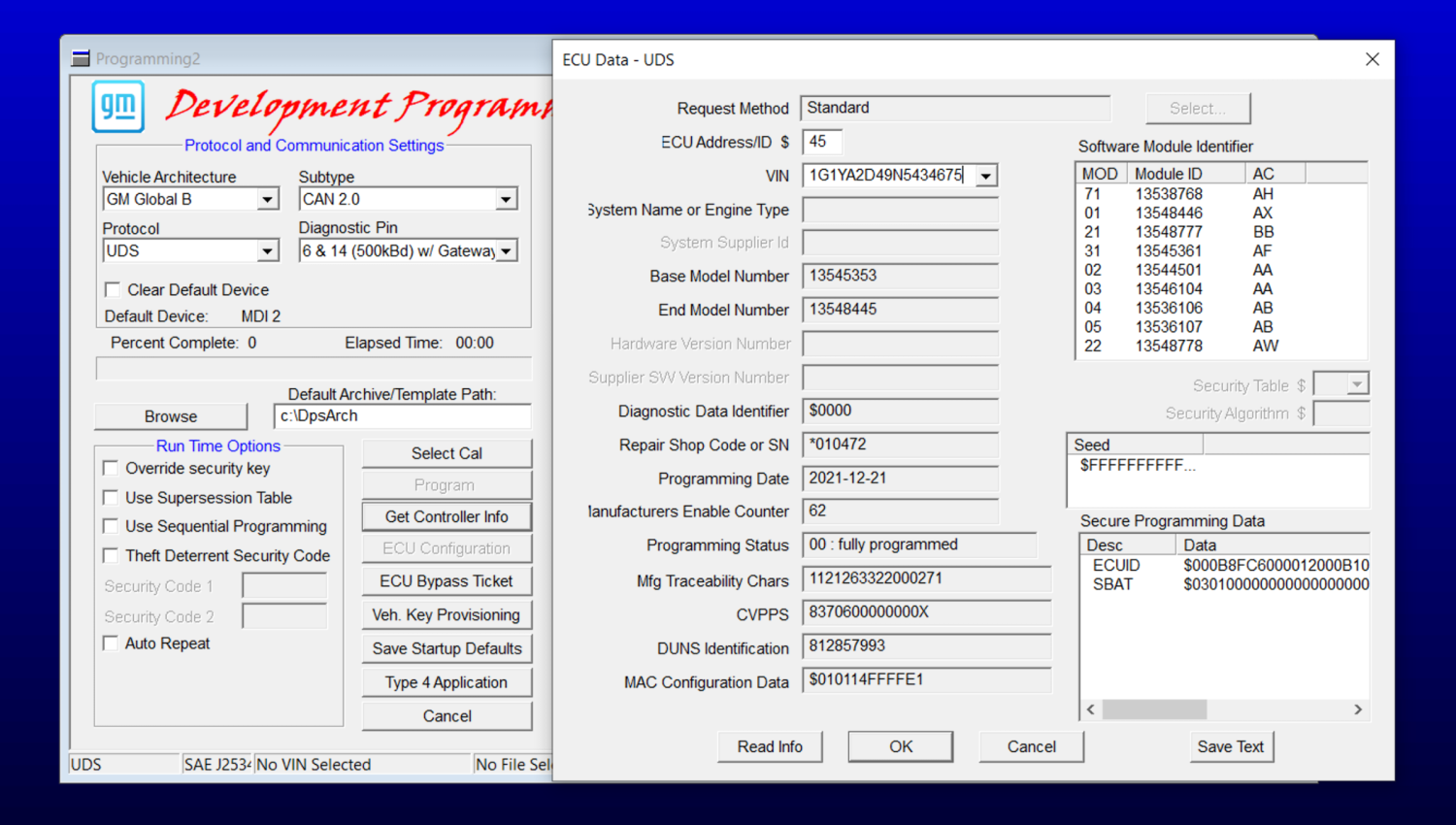
It is now possible to change the VIN and program General Motors Global-B UDS VIP 12-byte seed security electronic modules using the GM DPS tool. This is an excellent option for those who want to replace a faulty GM Global-B module in their vehicle by recycling a used module purchase from a scrap yard or eBay. More info to follow later.


In the video below, I demonstrate changing the VIN in a GM Global-B BCM module from a 2022 Chevrolet Silverado using a GM DPS file I created.


image.jpeg


Update 1/October/2025

Today, I assisted a member who required information to connect the BCM to the Gateway module for a Global-B bench setup. I post the information here in case anyone needs it.

Info for connecting the BCM to the Gateway module for a Global-B bench setup.

Six pins are used to connect the BCM to the Gateway module.

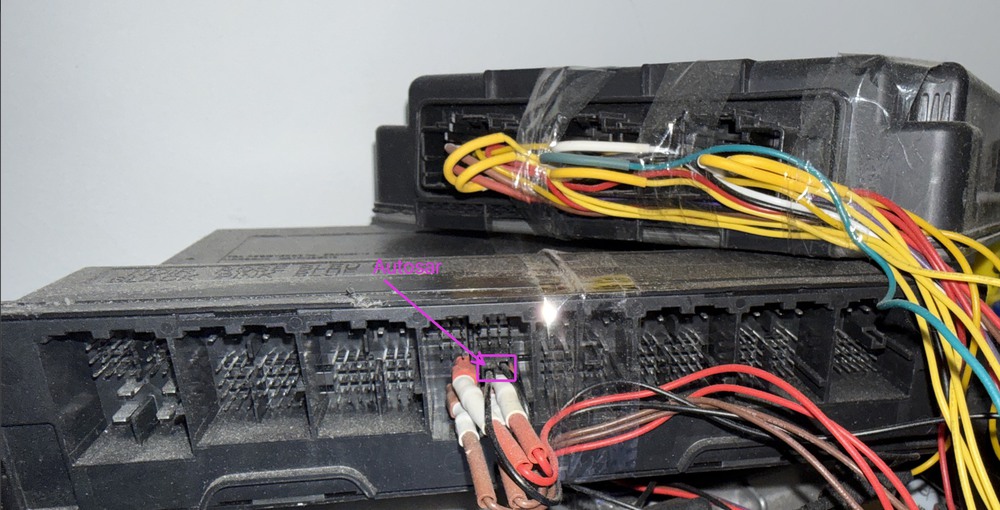
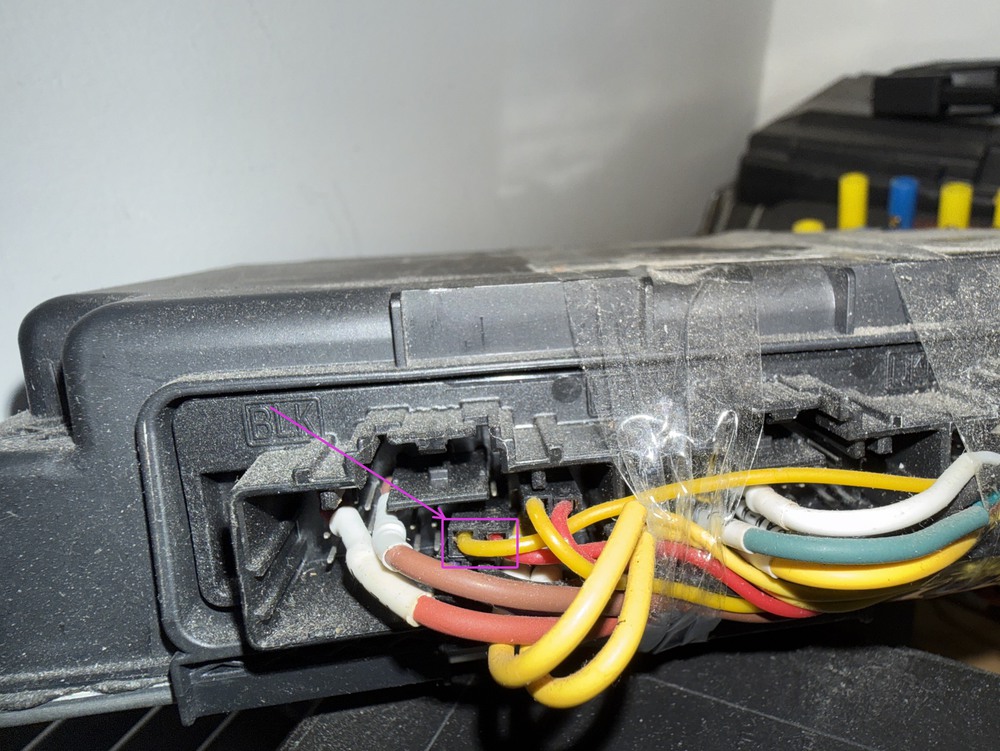
Two battery positive and two battery negative pins need to be connected, along with two AUTOSAR pins. In total, six pins are used for connecting the BCM to the Gateway module.

For the AUTOSAR PINS: Connect the Gateway connector port X1 PIN-18 to the BCM connector port X4 PIN-19, and the Gateway connector port X1 PIN-17 to the BCM connector port X4 PIN-20.

I hope this helps anyone who needs this info.

Screenshot 2025-10-01 at 6.17.48 am.jpg

Screenshot 2025-10-01 at 12.08.09 am.jpg

Global-B Sierra 1500 BCM X4 connector pinouts.
Global-B Gateway module X1 connector pinouts.


User Feedback

Recommended Comments

jesus teran Explorer

+jesus teran

+Contributor
  • Contributor

Hello, I am working on a GMC Sierra 1500 2022 on Global B Platform, I have only been able to read the PCM using godiag GT100+ on the bench, which is an E90 Using an interface called AEZFLASHER 3. I attach photos and the reading obtained with DPS. I am in Miami if you need help for this project I am at your service.

dps.thumb.png.95a011a3611a82d8a1664ebb3701f3eb.png

pinout e90.jpg

aezflasher.jpg

godiag gt100+.jpg

GCI_Log.Txt


Car Hacking Services I Provide For General Motors Vehicles.

  • GM Features Activation/Deactivation
  • GM Remote Diagnosing and Troubleshooting
  • All GM Modules Programming
  • Providing Required GM Calibrations
  • GM ECM/TCM Unlocking
  • GM ECM/TCM Tuning
Blockhead Top Member

+Blockhead

+Contributor
  • Contributor

Hi,

I can send to you log of Vehicle Key Provisioning from DPS. I think if it will be possible to calculate Key from Seed, it will allow to get access to module without Certificate.

Troy Grand Master

Troy

Administrator

GM Car Hacking Expert

7 hours ago, jesus teran said:

Hello, I am working on a GMC Sierra 1500 2022 on Global B Platform, I have only been able to read the PCM using godiag GT100+ on the bench, which is an E90 Using an interface called AEZFLASHER 3. I attach photos and the reading obtained with DPS. I am in Miami if you need help for this project I am at your service.dps.thumb.png.95a011a3611a82d8a1664ebb3701f3eb.png

pinout e90.jpg

aezflasher.jpg

godiag gt100+.jpg

GCI_Log.Txt


Thanks, I should have my modules in a few weeks, hopefully then I can start to learn more about the Global-B

med458 Enthusiast

+med458

+Contributor
  • Contributor

I live near a place that sells modules for $25 let me know what you need sir, happy to help.  Check inventory here:

UPULLRPARTS.COM

Before you yank...spend a few minutes with our online search and see what’s on the lot and how long it’s been out! You can also check what other models have the parts you need.


Troy Grand Master

Troy

Administrator

GM Car Hacking Expert

On 2/18/2023 at 4:59 AM, med458 said:

I live near a place that sells modules for $25 let me know what you need sir, happy to help.  Check inventory here:

UPULLRPARTS.COM

Before you yank...spend a few minutes with our online search and see what’s on the lot and how long it’s been out! You can also check what other models have the parts you need.


Thanks for that link 🙂

WWEILER Explorer

+WWEILER

+Contributor
  • Contributor

What year are the global B modules?

Troy Grand Master

Troy

Administrator

GM Car Hacking Expert

2 hours ago, WWEILER said:

What year are the global B modules?


The modules I got are for the year 2022.

dmyo Enthusiast

+dmyo

+Purchaser
4 hours ago, WWEILER said:

What year are the global B modules?

GM models using the VIP architecture include (Global B):


Buick


2021-2023 Envision


Cadillac


2023 LYRIQ

2021-2023 Escalade

2020-2023 CT4

2020-2023 CT5


Chevrolet


2023 Colorado

2022-2023 Silverado 1500

2021-2023 Tahoe and Suburban

2020-2023 Corvette


GMC


2023 Canyon

2022-2023 HUMMER EV

2022-2023 Sierra 1500

2021-2023 Yukon

Darth V Rising Star

Darth V

Member

Are any of you guys working with Trifecta Performance or Tapout Tuning, here in the US, with this stuff?

Troy Grand Master

Troy

Administrator

GM Car Hacking Expert

I've tried for a few days to get DPS to read the VIN in these modules without any success. Anyone has info and a working Global-B bench setup, can you tell me which data pin number on the OBD connector and the BCM pin number for reading VIN with DPS?

Looking at the data OBD connector schematics, I can see the 4 data lines going directly to the gateway module. On the gateway schematics, I can see two 60Ω resistors, do you think I need to add 2 60Ω resistors to the data lines in order to read the VIN with DPS?
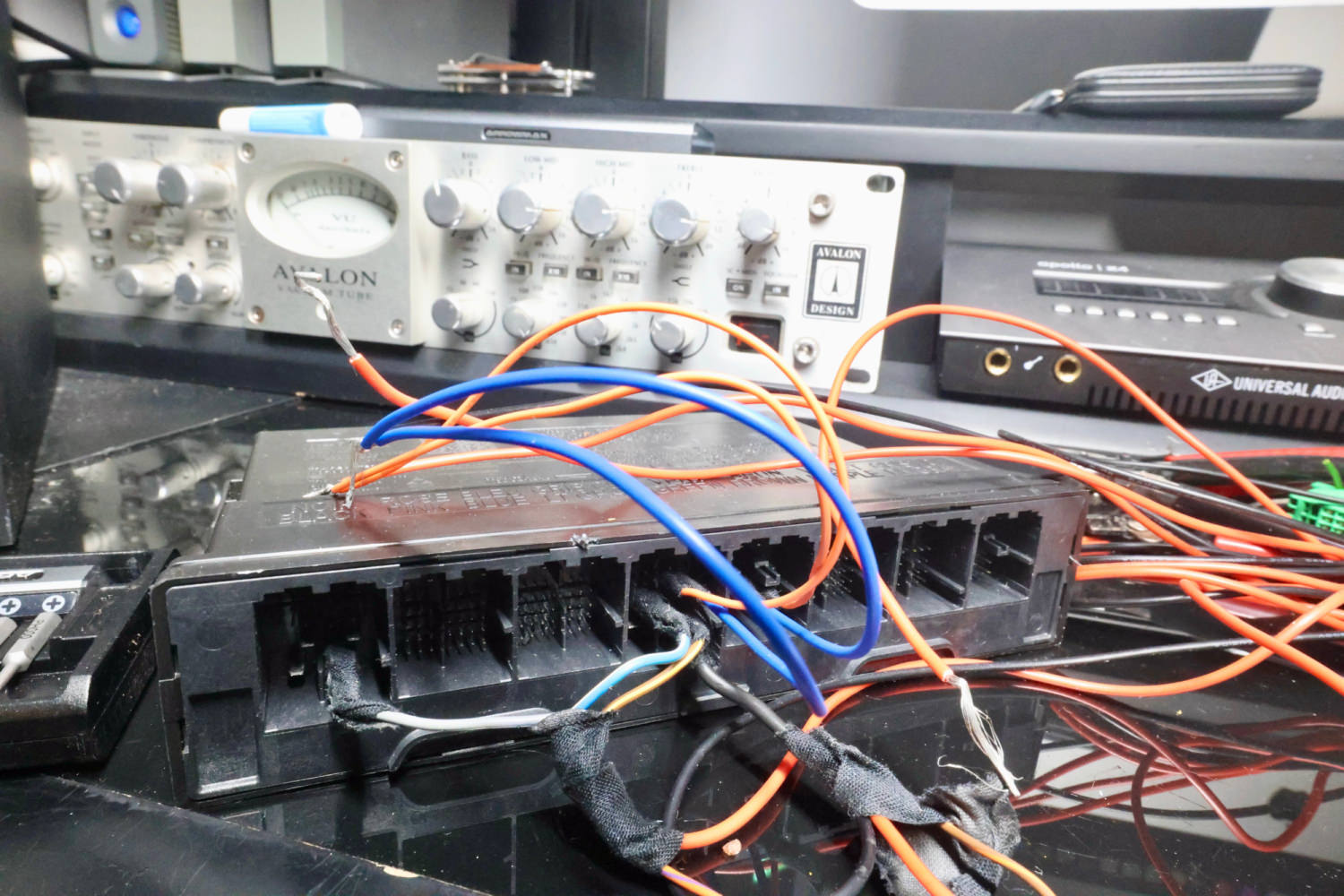
image.png

GM-Enthusiast Mentor

+GM-Enthusiast

+Contributor

GM Car Hacking Expert

  • Contributor

BCM was on CAN2  , terminating resistor must be 60 ohms in total reading, if it was 120 ohms communication is pass and failed,, open circuit data in data bus diagnostic,

Untitled.png


Car Hacking Services I Provide For General Motors Vehicles.

  • GM Remote Diagnosing and Troubleshooting
  • All GM Modules Programming
  • GM ECM/TCM Tuning
  • Auto Mechanic Workshop
Troy Grand Master

Troy

Administrator

GM Car Hacking Expert

7 minutes ago, LLCasaol said:

BCM was on CAN2  , terminating resistor must be 60 ohms in total reading, if it was 120 ohms communication is pass and failed,, open circuit data in data bus diagnostic,


Ok i'll buy some resistors and check again. Thanks

Danny6776 Explorer

Danny6776

Member
17 hours ago, Troy said:

Несколько дней я безуспешно пытался заставить DPS считать VIN в этих модулях. У кого-нибудь есть информация и рабочая установка Global-B, можете ли вы сказать мне, какой номер контакта данных на разъеме OBD и номер контакта BCM для чтения VIN с помощью DPS?

Глядя на схему разъема данных OBD, я вижу 4 линии данных, идущие непосредственно к модулю шлюза. На схеме шлюза я вижу два резистора по 60 Ом, как вы думаете, мне нужно добавить 2 резистора по 60 Ом на линии данных, чтобы считать VIN с помощью DPS?

изображение.png

Hello, you looked at the board there in different ways connected

Troy Grand Master

Troy

Administrator

GM Car Hacking Expert

I've added the 2 60Ω resistors to PIN 6 and 14 data lines. However, I still can't get DPS to read the VIN from the BCM. My next route is to source a Global-B 2022, 3-plug port K56 serial data gateway module. Until then, I'll have to place this puzzle on pause. 


I see that DPS has the option for "with or without gateway". 

image.png


K56 Serial Data Gateway Module
The K56 Serial Data Gateway Module gates messages between the CAN networks described in the Controller Area Network (CAN) Bus Description section below. The K56 Serial Data Gateway Module needs to know what CAN control modules are present on a given vehicle in order to enable/disable loss of communication DTCs and to know what CAN control modules to track for their communication status. The K56 Serial Data Gateway Module has the ability to learn the diagnostic addresses list of CAN control modules to identify what CAN control modules are equipped on the vehicle and what CAN buses they are on. If the K56 Serial Data Gateway Module is replaced, this learn/verification process will have to be done again through K56 Serial Data Gateway Module programming and setup procedure in SPS. This learn process will not cause any previously learned contents to be forgotten/overwritten. If the learn process is not done on a new K56 Serial Data Gateway Module, DTC U1977 will be set until the learn procedure is executed. If the learn is invalid due to control module internal malfunction or a K56 Serial Data Gateway Module swap, DTC U3000 42 or DTC U3002 56 will be set. If any of these DTCs sets, the K56 Serial Data Gateway Module will enable loss of communication for all CAN control modules. This will result in loss of communication DTCs being set against CAN control modules that are not equipped on the vehicle.
A fault can be localized by monitoring the normal mode messages on a CAN bus. The K56 Serial Data Gateway Module will monitor one signal per CAN control module per CAN bus to determine control module status. When a signal times out, a loss of communication event will be started.
 
 
T c Rising Star

T c

Member

如果线路正常,您可以尝试在通电后立即读取。您可能会遇到意想不到的结果

Troy Grand Master

Troy

Administrator

GM Car Hacking Expert

3 minutes ago, T c said:

如果线路正常,您可以尝试在通电后立即读取。您可能会遇到意想不到的结果

I would prefer if I could read the modules anytime. I see in the GM manual a reference for "Module Service Mode" maybe the gateway module is what activates the service mode.

josebruno Explorer

Banned-josebruno

Banned-Banned
On 19/3/2023 at 9:01, Troy said:

Preferiría si pudiera leer los módulos en cualquier momento. Veo en el manual de GM una referencia para "Modo de servicio del módulo", tal vez el módulo de puerta de enlace es lo que activa el modo de servicio.

OCUPAS VER SI TIENE GETWAY  O NO POR ESO  DPS TE DICE QUE ELIJAS ESO  

Troy Grand Master

Troy

Administrator

GM Car Hacking Expert

Using @T c suggestion for reading the VIN with DPS at the beginning when ECM is powered on. That worked, and I can read the VIN with DPS in the 2021 global-B Chevy Onix ECM. The Onix doesn't have a separate gateway module like some of the other GM vehicles, I think the Onix gateway module is combined in its BCM. My BCM seems faulty, so I couldn't test with both modules fully connected. 

I should receive the global-B gateway module sometime this week, hopefully then I'll get the other modules working.
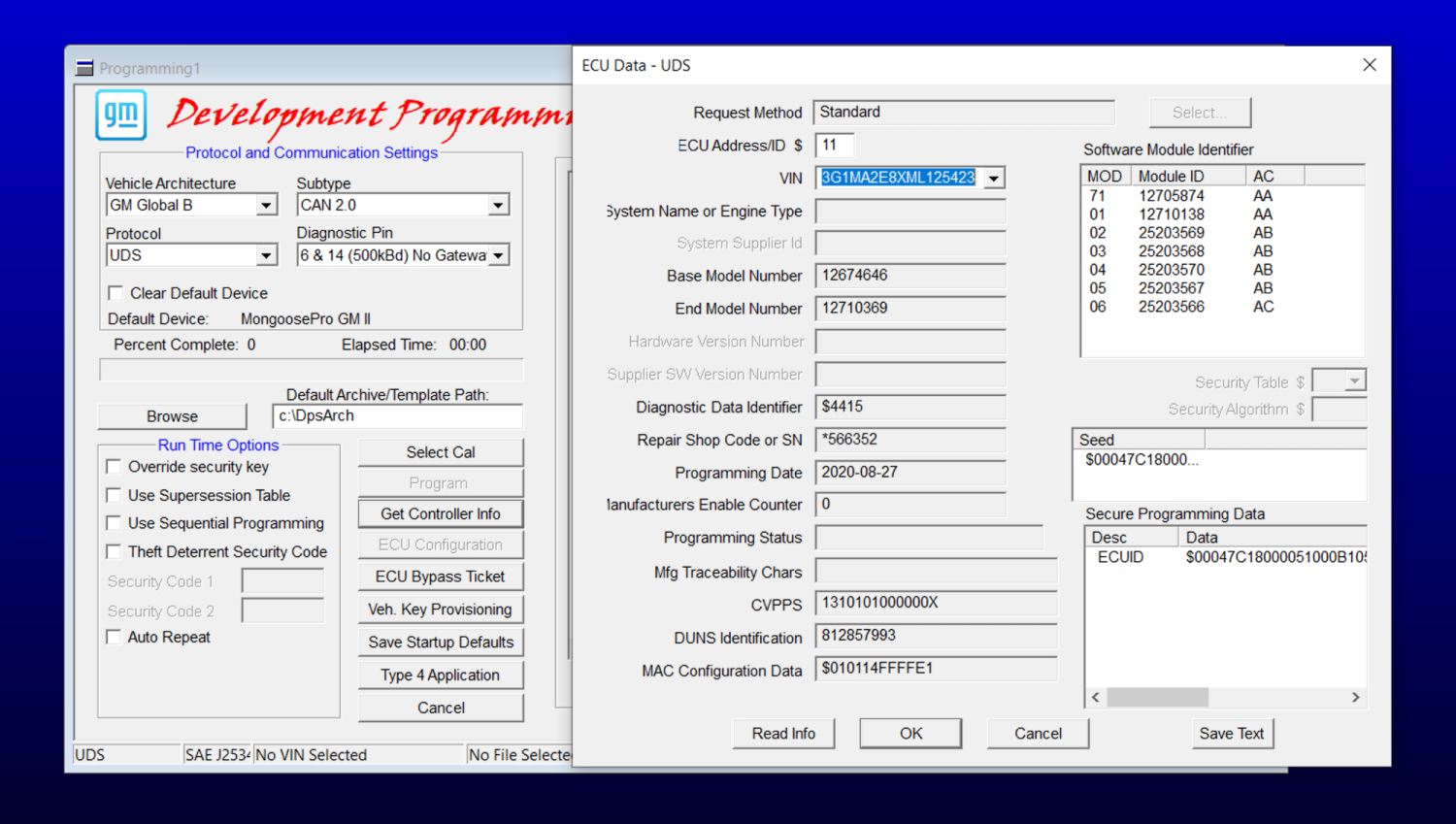
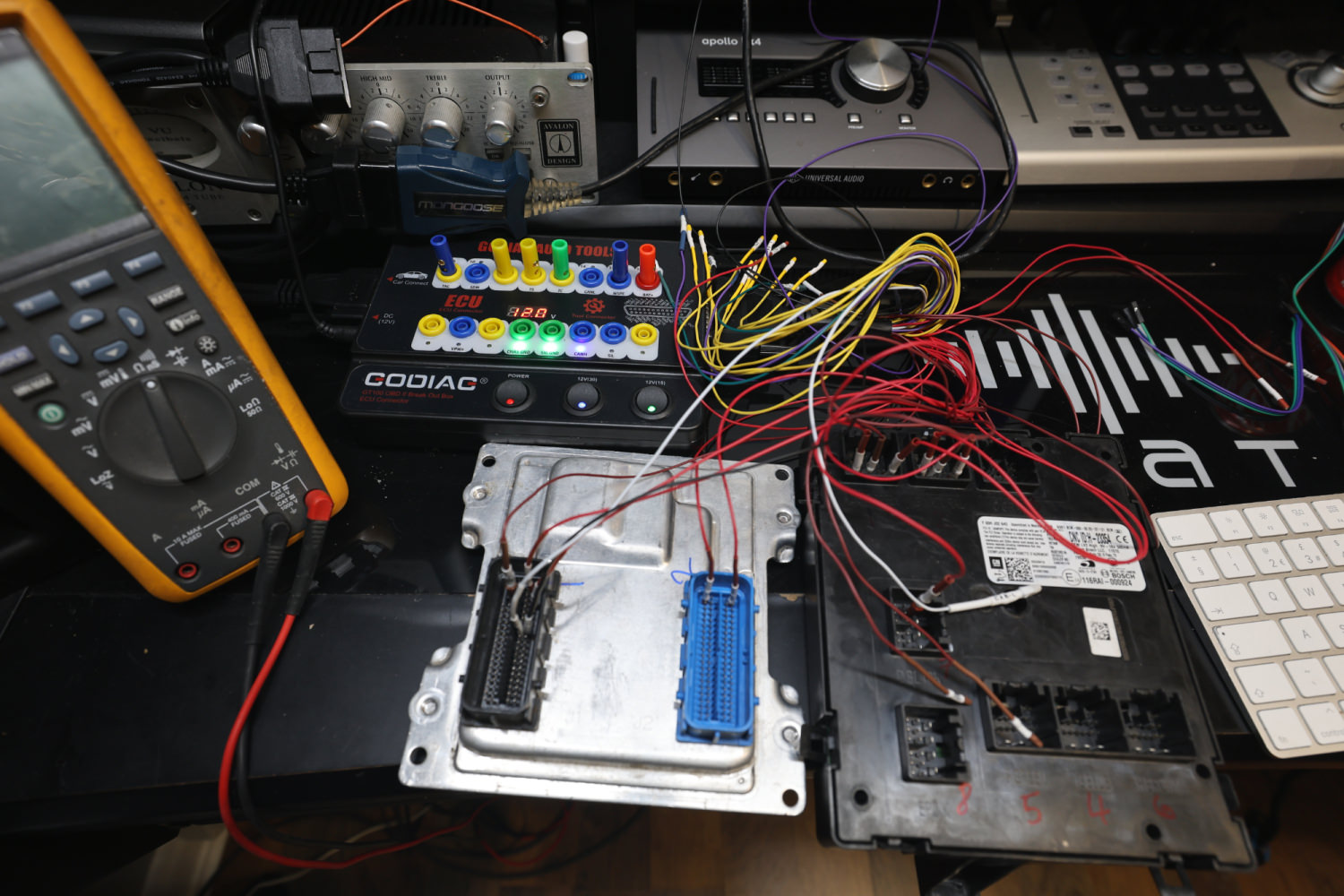
 

image.png


image.jpeg


GM Techlink article which has some info.


Blockhead Top Member

+Blockhead

+Contributor
  • Contributor

As I remember correct, Onix is GEM platform. It is semi Global B.

Artur Explorer

+Artur

+Contributor
  • Contributor
On 3/27/2023 at 3:51 AM, _mrv_ said:

As I remember correct, Onix is GEM platform. It is semi Global B.

What is the difference between GEM and Global B platforms?

Blockhead Top Member

+Blockhead

+Contributor
  • Contributor

As far as I understand GEM is easy and cheaper then Global B. I don't have access to GEM vehicle yet.

dmyo Enthusiast

+dmyo

+Purchaser

GM GEM Platform


GEM, short for Global Emerging Markets, is a General Motors vehicle architecture designed to support entry-level passenger cars and crossover utility vehicles for developing markets.


Predecessor:    GM Gamma platform    GM-PATAC K platform 


Vehicle Application

Chevrolet:    Onix, Prisma, Cobalt, new 5-passenger CUV, Spin, Sail, Cavalier, Lova RV
Buick:    Excelle sedan, Excelle wagon, new 5-passenger CUV, GL6
 

sanchouz Rising Star

sanchouz

Member

Hello! can you tell me how to work with Global B which settings to choose in dps correctly? and is an internet connection required ? working with chevrolet tracker 2

Troy Grand Master

Troy

Administrator

GM Car Hacking Expert

On 4/4/2023 at 5:40 PM, sanchouz said:

Hello! can you tell me how to work with Global B which settings to choose in dps correctly? and is an internet connection required ? working with chevrolet tracker 2


For programming Global-B with DPS. You need.

  1. A genuine GM MDI2 diagnostic interface.

  2. A legit Online DPS that has a valid security validation certificate. Or generate the 12-byte seed key elsewhere. ( The normal Cracked DPS will not generate the 12-byte global-B seed keys) 

  3. Select global-B in the DPS settings tab.

image.png

Screenshot 2023-04-04 at 8.07.04 pm.png


Troy Grand Master

Troy

Administrator

GM Car Hacking Expert

I received and connected the serial gateway module with the other modules, as shown in the GM SI schematics. I can now read the VIN with DPS anytime for all modules and perform partial programming, which is excellent. One step further. 
Global-B command functions differ from Global-A, which will take me some time to understand fully.
You will need the serial data gateway module and a genuine MDI2 to do any programming for a Global-B bench setup.

 

R6_23721.JPG


R6_23723.JPG


image.png


Join the conversation

You can post now and register later. If you have an account, sign in now to post with your account.

Guest
Add a comment...

All Articles

Popular Members

  1. Troy
    Troy
    24
  2. uglyoldbastard
    +uglyoldbastard
    7
  3. Arbe_gtc
    +Arbe_gtc
    6
  4. GM-Enthusiast
    +GM-Enthusiast
    6
  5. Ernestas
    +Ernestas
    5

New Members

  1. joel mora
    joel mora
      Member
    Joined
  2. Mykola Goriun
    Mykola Goriun
      Member
    Joined
  3. Robert Nkrumah
    Robert Nkrumah
      Member
    Joined
  4. Course AndreyMinsky
    Banned-Course AndreyMinsky
      Banned-Banned
    Joined
  5. Rose Cartechnology
    Rose Cartechnology
      Member
    Joined
  6. Alex kovalenko
    Alex kovalenko
      Member
    Joined
  7. Yhshah
    Yhshah
      Member
    Joined
  8. Dovydas
    Dovydas
      Member
    Joined
  9. Angel Leal
    Angel Leal
      Member
    Joined
  10. Guillermo Caflo
    Guillermo Caflo
      Member
    Joined

CameraLoops™
Powered by Art
All Trademarks appearing on this website are the property of their respective owners.

Account

Navigation

Configure browser push notifications

Chrome (Android)
  1. Tap the lock icon next to the address bar.
  2. Tap Permissions → Notifications.
  3. Adjust your preference.
Chrome (Desktop)
  1. Click the padlock icon in the address bar.
  2. Select Site settings.
  3. Find Notifications and adjust your preference.