Skip to content
View in the app

A better way to browse. Learn more.

www.CameraLoops.ru

A full-screen app on your home screen with push notifications, badges and more.

To install this app on iOS and iPadOS
  1. Tap the Share icon in Safari
  2. Scroll the menu and tap Add to Home Screen.
  3. Tap Add in the top-right corner.
To install this app on Android
  1. Tap the 3-dot menu (⋮) in the top-right corner of the browser.
  2. Tap Add to Home screen or Install app.
  3. Confirm by tapping Install.

How To Activate Video In Motion, Languages, RVC Guide Lines In The HMI 2.5 With The DPS Tool

Video In Motion For All GM Vehicles That Use The HMI 2.5 Module.

The video still plays when the vehicle is driving in drive mode.


Watch the video below to see the process.


These files can be used with the GM DPS tool to: 

Activate Video in Motion.

Activate both§ North American and European languages on the infotainment and IPC screens. (The language selected in infotainment settings is set in the IPC).

Activate reverse camera guide-lines.

Activate the reverse camera always on. (Note, an extra attachment or mod is needed to activate the reverse camera always-on feature, which I do not privide).


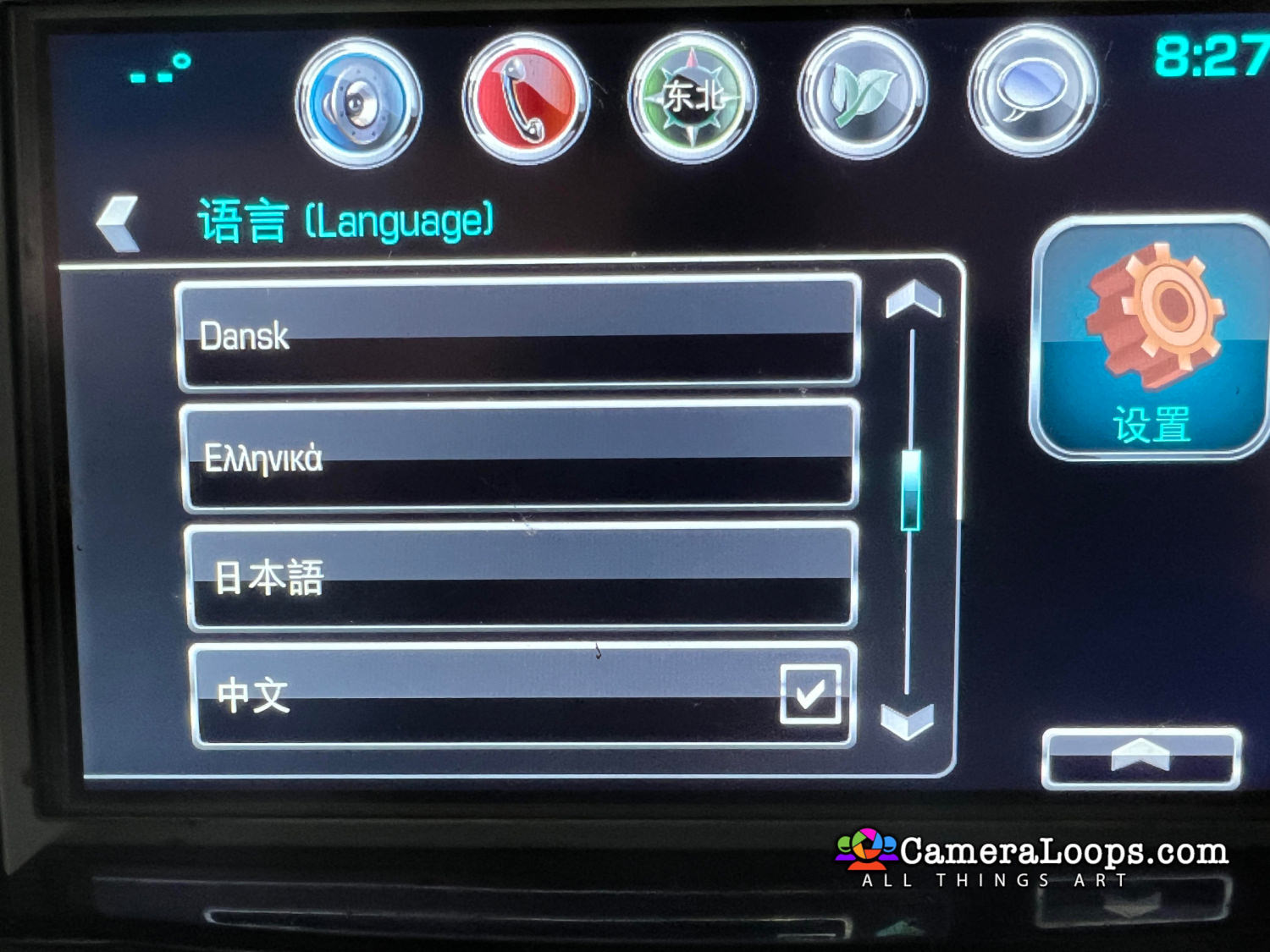
I can activate Arabic and Asian languages on all the GM vehicles that use the HMI 2.5 module.

Arabic.jpgchina.jpg


Chevrolet Volt


Chevrolet Tahoe


Chevrolet Tahoe Arabic Language


Chevrolet Silverado


Chevrolet Silverado Middle East Arabic Language


Chevrolet Malibu


Chevrolet Suburban


Corvette


GMC Yukon


GMC Yukon Arabic Language


GMC Yukon Denali


GMC Yukon Denali Arabic Language


GMC Sierra


Cadillac Escalade USA


Cadillac CT6 European Specs


Cadillac Escalade European Specs


Cadillac Escalade USA With Arabic Language Activated


Buick Envision


Buick Regal


Vauxhall


Opel


Opel Arabic



User Feedback

Recommended Comments

codebuilder Community Regular

+codebuilder

+Contributor

GM Car Hacking Expert

  • Contributor

Awesome Troy!!!

ZmanCamaro Top Member

+ZmanCamaro

+Purchaser

Question on a USA 2017 Camaro, which file for this car with HMI 2.5 as this car is not listed?


Thank you Troy!!

Jarektf Apprentice

+Jarektf

+Contributor
  • Contributor

What about Cadillac CT6?

Shakir Apprentice

Shakir

Member

Awesome ,Thank you Troy

Troy Grand Master

Troy

Administrator

GM Car Hacking Expert

On 10/15/2023 at 2:48 PM, ZmanCamaro said:

Question on a USA 2017 Camaro, which file for this car with HMI 2.5 as this car is not listed?


Thank you Troy!!

Send me the HMI 2.5 files, and then I can create the files for that vehicle.


On 1/23/2024 at 8:32 PM, Jarektf said:

What about Cadillac CT6?

Send me the HMI 2.5 files for your CT6, and then I can create the files for that vehicle.

Jarektf Apprentice

+Jarektf

+Contributor
  • Contributor

1G6K95R69JU102056

Jarektf Apprentice

+Jarektf

+Contributor
  • Contributor

thanks, I'll try it soon and let you know

Troy Grand Master

Troy

Administrator

GM Car Hacking Expert

On 1/23/2024 at 8:32 PM, Jarektf said:

What about Cadillac CT6?


VIM for CT6


Jarektf Apprentice

+Jarektf

+Contributor
  • Contributor

What HMI number do you need? PN??

Shakir Apprentice

Shakir

Member

Yes

Jarektf Apprentice

+Jarektf

+Contributor
  • Contributor

PN 84251842

Jarektf Apprentice

+Jarektf

+Contributor
  • Contributor

CT6: Video (from USB ports) in motion works well, but video from media player is still blocked. Troy, can you do this?

Marcin Tulowiecki Apprentice

+Marcin Tulowiecki

+Contributor
  • Contributor

Is it possible, that touch screen stopped working after writing calibration ? I used GMC Yukon Denali on GMC Acadia Denali (I think both uses same screen and control panel) But now I can only use control panel buttons to navigate through menus. But, the problem is I did not check the touch screen before, so I have no idea if it was working before or not. And I know those like to just stop.
So anyone can tell me if I could disable touch screen with those calibrations ?

Marcin Tulowiecki Apprentice

+Marcin Tulowiecki

+Contributor
  • Contributor

False alarm. I saw that I actually had two calibrations for Yukon in the package and second version works like intended

Join the conversation

You can post now and register later. If you have an account, sign in now to post with your account.

Guest
Add a comment...

All Articles

Popular Members

  1. hassan77h
    +hassan77h
    27
  2. Troy
    Troy
    22
  3. uglyoldbastard
    +uglyoldbastard
    13
  4. regloops
    +regloops
    8
  5. GM-Enthusiast
    +GM-Enthusiast
    7

New Members

  1. David Fontenot
    David Fontenot
      Member
    Joined
  2. SSAUTOZ
    SSAUTOZ
      Member
    Joined
  3. valdemarford
    valdemarford
      Member
    Joined
  4. Course faycal khalil
    Troll-Course faycal khalil
      Troll-Troll
    Joined
  5. Troll stevie nick
    Troll-Troll stevie nick
      Troll-Troll
    Joined
  6. Troll Parkerchevy
    Troll-Troll Parkerchevy
      Troll-Troll
    Joined
  7. Hayk Vardanyan
    Hayk Vardanyan
      Member
    Joined
  8. tunedbycasco
    tunedbycasco
      Member
    Joined
  9. freehugs
    freehugs
      Member
    Joined
  10. ceberon
    ceberon
      Member
    Joined

CameraLoops™
Powered by Art
All Trademarks appearing on this website are the property of their respective owners.

Account

Navigation

Configure browser push notifications

Chrome (Android)
  1. Tap the lock icon next to the address bar.
  2. Tap Permissions → Notifications.
  3. Adjust your preference.
Chrome (Desktop)
  1. Click the padlock icon in the address bar.
  2. Select Site settings.
  3. Find Notifications and adjust your preference.