













By +BenZ-MaN
How To Fix a Blurry Augmented Reality Navigation Camera in Mercedes Benz
The augmented reality navigation camera in many Mercedes-Benz vehicles often becomes blurry after a few years.
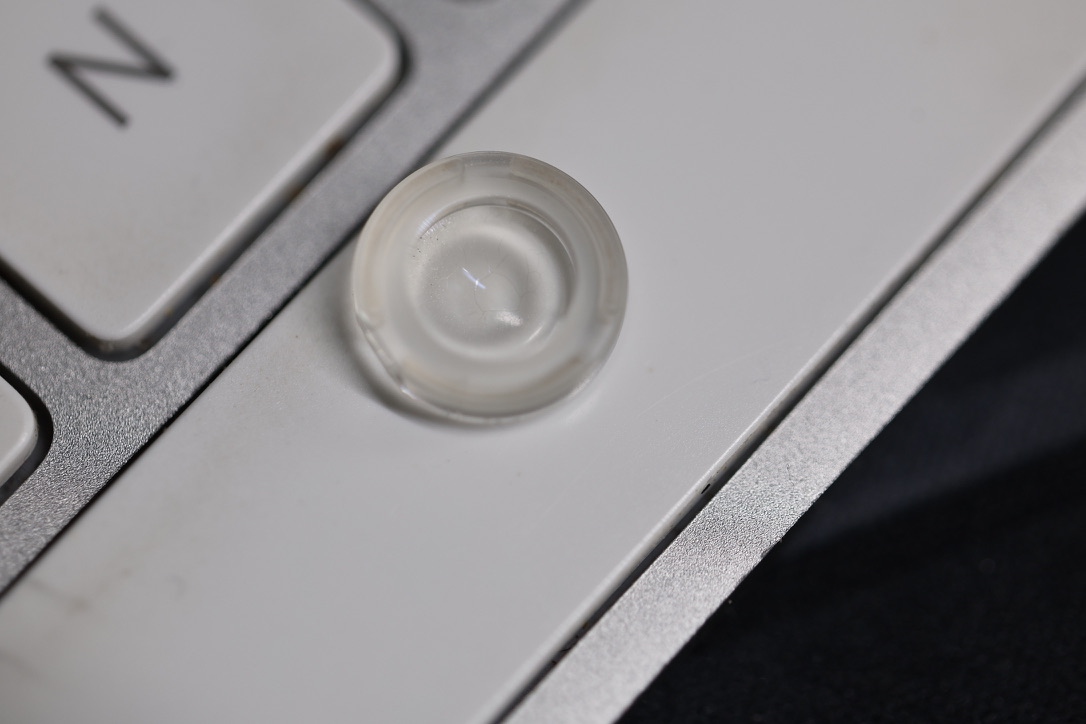
This is because the lens coating crystallises from constant direct sunlight and heat.
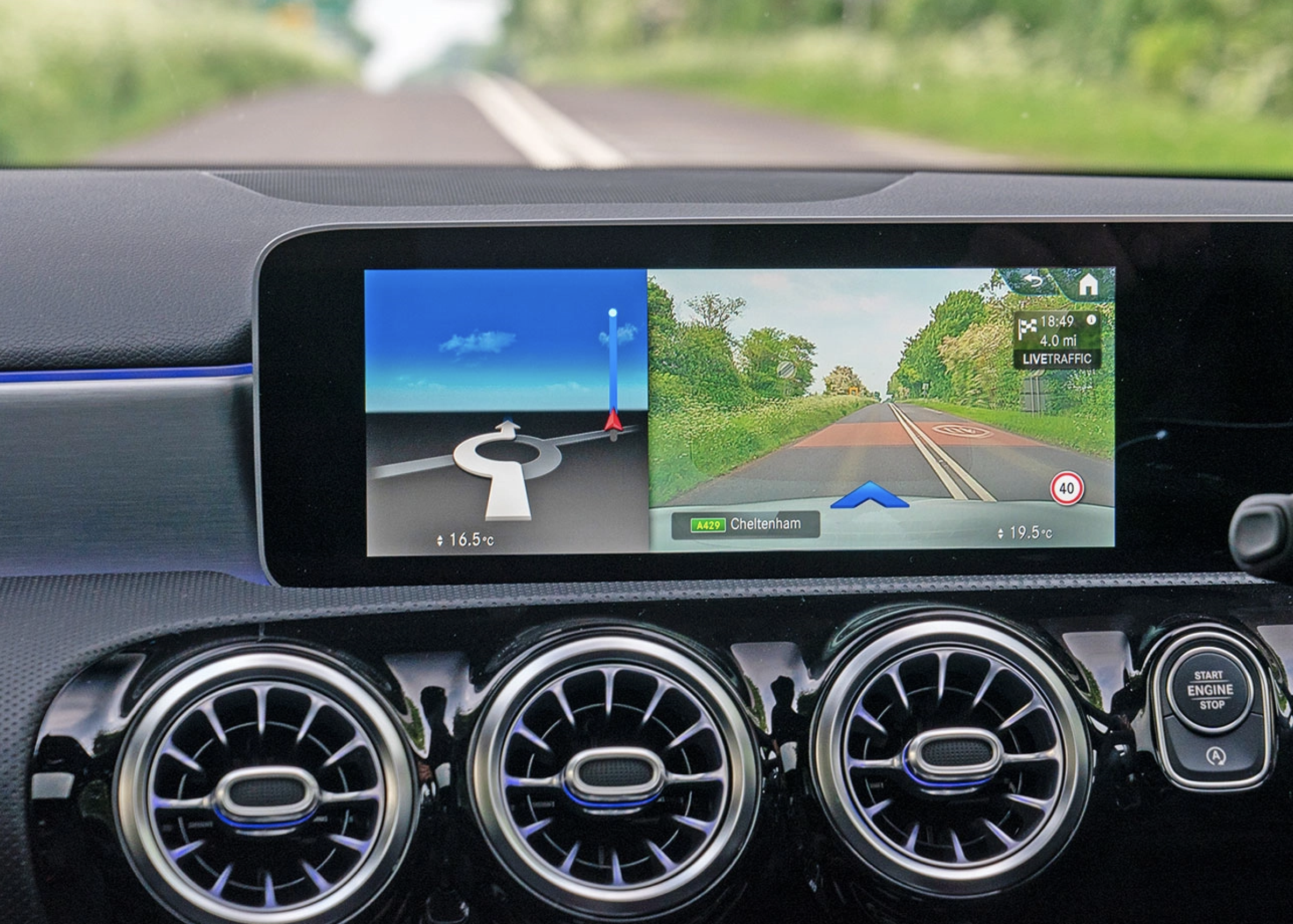
Here are three options for repairing this issue:
Take your vehicle to a Mercedes main dealer for a camera replacement, which will be expensive.
Buy the part from Mercedes or eBay and replace it yourself. You’ll need to programme the new camera using Mercedes diagnostic software.
Buy the part from Mercedes or eBay and replace the faulty lens. This option doesn’t require Mercedes diagnostic programming.
In the photo below, you will see the lens coating crystallises due to constant direct sunlight and heat, causing the camera to display a blurry image.
In this article, I demonstrate option 3: purchasing a used augmented reality navigation camera from eBay for £15 and swapping the faulty lens.
Use a pry tool to pry off the windshield cover, insert the plastic pry tool at the top and pull towards you.
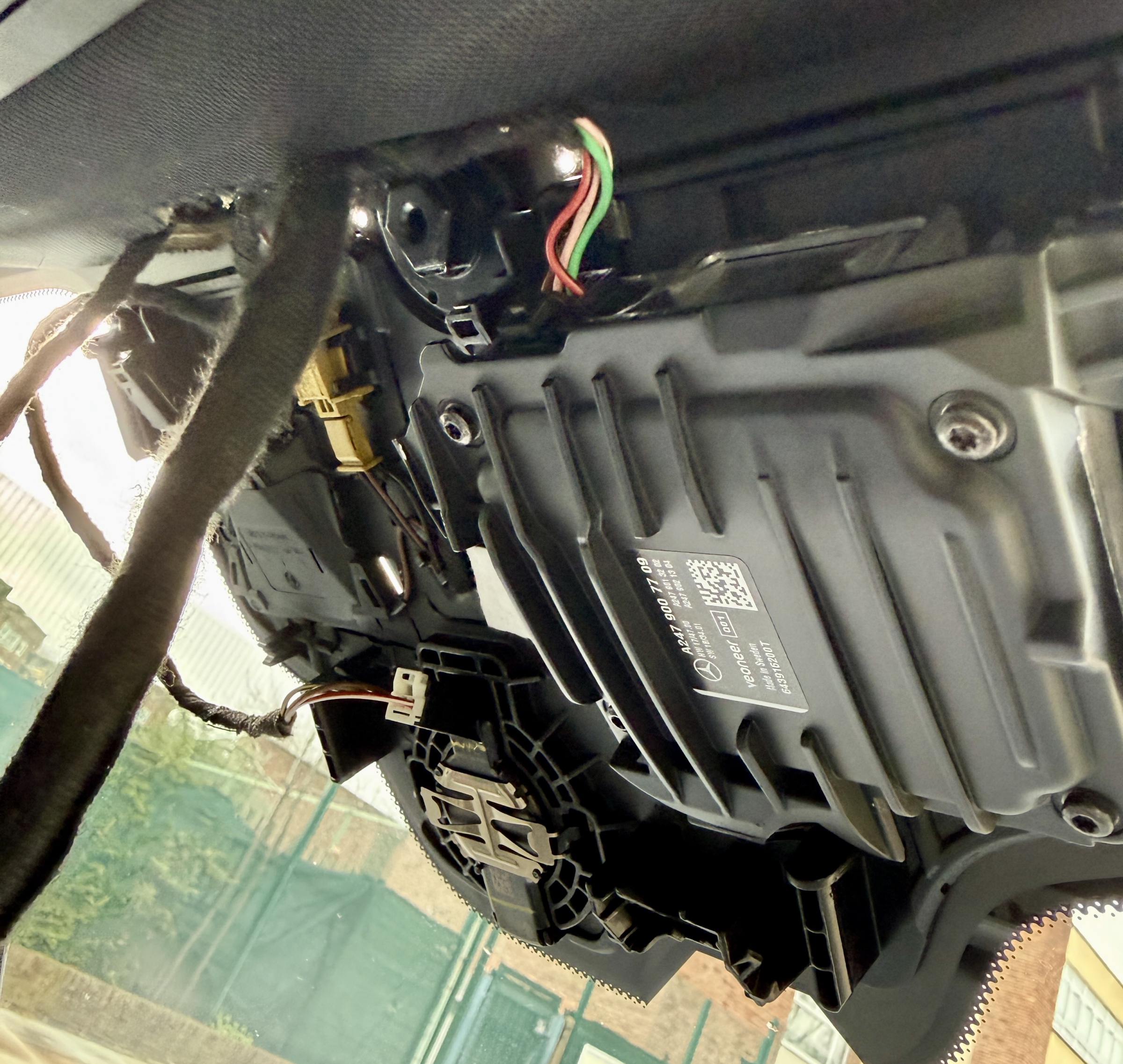
Remove the camera.
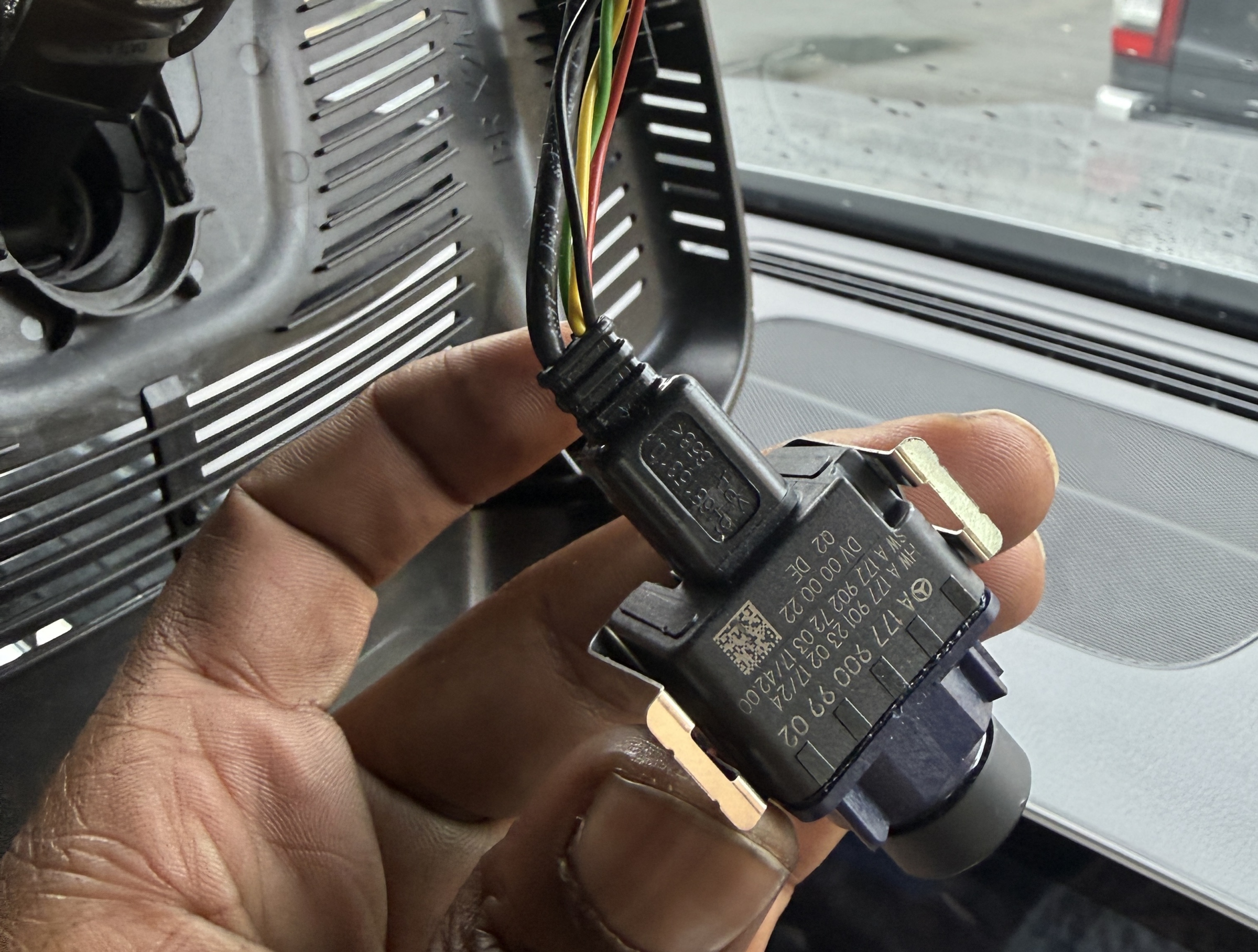
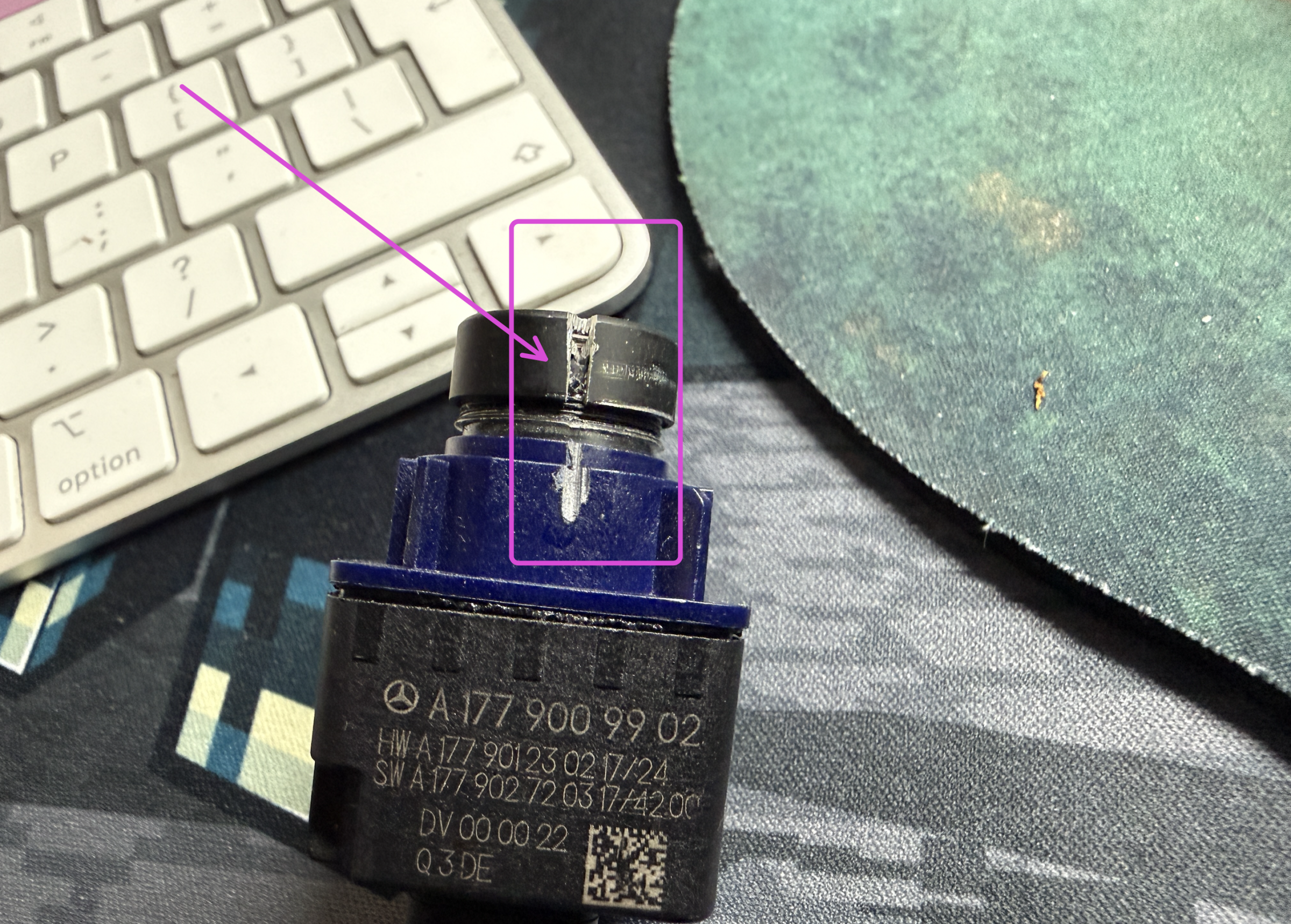
Use a file, a saw or a Dremel 8240 Cordless Rotary Tool with a Dremel 690 EZ SpeedClic Cutting Wheel to cut a slit in both camera lenses as shown in the photo below.
Then unscrew the lenses and swap them over. The reason you need to make the cut is that the lens is screwed on and then glued, which makes it very difficult to unscrew without the cut.
Swap over the lens and reinstall the camera into the vehicle.
-
 2
2
-
 1
1
-
 1
1


.thumb.png.6cba57c5e88519e419516e3ed1152e01.png)



















































.jpg.434408b0b61b4552ae25cde5c0b5a388.jpg)






.jpeg.503ad3cbf167f180662b9e06a35f1911.jpg.4256ffb79777f00833ddbf666186ef55.jpg)




-min.jpeg.e57f393a5b1034dc5ead0fdf0e5be0a7.jpg.8b0eac9dbd8dd2120749a61afa119519.jpg)




.jpeg.7788c0ed0981e43684ee21be2e0cfd0c.jpg.5fe699189bcf0d18517707ce4222e81a.jpg)


.thumb.jpg.0f819d95317e386a92453772edb75c6b.jpeg.61f2c44081948bc780313ab6fcfdc53b.jpeg)













.jpeg.c58f6a017dba02d1386e26ad62d32fe5.jpeg)




.jpg.9dd8d45a3fad0a651bb2bc39ddead936.jpg.7a19f233d3331becb9d93ee7cfc63379.jpg)




.jpg.3dfde5099751bef5f6e2d27f3d463275.jpg.edf3062b4fb37e14c71ab2caa86c1053.jpg)






















Recommended Comments
Join the conversation
You can post now and register later. If you have an account, sign in now to post with your account.