








GM Tutorials
GM General Motors Tutorials
4 files
-
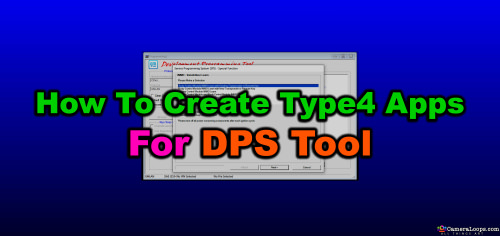
This tutorial is now transferred to the course section at the web-link below.
If you already purchased this tutorial file, you can access the course where you have been automatically enrolled. Click the web-link below.
- $100
- 2 Comments
Troy -
This service no longer works.
When the mind gets bored, it sometimes finds naughty naughty things to do. Naughty guy Troy 🙂
I mastered this puzzle/hack some time ago, which grants me unlimited access to GM Service Information for free. As much as I would like to share this trick with everyone freely like once upon a time, the times have changed and to preserve the duration of this trick I will not.
Anyway. This file includes information for gaining access to GM SI "Service Information" which includes GM vehicle module Pinout schematics, diagrams and other vehicle servicing information. It covers North American, European and other models.
With this file you will gain unlimited GM SI access for eternity or until the hole gets close.
Note: This does not support the China region. However, you can choose Korea or GMIO region instead.
Worldwide database access
- $195
- 5 Comments
Troy -
Click the web link below for the new course.
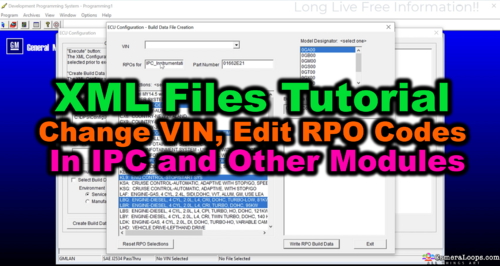
This file consists of a video tutorial demonstrating how to retrieve the XML files for a module and how to remove RPO codes from the module using the GM DPS software tool.
It also includes information on manually activating and deactivating hidden menus in the IPC module using DPS.
NOTE: The video tutorial was created using the older SPS, the same as the Europe Service box SPS. The newer Techline SPS2 is the same process as the older SPS, only with a folder name change.
- $100
- 56 Comments
Troy -
GM HMI 2.5 EMMC Chip Pinouts for dumping the HMI 2.5 Emmc micro Chip
This PDF file illustrates a pin diagram that identifies the HMI 2.5 EMMC chip pins for connecting to a SD card adaptor for dumping the contents of the HMI 2.5 module's EMMC chip, which stores the Sat-Nav maps, calibration files, VIN number and other operating files.
Knowing the HMI EMMC pinouts has various benefits.
You can modify various files example: install your own custom boot up video for the display.
Repair a faulty HMI that has corrupted EMMC chip files.
Swap Map files.
etc.
This tutorial offers only pin-out information for the EMMC.
It does not offer nor do I offer any information or solution about any issues you may have regarding to HMI reseting or other HMI issues.
- $100
- 24 Comments
Troy


Latest File Comments
-

-
 Hello all,
This utility can replace the vin number on 2022 Chevi Tahoe BCM ? -
 Hi
Hi
Thanks -
 I run into this problem with many cars. What is the solution?
 -
 hi, thanks for share
 -
 have You or anyone else done the used one with sps successfully ?
 -
do not remember. had it done long time ago.
-

-
.thumb.png.6cba57c5e88519e419516e3ed1152e01.png) You also need to recalibrate the used eps using sps setup configuration option. Have you tried that too?
You also need to recalibrate the used eps using sps setup configuration option. Have you tried that too? -
i do not think it will work because i have tried several time on a several cars and no luck. this is a used one, not a new
-
Hi, if you only want to program the EPS with the latest calibration, you need to use the GM SPS service to do it.
-
Hello everyone, i want to reprogram the used EPS on this 2022 camaro, what is the procedure? i do not have the DPS. I am assuming i need to purchase it and then run the DPS and see if i can reprogram it. if so, then i need to purchase a file for it? can someone explain this to me? i am not knew to coding and reprogramming. it is just i have not used this tool and would like to gather more info. Thank you in advance
-

-
 you need 84156713
i dont remmember if i uploaded it in the forum -
 Could someone share an Update file for Non Navigation IO5 HMI2.5 for Opel
 -
 спасибо


