











.jpg.3dfde5099751bef5f6e2d27f3d463275.jpg.edf3062b4fb37e14c71ab2caa86c1053.jpg)
.thumb.png.6cba57c5e88519e419516e3ed1152e01.png)
By Troy
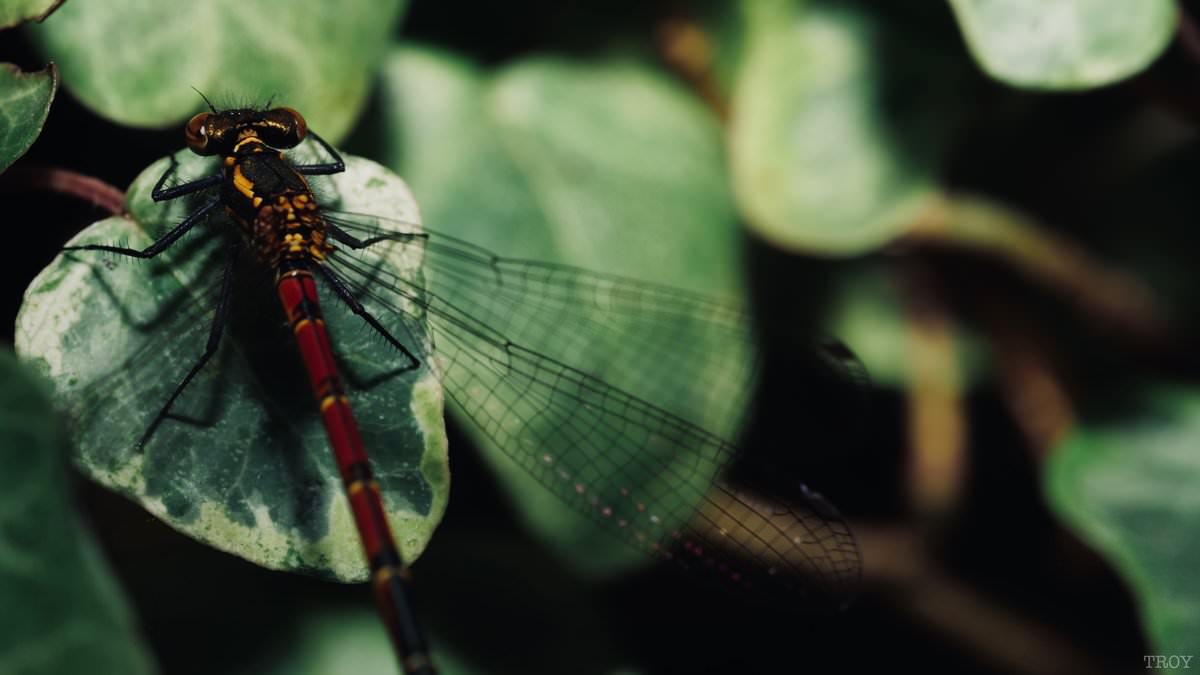
Macro photography in the garden with Olympus 60mm f2.8 Macro lens, GH5
The warm London weather is late this year.Last year at this time it was nice and hot.
Nonetheless A bit of macro in the garden, snapping up all the insects who're on a Friday's evening lounging is always a great treat.
A photo of a Dragon fly relaxing on a bit of Ivy leaf.
Before and after filter from Apple photo app.
.jpg.8cdcc51331d29fcdb0f0c654dc54d4e6.jpg)























































.jpg.434408b0b61b4552ae25cde5c0b5a388.jpg)






.jpeg.503ad3cbf167f180662b9e06a35f1911.jpg.4256ffb79777f00833ddbf666186ef55.jpg)




-min.jpeg.e57f393a5b1034dc5ead0fdf0e5be0a7.jpg.8b0eac9dbd8dd2120749a61afa119519.jpg)




.jpeg.7788c0ed0981e43684ee21be2e0cfd0c.jpg.5fe699189bcf0d18517707ce4222e81a.jpg)


.thumb.jpg.0f819d95317e386a92453772edb75c6b.jpeg.61f2c44081948bc780313ab6fcfdc53b.jpeg)













.jpeg.c58f6a017dba02d1386e26ad62d32fe5.jpeg)




.jpg.9dd8d45a3fad0a651bb2bc39ddead936.jpg.7a19f233d3331becb9d93ee7cfc63379.jpg)


























Recommended Comments
Join the conversation
You can post now and register later. If you have an account, sign in now to post with your account.