












.thumb.png.6cba57c5e88519e419516e3ed1152e01.png)
By Troy
How to repair Rode video mic pro plus broken USB charge port.
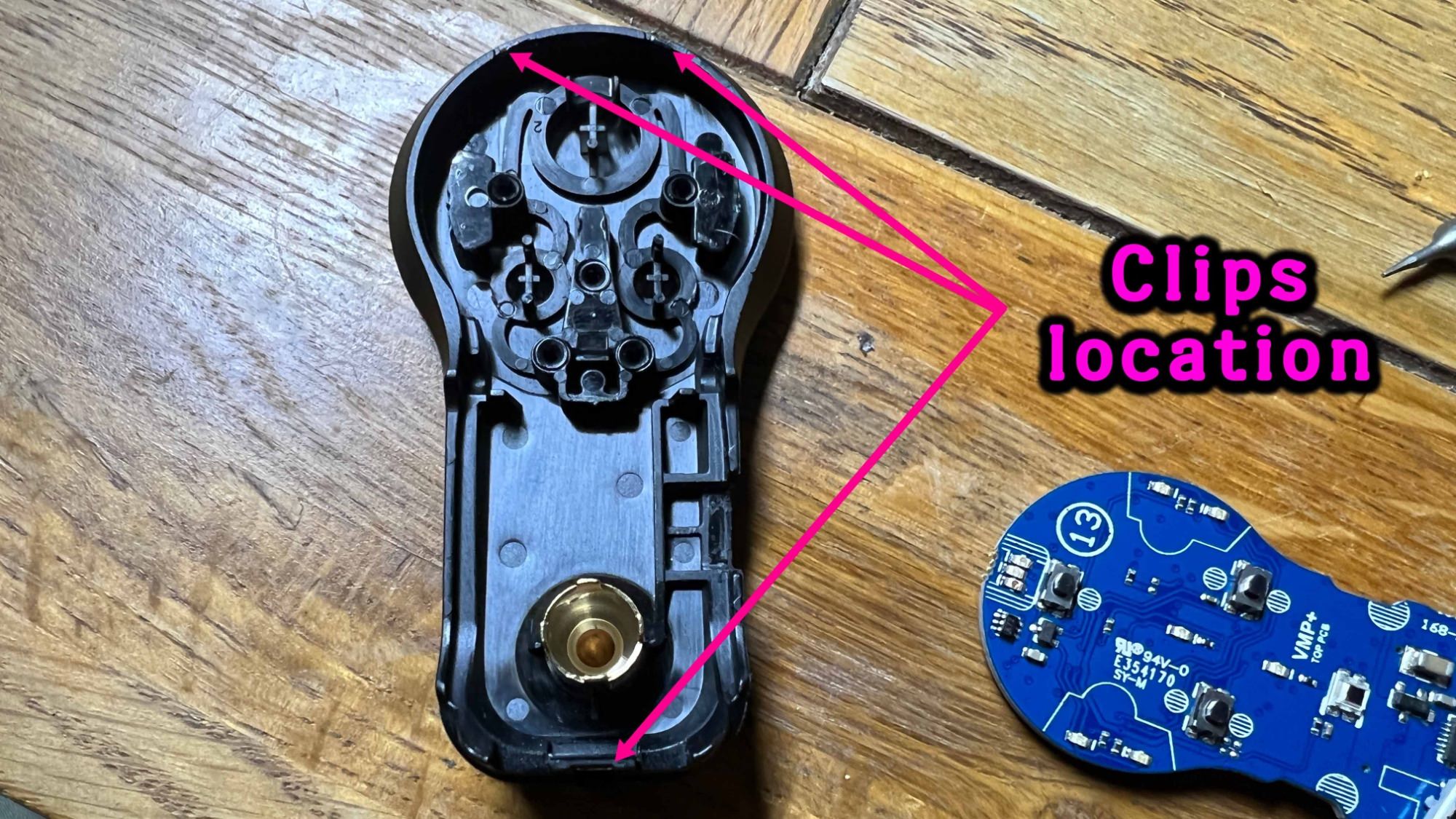
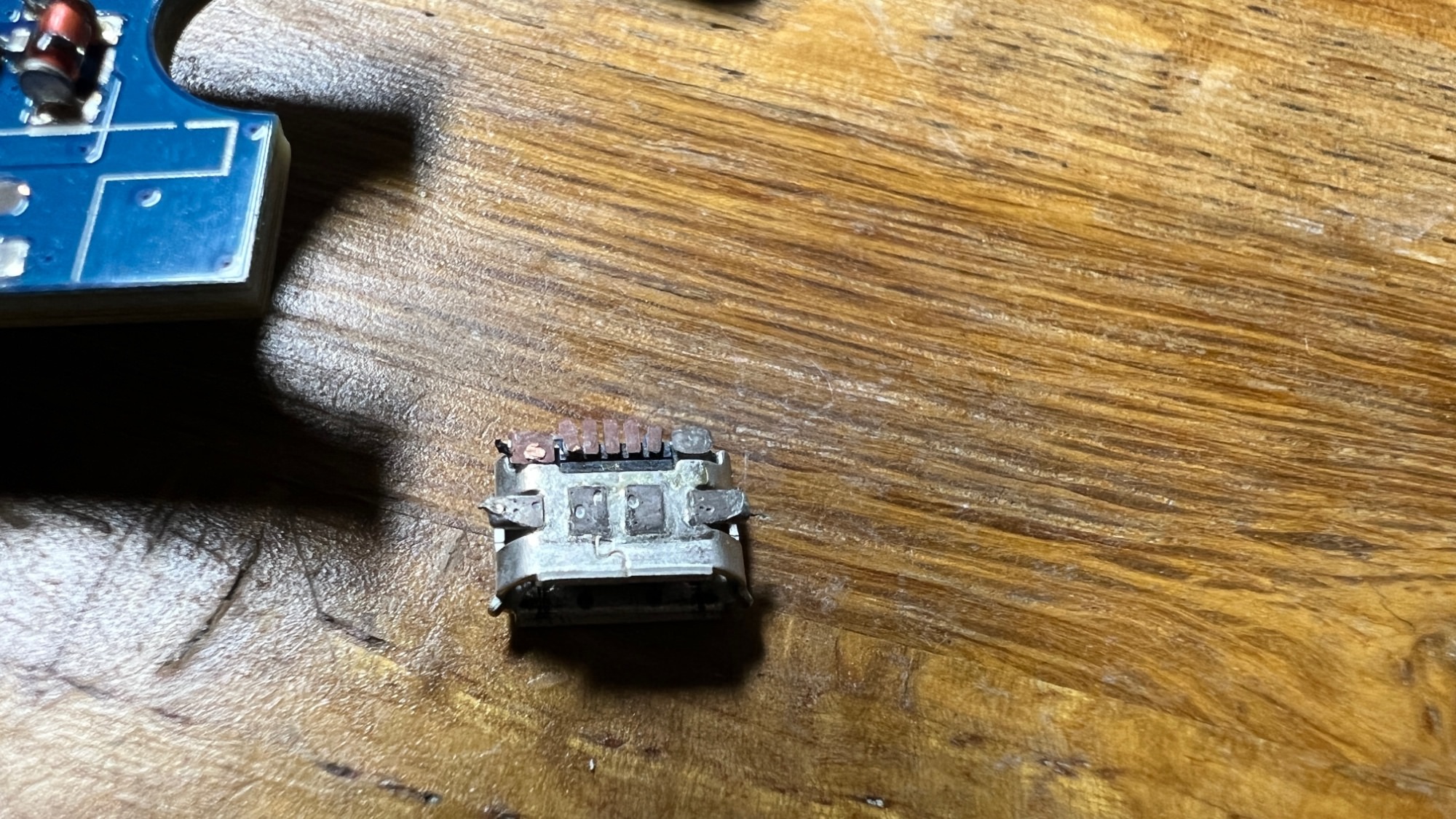
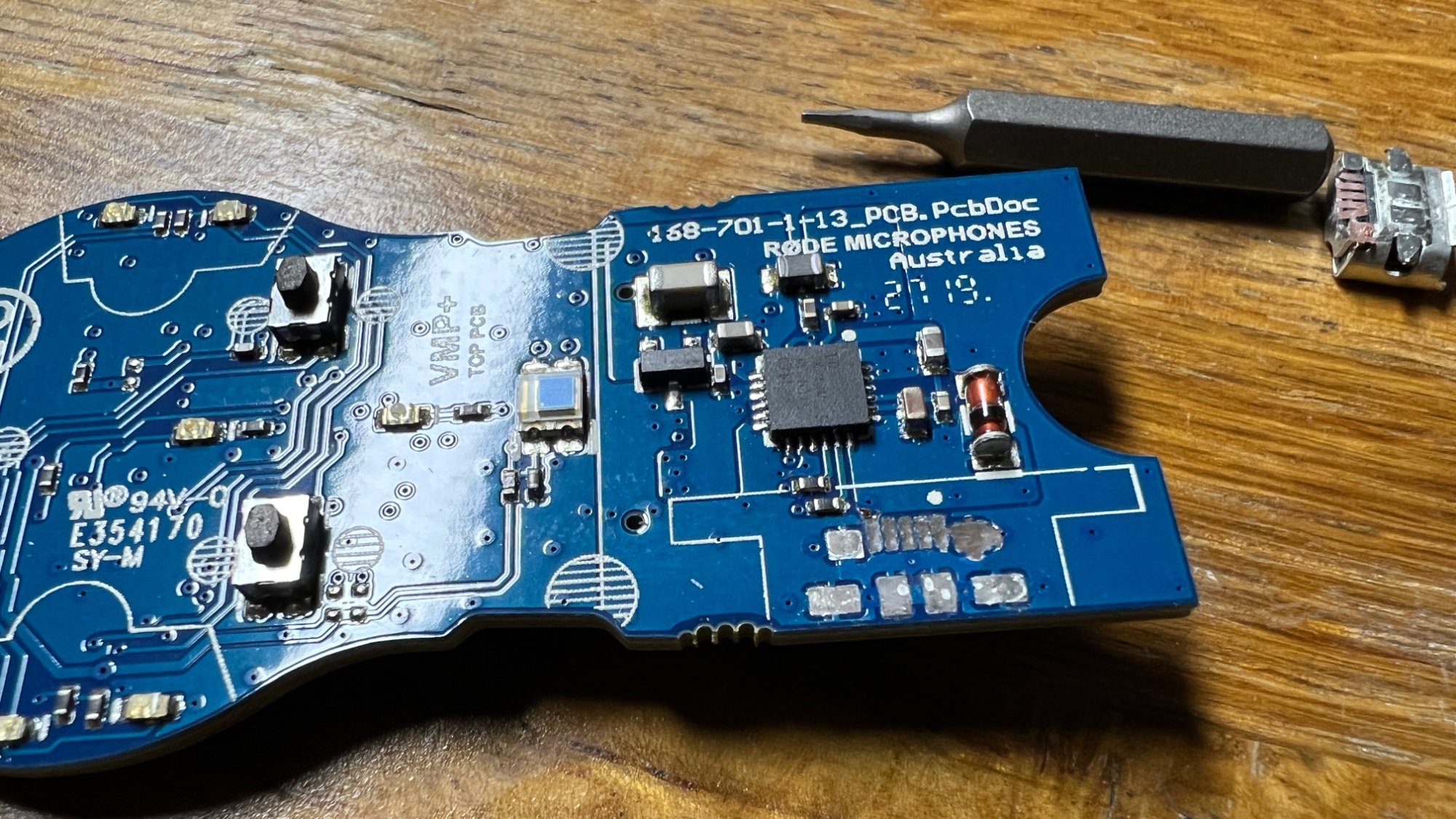
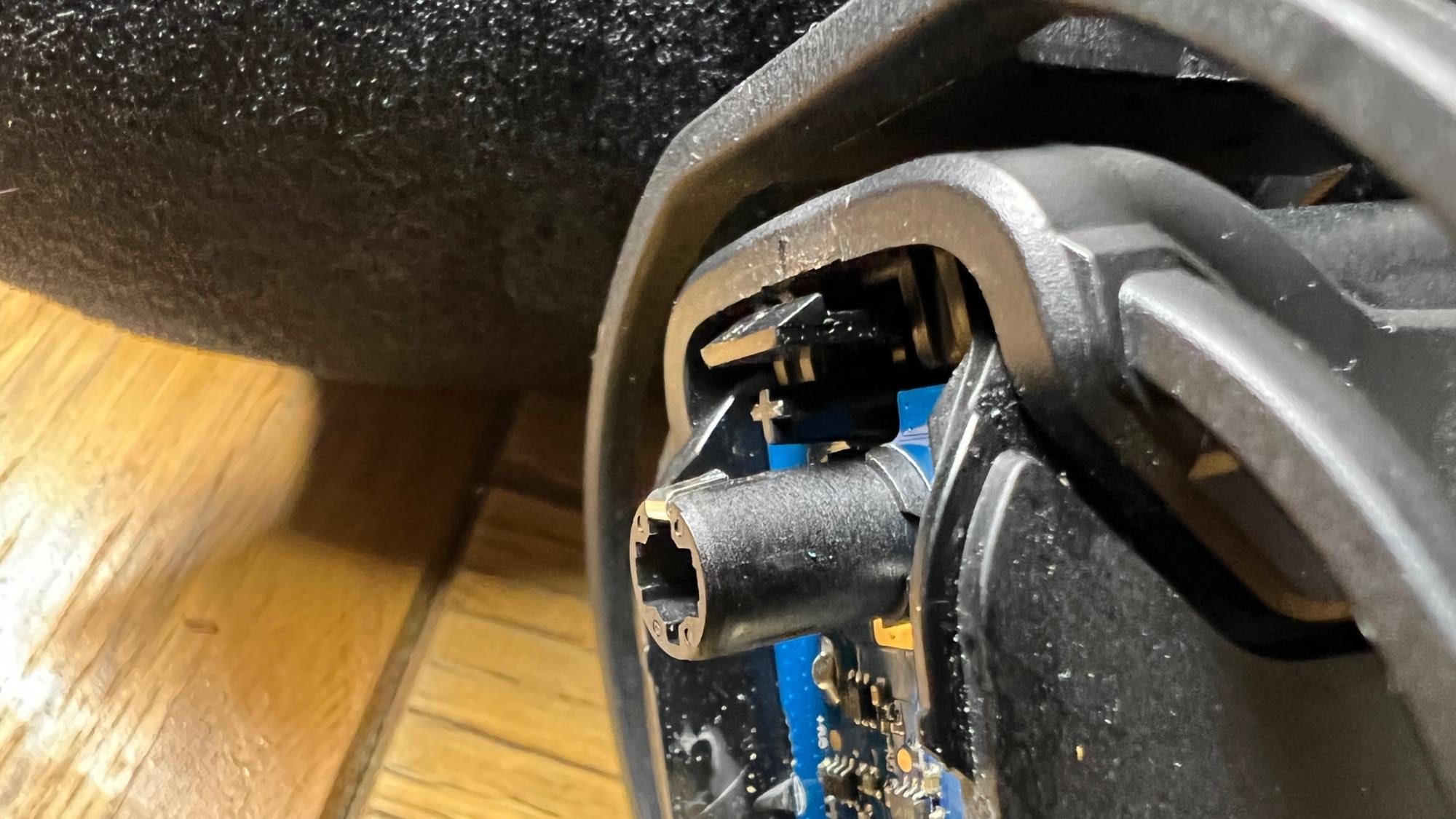
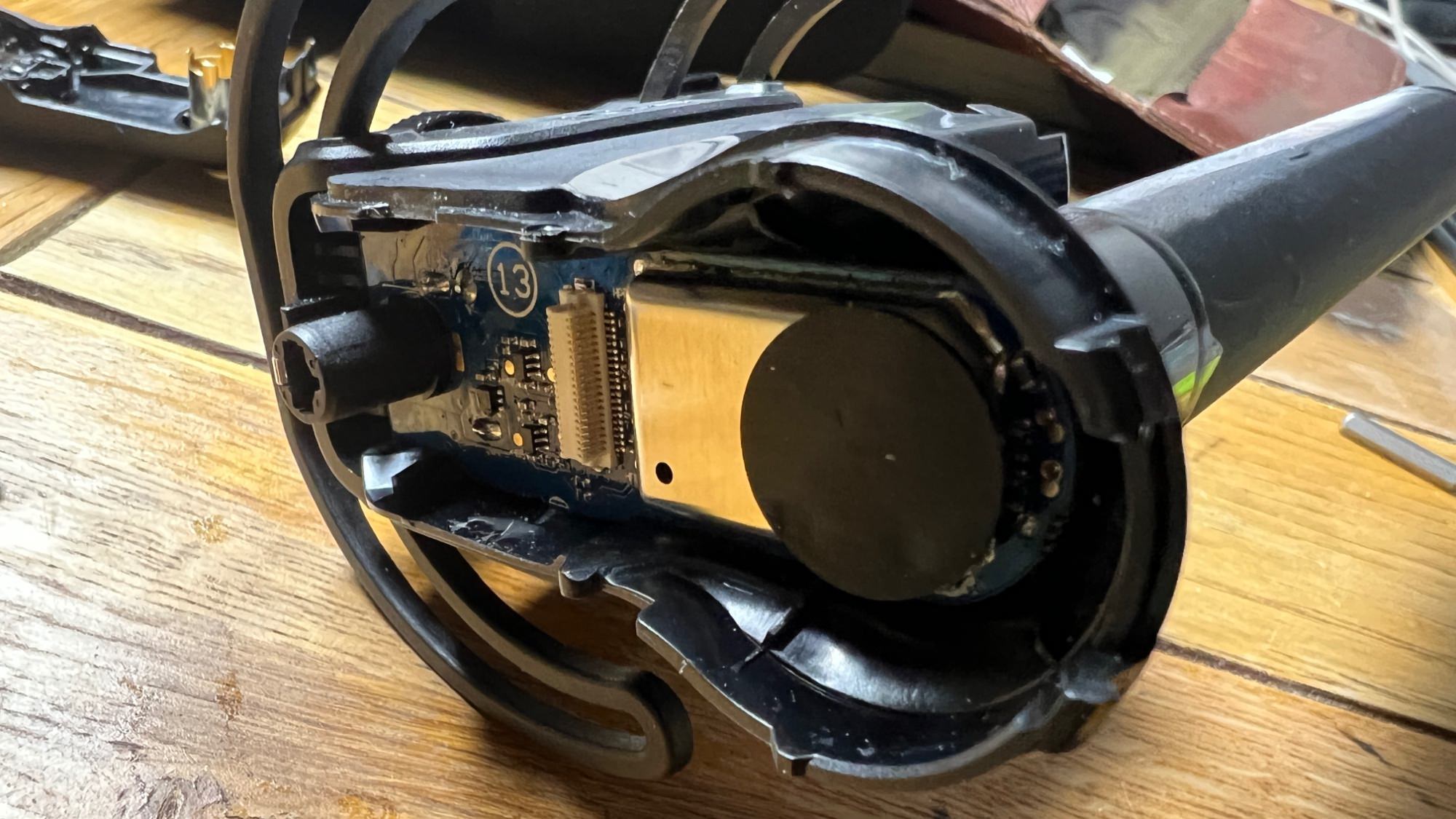
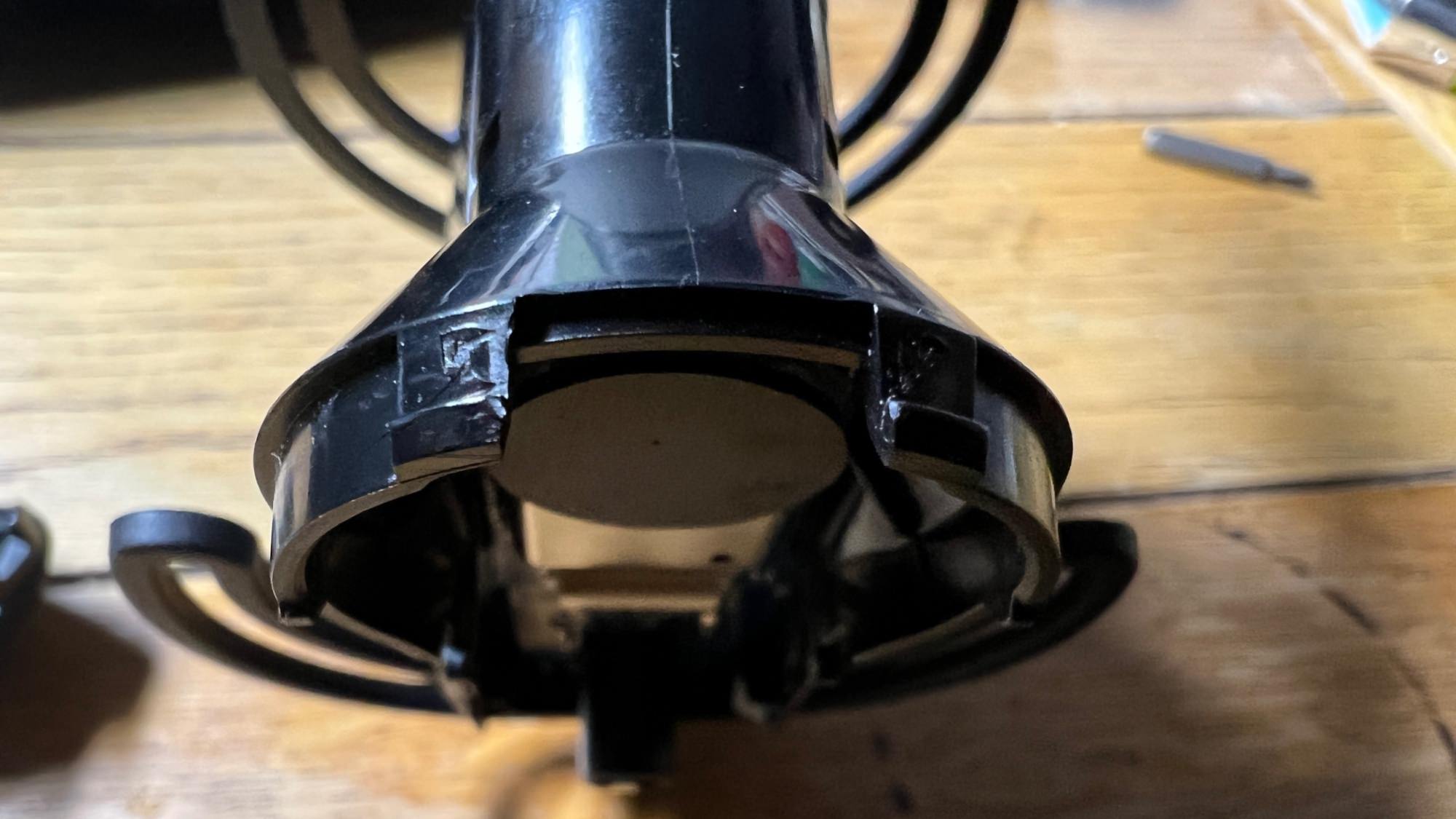
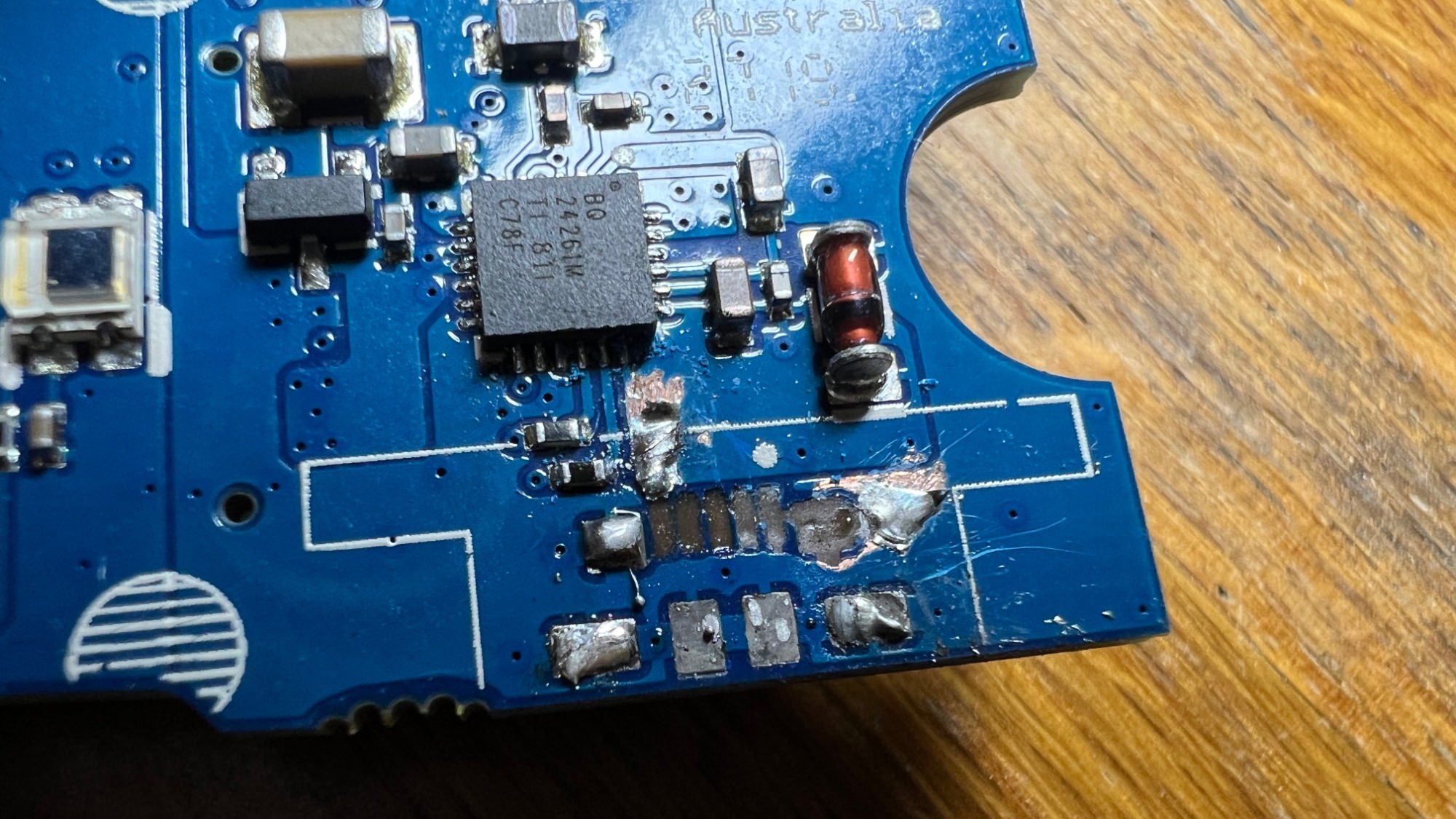
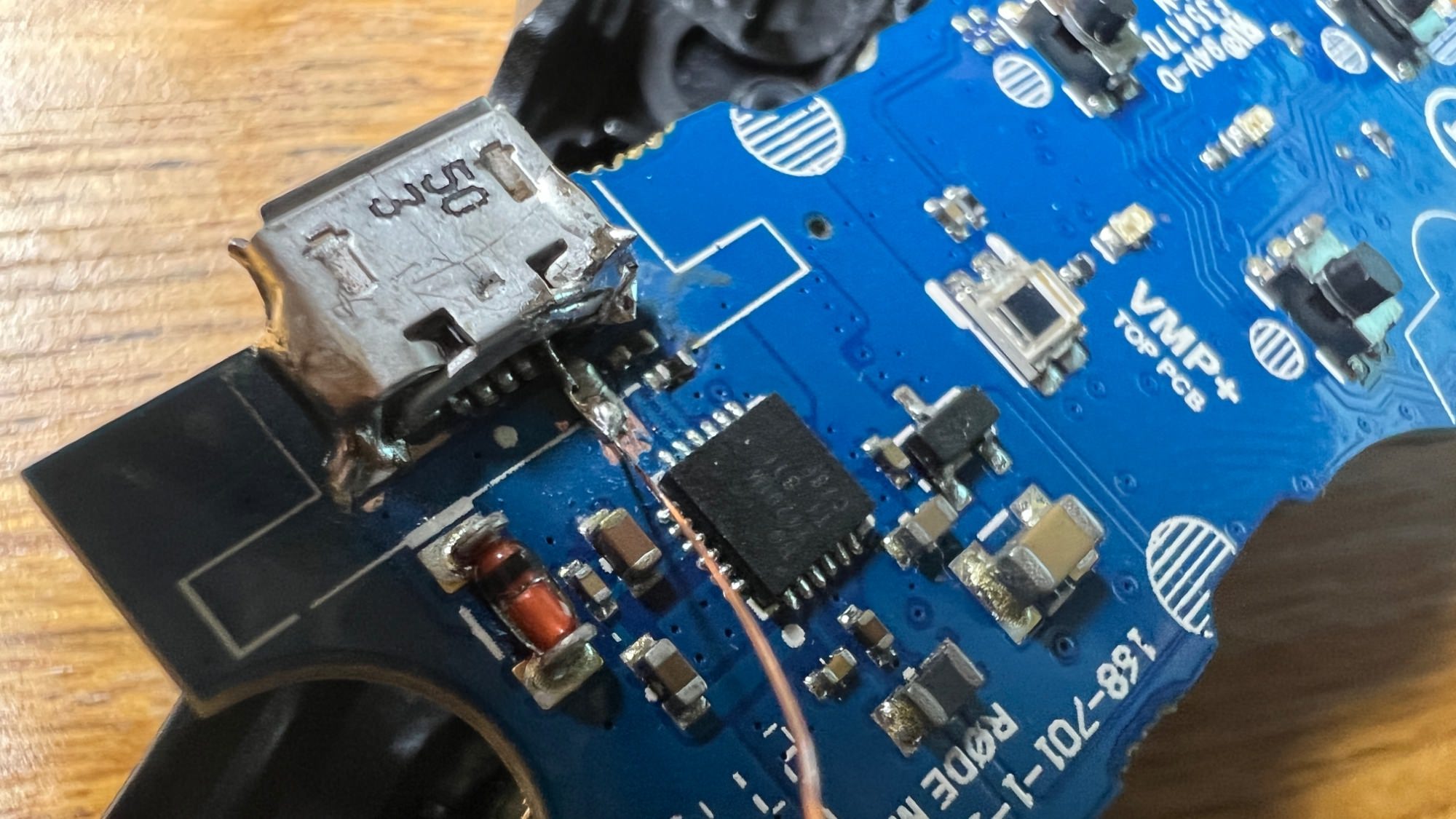
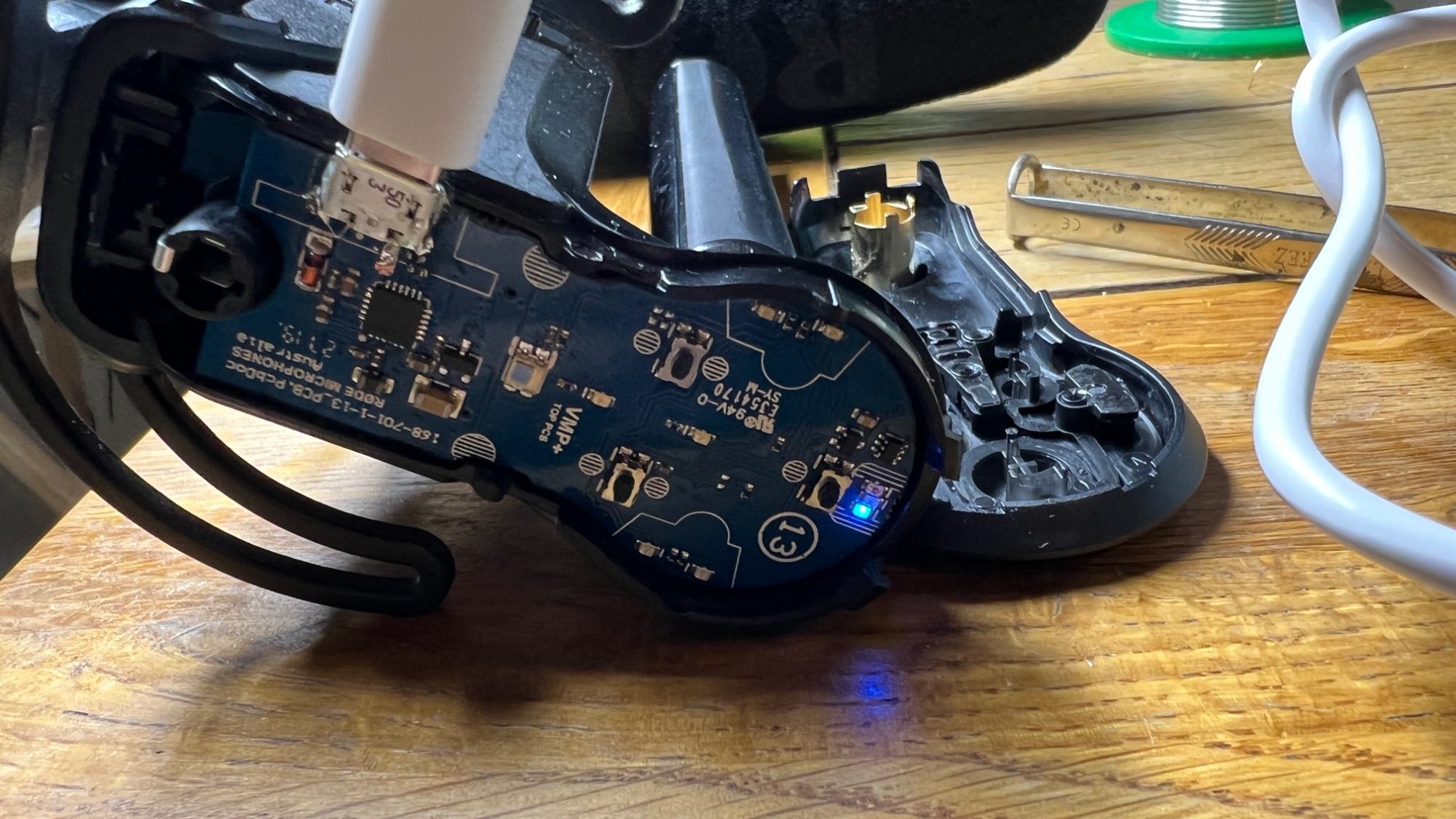
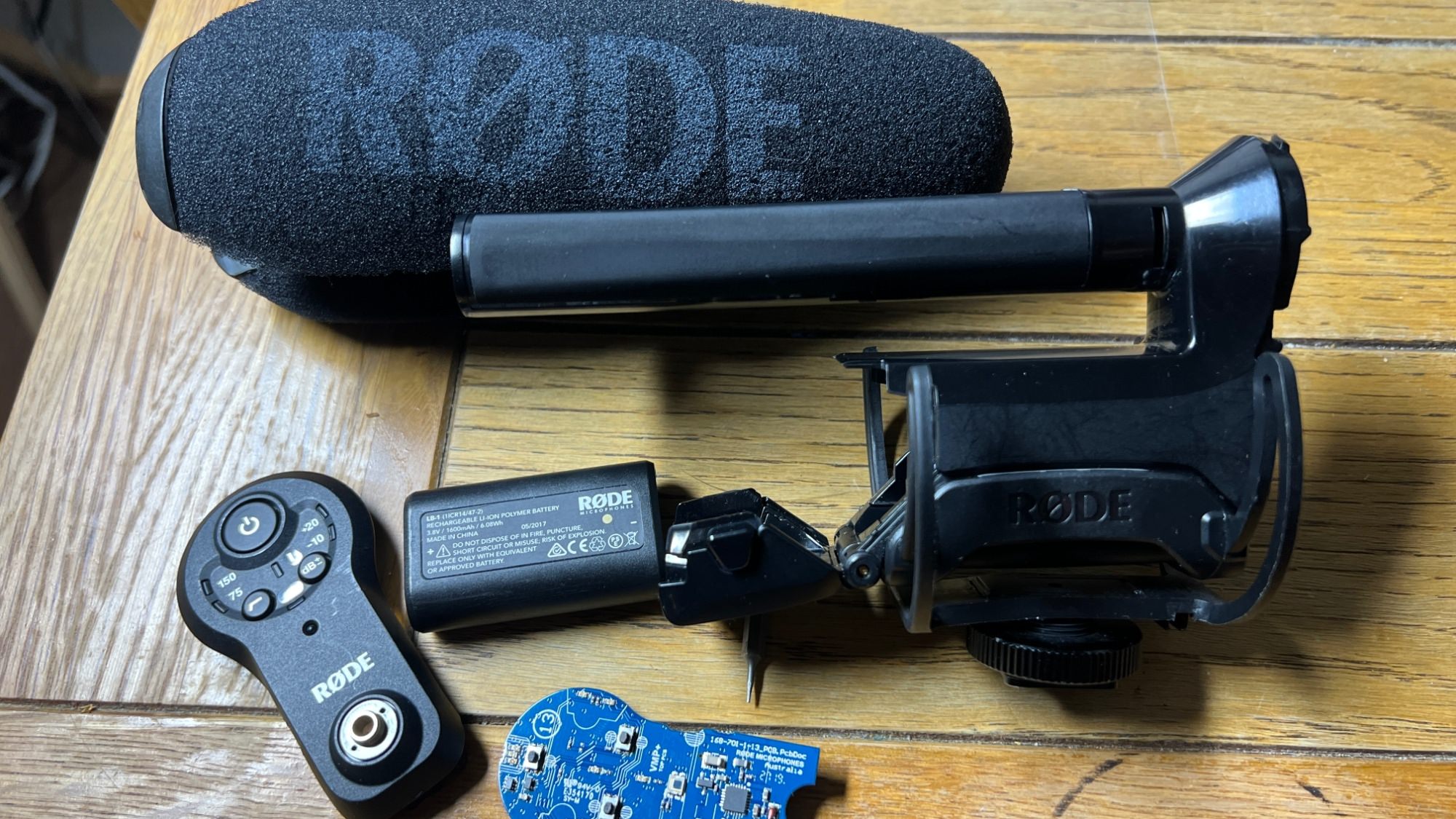
The USB charge port on the Rode video mic pro plus is prone to breaking off the circuit board due to insufficient soldering. This is a major manufacturers fault that has happened to many people, including myself. A simple fix is to take the mic apart then re-solder the USB part back onto the circuit board. The mic housing is held on by three plastic clips, which can be pried off using a flat head screwdriver or a pry tool. Check the below photo for the clips location. Resoldering is doable for an amateur. However, the USB port part is tiny, and you will need a clamp to clamp the USB part onto the circuit board before soldering. Check the photo below for the quick fix.
My soldering is not as polished as I wanted it, but hey' it now works.

-
 1
1
-
 1
1























































.jpg.434408b0b61b4552ae25cde5c0b5a388.jpg)





.jpeg.503ad3cbf167f180662b9e06a35f1911.jpg.4256ffb79777f00833ddbf666186ef55.jpg)




-min.jpeg.e57f393a5b1034dc5ead0fdf0e5be0a7.jpg.8b0eac9dbd8dd2120749a61afa119519.jpg)




.jpeg.7788c0ed0981e43684ee21be2e0cfd0c.jpg.5fe699189bcf0d18517707ce4222e81a.jpg)


.thumb.jpg.0f819d95317e386a92453772edb75c6b.jpeg.61f2c44081948bc780313ab6fcfdc53b.jpeg)













.jpeg.c58f6a017dba02d1386e26ad62d32fe5.jpeg)




.jpg.9dd8d45a3fad0a651bb2bc39ddead936.jpg.7a19f233d3331becb9d93ee7cfc63379.jpg)




.jpg.3dfde5099751bef5f6e2d27f3d463275.jpg.edf3062b4fb37e14c71ab2caa86c1053.jpg)






















Recommended Comments
Join the conversation
You can post now and register later. If you have an account, sign in now to post with your account.