








HMI "Human Machine Interface"
Human Machine Interface
27 files
-
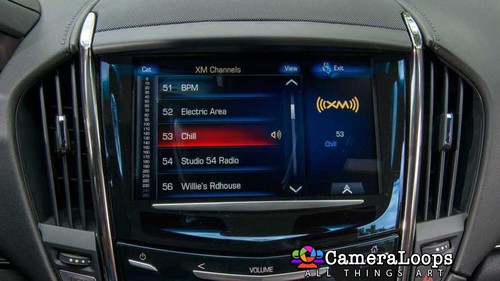
Video In Motion HMI 2.5 Cadillac Escalade USA Cue With Arabic Language Activated.
The video still plays when the vehicle is driving in drive mode.
This file can be used with the GM DPS tool to:
Activate Video in Motion.
Activate Both North American and European languages on the infotainment and IPC screens. (The language selected in infotainment settings is set in the IPC).
Activate reverse camera guide-lines.
Activate the reverse camera always on. (Note, an extra attachment or mod is needed to activate the reverse camera always-on feature).
(The language selected in infotainment settings is also set in the IPC).
- $200
Troy -
Cadillac Escalade Cue European Specs HMI 2.5 Stock Default Calibration Files In DPS Format. This file can be used with the GM DPS software to program the default settings onto the HMI module.
DPS file for activating the Video In Motion feature for the HMI 2.5 Cadillac Escalade Cue European Specs MyLink entertainment system.
VIM: The video still plays when the vehicle is driving in drive mode.
- $200
Troy -
Video In Motion HMI 2.5 Cadillac CT6 European Specs Cue EU
The video still plays when the vehicle is driving in drive mode.
This file can be used with the GM DPS tool to:
Activate Video in Motion.
Activate Both North American and European languages on the infotainment and IPC screens. (The language selected in infotainment settings is set in the IPC).
(The language selected in infotainment settings is also set in the IPC).
- $200
Troy -
Video In Motion HMI 2.5 GMC Yukon Denali IntelliLink Arabic Language.
The video still plays when the vehicle is driving in drive mode.
This file can be used with the GM DPS tool to:
Activate Video in Motion.
Activate Both North American and European languages on the infotainment and IPC screens. (The language selected in infotainment settings is set in the IPC).
Activate reverse camera guide-lines.
Activate the reverse camera always on. (Note, an extra attachment or mod is needed to activate the reverse camera always-on feature).
Watch the below video to see the process.
video_in_motion.mp4
GMC Yukon Denali Version 1
(The language selected in infotainment settings is also set in the IPC).
(The language selected in infotainment settings is also set in the IPC).
GMC Yukon Denali Version 2
(The language selected in infotainment settings is also set in the IPC).
(The language selected in infotainment settings is also set in the IPC).
- $200
- 5 Comments
Troy -
Video In Motion HMI 2.5 GMC Denali IntelliLink Arabic Language.
The video still plays when the vehicle is driving in drive mode.
This file can be used with the GM DPS tool to:
Activate Video in Motion.
Activate Both North American and European languages on the infotainment and IPC screens. (The language selected in infotainment settings is set in the IPC).
Activate reverse camera guide-lines.
Activate the reverse camera always on. (Note, an extra attachment or mod is needed to activate the reverse camera always-on feature).
Watch the below video to see the process.
video_in_motion.mp4
(The language selected in infotainment settings is also set in the IPC).
- $200
Troy -
Video In Motion HMI 2.5 Chevrolet Tahoe MyLink Arabic language.
The video still plays when the vehicle is driving in drive mode.
This file can be used with the GM DPS tool to:
Activate Video in Motion.
Activate Both North American and European languages on the infotainment and IPC screens. (The language selected in infotainment settings is set in the IPC).
Activate reverse camera guide-lines.
Activate the reverse camera always on. (Note, an extra attachment or mod is needed to activate the reverse camera always-on feature).
Watch the below video to see the process.
video_in_motion.mp4
(The language selected in infotainment settings is also set in the IPC).
- $200
Troy -
Video In Motion HMI 2.5 MyLink Chevrolet Suburban MyLink.
The video still plays when the vehicle is driving in drive mode.
This file can be used with the GM DPS tool to:
Activate Video in Motion.
Activate Both North American and European languages on the infotainment and IPC screens. (The language selected in infotainment settings is set in the IPC).
Activate reverse camera guide-lines.
Activate the reverse camera always on. (Note, an extra attachment or mod is needed to activate the reverse camera always-on feature).
Watch the below video to see the process.
video_in_motion.mp4
(The language selected in infotainment settings is also set in the IPC).
- $200
Troy -
Video In Motion HMI 2.5 GMC Denali IntelliLink.
The video still plays when the vehicle is driving in drive mode.
This file can be used with the GM DPS tool to:
Activate Video in Motion.
Activate Both North American and European languages on the infotainment and IPC screens. (The language selected in infotainment settings is set in the IPC).
Activate reverse camera guide-lines.
Activate the reverse camera always on. (Note, an extra attachment or mod is needed to activate the reverse camera always-on feature).
Watch the below video to see the process.
video_in_motion.mp4
(The language selected in infotainment settings is also set in the IPC).
- $200
- 5 Comments
Troy -
Video In Motion HMI 2.5 GMC Yukon Denali IntelliLink.
The video still plays when the vehicle is driving in drive mode.
This file can be used with the GM DPS tool to:
Activate Video in Motion.
Activate Both North American and European languages on the infotainment and IPC screens. (The language selected in infotainment settings is set in the IPC).
Activate reverse camera guide-lines.
Activate the reverse camera always on. (Note, an extra attachment or mod is needed to activate the reverse camera always-on feature).
Watch the below video to see the process.
video_in_motion.mp4
GMC Yukon Denali Version 1
(The language selected in infotainment settings is also set in the IPC).
GMC Yukon Denali Version 2
(The language selected in infotainment settings is also set in the IPC).
- $200
Troy -
Video In Motion HMI 2.5 GMC Sierra IntelliLink.
The video still plays when the vehicle is driving in drive mode.
This file can be used with the GM DPS tool to:
Activate Video in Motion.
Activate Both North American and European languages on the infotainment and IPC screens. (The language selected in infotainment settings is set in the IPC).
Activate reverse camera guide-lines.
Activate the reverse camera always on. (Note, an extra attachment or mod is needed to activate the reverse camera always-on feature).
Watch the below video to see the process.
video_in_motion.mp4
(The language selected in infotainment settings is also set in the IPC).
- $200
Troy -
Video In Motion HMI 2.5 Corvette.
The video still plays when the vehicle is driving in drive mode.
This file can be used with the GM DPS tool to:
Activate Video in Motion.
Activate Both North American and European languages on the infotainment and IPC screens. (The language selected in infotainment settings is set in the IPC).
Watch the below video to see the process.
video_in_motion.mp4
(The language selected in infotainment settings is also set in the IPC).
- $200
Troy -
Video In Motion HMI 2.5 Chevrolet Tahoe MyLink.
The video still plays when the vehicle is driving in drive mode.
This file can be used with the GM DPS tool to:
Activate Video in Motion.
Activate Both North American and European languages on the infotainment and IPC screens. (The language selected in infotainment settings is set in the IPC).
Activate reverse camera guide-lines.
Activate the reverse camera always on. (Note, an extra attachment or mod is needed to activate the reverse camera always-on feature).
Watch the below video to see the process.
video_in_motion.mp4
(The language selected in infotainment settings is also set in the IPC).
- $200
- 10 Comments
Troy -
Video In Motion HMI 2.5 Cadillac Escalade USA Cue
The video still plays when the vehicle is driving in drive mode.
This file can be used with the GM DPS tool to:
Activate Video in Motion.
Activate Both North American and European languages on the infotainment and IPC screens. (The language selected in infotainment settings is set in the IPC).
Activate reverse camera guide-lines.
Activate the reverse camera always on. (Note, an extra attachment or mod is needed to activate the reverse camera always-on feature).
(The language selected in infotainment settings is also set in the IPC).
- $200
Troy -
Video In Motion HMI 2.5 Buick Envision IntelliLink
The video still plays when the vehicle is driving in drive mode.
This file can be used with the GM DPS tool to:
Activate Video in Motion.
Activate Both North American and European languages on the infotainment and IPC screens. (The language selected in infotainment settings is set in the IPC).
Activate reverse camera guide-lines.
Activate the reverse camera always on. (Note, an extra attachment or mod is needed to activate the reverse camera always-on feature).
(The language selected in infotainment settings is also set in the IPC).
- $200
Troy -
Video In Motion HMI 2.5 MyLink Chevrolet Silverado MyLink Middle East Arabic.
The video still plays when the vehicle is driving in drive mode.
This file can be used with the GM DPS tool to:
Activate Video in Motion.
Activate reverse camera guide-lines.
Activate the reverse camera always on. (Note, an extra attachment or mod is needed to activate the reverse camera always-on feature).
Watch the below video to see the process.
video_in_motion.mp4
- $200
Troy -
Video In Motion HMI 2.5 Buick Regal IntelliLink.
The video still plays when the vehicle is driving in drive mode.
This file can be used with the GM DPS tool to:
Activate Video in Motion.
Activate Both North American and European languages on the infotainment and IPC screens. (The language selected in infotainment settings is set in the IPC).
Activate reverse camera guide-lines.
Activate the reverse camera always on. (Note, an extra attachment or mod is needed to activate the reverse camera always-on feature).
(The language selected in infotainment settings is also set in the IPC).
- $200
- 7 Comments
Troy -
Video In Motion HMI 2.5 Cadillac Escalade Cue European Specs.
The video still plays when the vehicle is driving in drive mode.
This file can be used with the GM DPS tool to:
Activate Video in Motion.
Activate Both North American and European languages on the infotainment and IPC screens. (The language selected in infotainment settings is set in the IPC).
Activate reverse camera guide-lines.
Activate the reverse camera always on. (Note, an extra attachment or mod is needed to activate the reverse camera always-on feature).
(The language selected in infotainment settings is also set in the IPC).
- $200
- 1 Comments
Troy -
Video In Motion HMI 2.5 Chevrolet Malibu MyLink.
The video still plays when the vehicle is driving in drive mode.
This file can be used with the GM DPS tool to:
Activate Video in Motion.
Activate Both North American and European languages on the infotainment and IPC screens. (The language selected in infotainment settings is set in the IPC).
Activate reverse camera guide-lines.
Activate the reverse camera always on. (Note, an extra attachment or mod is needed to activate the reverse camera always-on feature).
Watch the below video to see the process.
video_in_motion.mp4
- $200
- 1 Comments
Troy -
Video In Motion HMI 2.5 MyLink Chevrolet Silverado MyLink.
The video still plays when the vehicle is driving in drive mode.
This file can be used with the GM DPS tool to:
Activate Video in Motion.
Activate Both North American and European languages on the infotainment and IPC screens. (The language selected in infotainment settings is set in the IPC).
Activate reverse camera guide-lines.
Activate the reverse camera always on. (Note, an extra attachment or mod is needed to activate the reverse camera always-on feature).
Watch the below video to see the process.
video_in_motion.mp4
(The language selected in infotainment settings is also set in the IPC).
- $200
- 4 Comments
Troy -
Video In Motion HMI 2.5 Chevrolet Volt MyLink.
The video still plays when the vehicle is driving in drive mode.
This file can be used with the GM DPS tool to:
Activate Video in Motion.
Activate Both North American and European languages on the infotainment and IPC screens. (The language selected in infotainment settings is set in the IPC).
Activate reverse camera guide-lines.
Activate the reverse camera always on. (Note, an extra attachment or mod is needed to activate the reverse camera always-on feature).
Watch the below video to see the process.
video_in_motion.mp4
(The language selected in infotainment settings is also set in the IPC).
video_in_motion.mp4
- $200
- 6 Comments
Troy -
You can use this HMI 2.5 DPS calibration archive file to activate video in motion, SAT-NAV in motion, Track-Pad, rear camera, rear camera always on and climate control. OPEL Logo Middle-East_Version DPS file.
For Middle East cars only
Option features
✅ Video in motion: Watch videos while the car is driving
✅ SAT-NAV in motion: Type the address in the SAT-NAV while the car is driving.
✅ Track-Pad: Track-pad activated.
✅ Rear camera: Reverse camera with guidance lines and park assist symbols.
✅ Rear camera always on: Touchscreen icon to activate rear camera always on. (A special modification will need to be carried out for this option to work, which I need to figure out soon)
✅ Climate control: Control climate from the touch screen.
✅ Opel screen boot-up logo.
- $200
- 4 Comments
Troy -
You can use this HMI 2.5 DPS calibration archive file to activate video in motion, SAT-NAV in motion, Track-Pad, rear camera, rear camera always on and climate control. OPEL Logo DPS file.
Option features
✅ Video in motion: Watch videos while the car is driving
✅ SAT-NAV in motion: Type address in the SAT-NAV while the car is driving.
✅ Track-Pad: Track-pad activated.
✅ Rear camera: Reverse camera with guidance lines and park assist symbols.
✅ Rear camera always on: Touchscreen icon to activate rear camera always on. (A special modification will need to be carried out for this option to work, which I need to figure out soon)
✅ Climate control: Control climate from the touch screen.
✅ Opel screen boot up logo.
✅ Bonus file: This package also includes a DPS archive with the rear camera turned off.
- $200
- 31 Comments
Troy -
You can use this HMI 2.5 DPS calibration archive file to activate video in motion, SAT-NAV in motion, Track-Pad, rear camera, rear camera always on and climate control. VAUXHALL Logo DPS file.
Option features
✅ Video in motion: Watch videos while the car is driving
✅ SAT-NAV in motion: Type address in the SAT-NAV while the car is driving.
✅ Track-Pad: Track-pad activated.
✅ Rear camera: Reverse camera with guidance lines and park assist symbols.
✅ Rear camera always on: Touchscreen icon to activate rear camera always on. (A special modification will need to be carried out for this option to work, which I need to figure out soon)
✅ Climate control: Control climate from the touch screen.
✅ Vauxhall screen boot up logo.
✅ Bonus file: This package also includes a DPS archive with the rear camera turned off.
- $200
- 13 Comments
Troy -
This file includes files needed to update the navigation map for USA HMI 2.5 module, THE USA NAVIGATION MAP UPDATE FILE IS NOT INCLUDED.
Includes
Works for Buick Regal.
BCM, HMI and radio module VIN change DPS files.
THE USA NAVIGATION MAP UPDATE FILE IS NOT INCLUDED. I'll add that file when I source a copy.
- $200
- 4 Comments
Troy -
This file includes all the files needed to update the navigation maps for Europe HMI 2.5 module.
Works for Insignia.
Includes
DPS
BCM, HMI and radio module VIN change DPS files.
MEGA web link for the last latest 2019 Europe navigation maps to be extracted onto a USB stick drive.
The MEGA navigation map update file is over 12GB in size (You may need a MEGA account for fast downloading)
You will need a reputable 32GB or more USB stick drive for extracting the navigation map file when updating the navigation map update.
- $200
- 18 Comments
Troy

Latest File Comments
-

-
 Hello all,
This utility can replace the vin number on 2022 Chevi Tahoe BCM ? -
 Hi
Hi
Thanks -
 I run into this problem with many cars. What is the solution?
 -
 hi, thanks for share
 -
 have You or anyone else done the used one with sps successfully ?
 -
do not remember. had it done long time ago.
-

-
.thumb.png.6cba57c5e88519e419516e3ed1152e01.png) You also need to recalibrate the used eps using sps setup configuration option. Have you tried that too?
You also need to recalibrate the used eps using sps setup configuration option. Have you tried that too? -
i do not think it will work because i have tried several time on a several cars and no luck. this is a used one, not a new
-
Hi, if you only want to program the EPS with the latest calibration, you need to use the GM SPS service to do it.
-
Hello everyone, i want to reprogram the used EPS on this 2022 camaro, what is the procedure? i do not have the DPS. I am assuming i need to purchase it and then run the DPS and see if i can reprogram it. if so, then i need to purchase a file for it? can someone explain this to me? i am not knew to coding and reprogramming. it is just i have not used this tool and would like to gather more info. Thank you in advance
-

-
 you need 84156713
i dont remmember if i uploaded it in the forum -
 Could someone share an Update file for Non Navigation IO5 HMI2.5 for Opel
 -
 спасибо


