Skip to content
Install the CameraLoops App

Browse CameraLoops via the app. Learn more.

www.CameraLoops.ru

Use the CameraLoops full-screen app on your home screen with push notifications, badges and more.

To install the CameraLoops app on iOS and iPadOS
  1. Tap the Share icon in Safari
  2. Scroll the menu and tap Add to Home Screen.
  3. Tap Add in the top-right corner.
To install the CameraLoops app on Android
  1. Tap the 3-dot menu (⋮) in the top-right corner of the browser.
  2. Tap Add to Home screen or Install app.
  3. Confirm by tapping Install.

Hacking GM Global-B modules

I'm on a mission to create a bench setup for some GM Global-B architecture modules. My aim is to figure out some method which can be used to recycle GM Global-B modules, including changing VIN and PIN. I have some Global-B modules coming from the USA, an IPC, BCM and an ECM for starters. 


Things I need to know before those modules arrive.

  1. I need to know if I can connect a Global-B BCM direct to the power and Canbus data line and have DPS read the VIN, similar to the Global-A modules?

  2. Will I need to route the BCM through another module, like the Network Gateway Control Module to read the Global-B VIN with DPS?


This article is a placeholder for future experiments and findings.


Update 8/March/2023

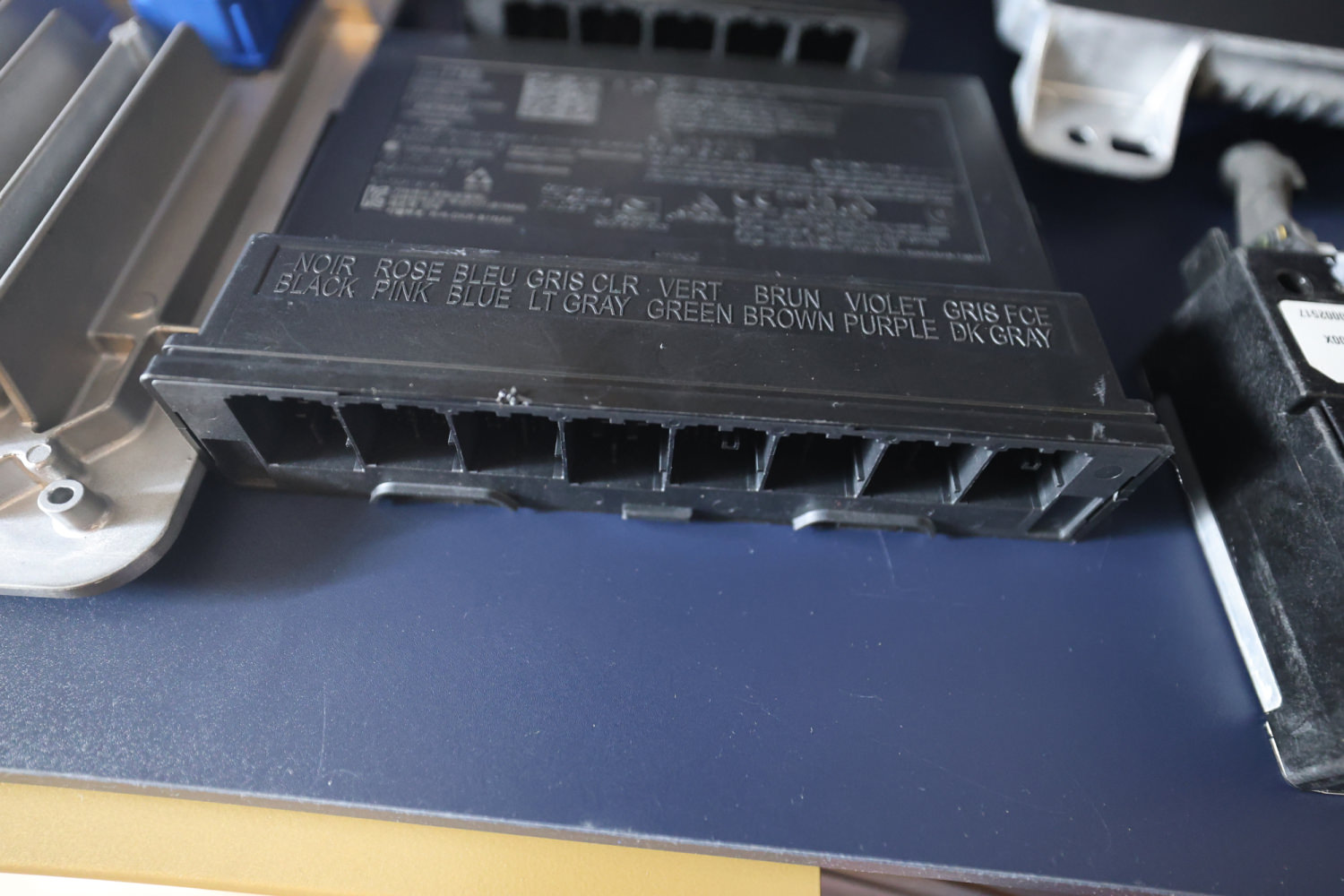
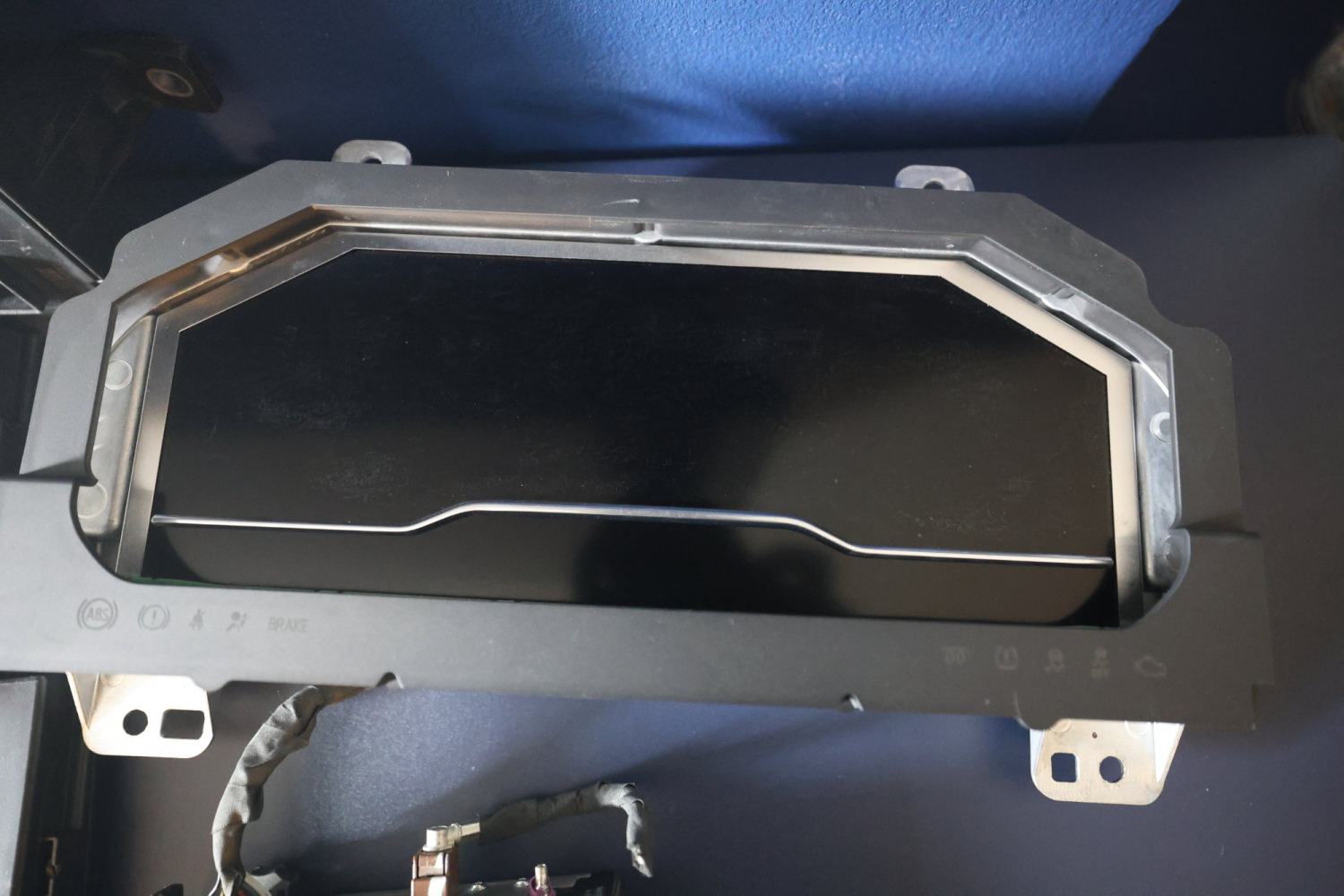
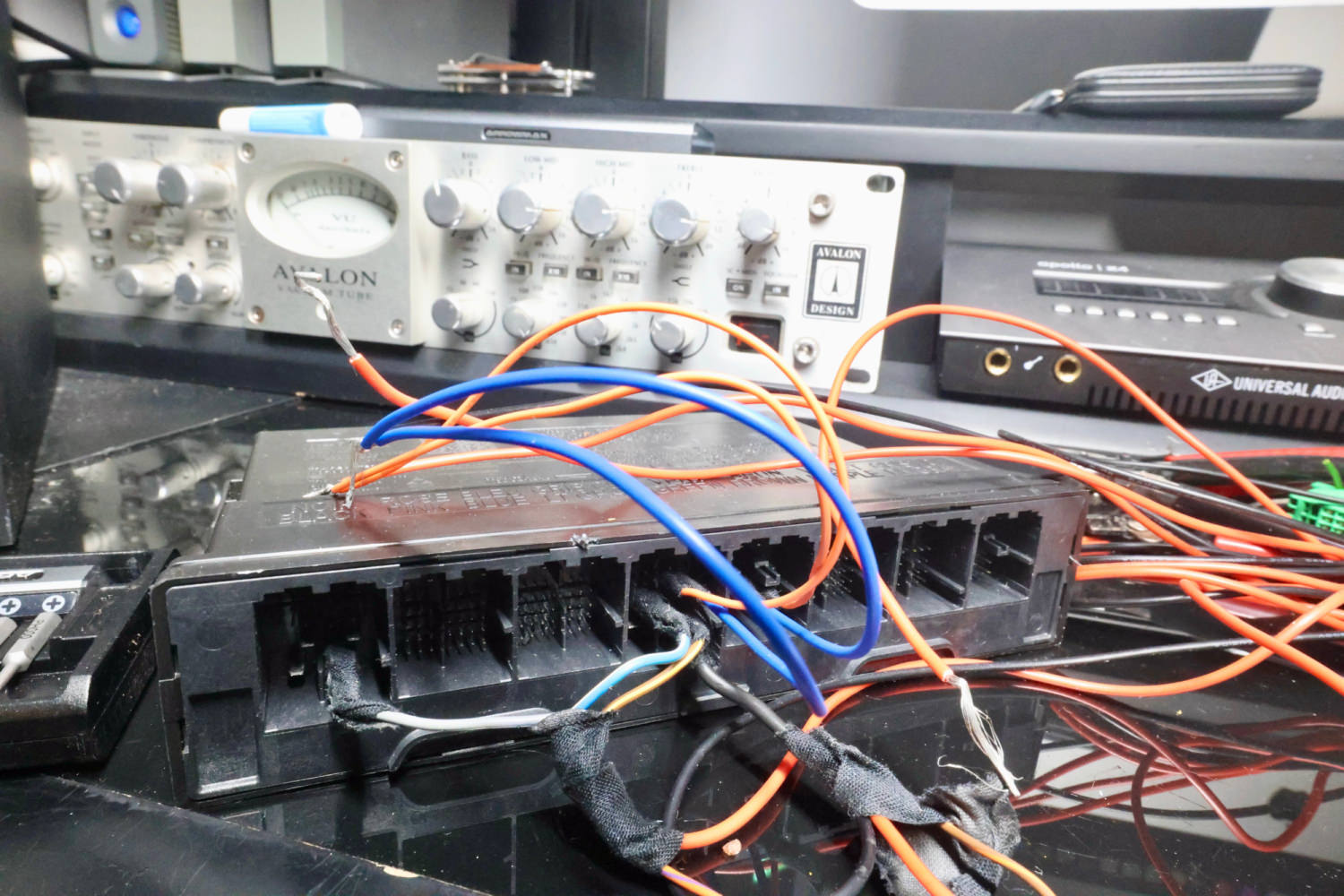
Today I received my new toys from the USA. An IPC and a BCM, from a 2022 Sierra 1500 Global-B. A BCM and an ECM from a 2022 Silverado 1500 Global-B. A BCM and an ECM from a Chevy Onix Global-B. I don't have the wiring loom, so I'll need to connect them using jumper wires which is going to take me a long time to figure out. Hopefully, I'll have this bench setup up and running.
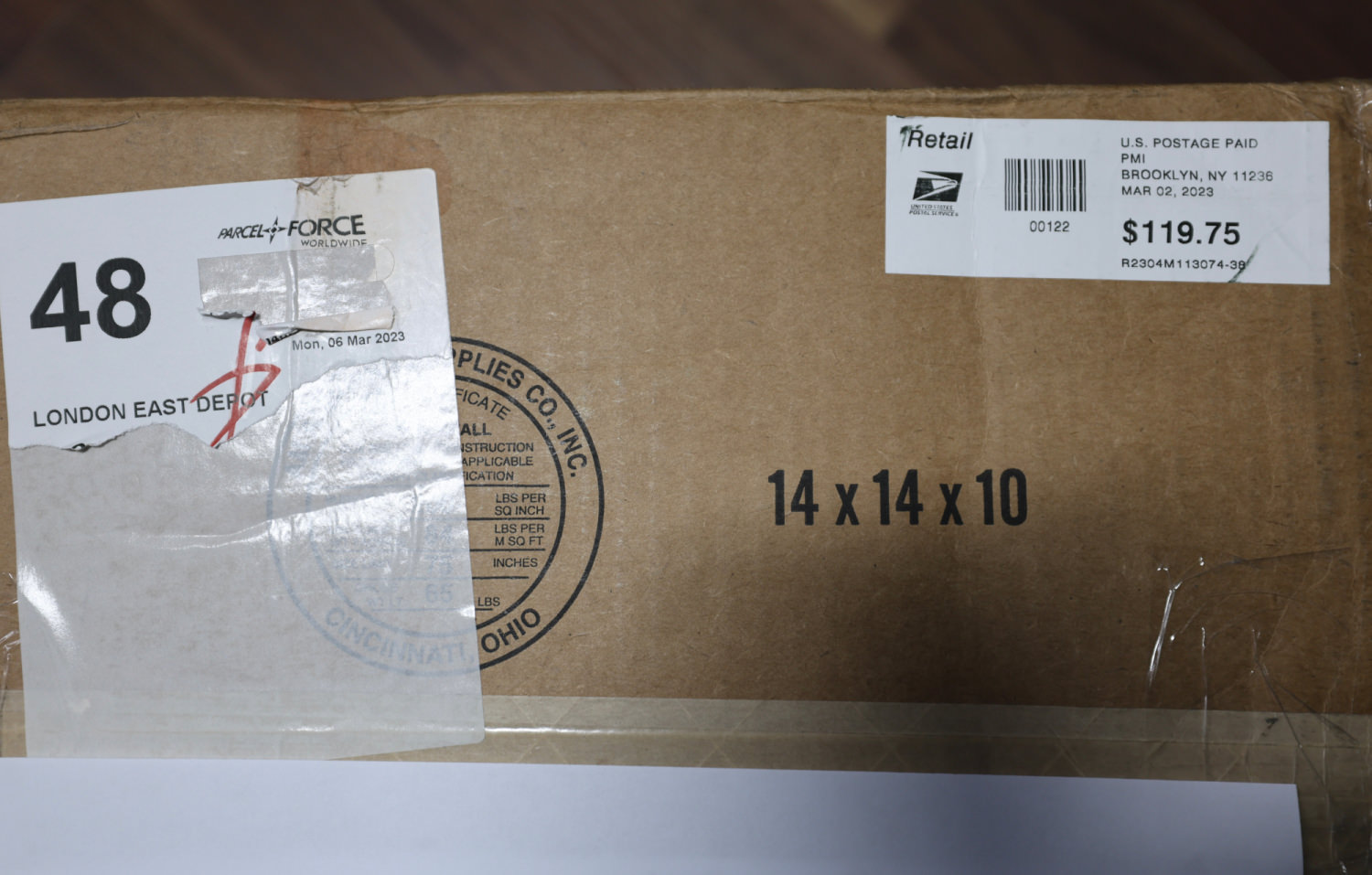
image.jpegR6_20042.JPG

R6_20044.JPGR6_20043.JPG


Update 17/March/2023

I've tried for a few days to get DPS to read the VIN in these modules without any success. Anyone has info and a working Global-B bench setup, can you tell me which data pin number on the OBD connector and the BCM pin number for reading VIN with DPS?

Looking at the data OBD connector schematics, I can see the 4 data lines going directly to the gateway module. On the gateway schematics, I can see two 60Ω resistors, do you think I need to add 2 60Ω resistors to the data lines in order to read the VIN with DPS?

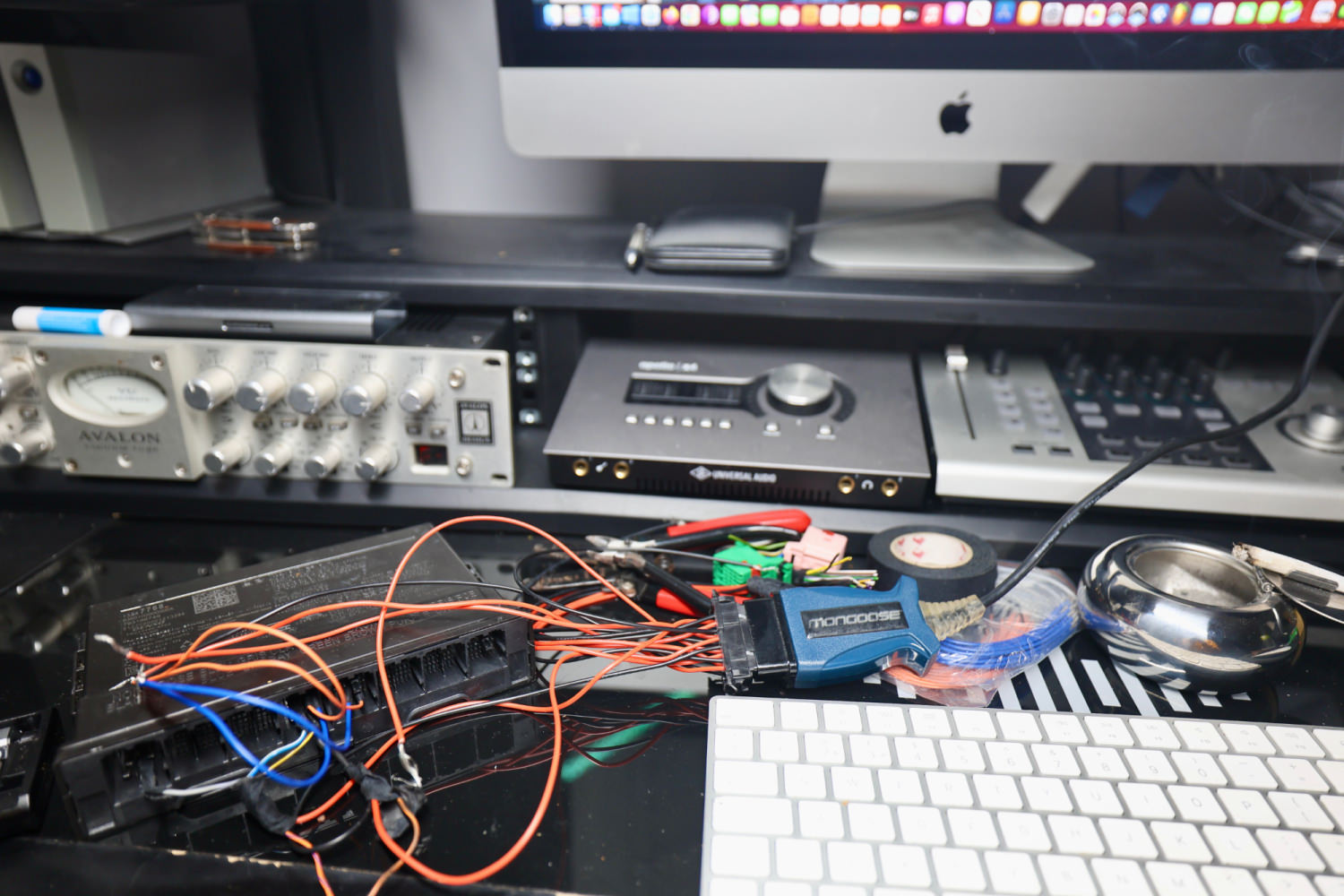
image.png

R6_20047.JPG


R6_20048.JPG


Update 19/March/2023

I've added the 2 60Ω resistors to PIN 6 and 14 data lines. However, I still can't get DPS to read the VIN from the BCM. My next route is to source a Global-B 2022, 3-plug port K56 serial data gateway module. Until then, I'll have to place this puzzle on pause. 


I see that DPS has the option for "with or without gateway". 

image.png

 K56 Serial Data Gateway Module
The K56 Serial Data Gateway Module gates messages between the CAN networks described in the Controller Area Network (CAN) Bus Description section below. The K56 Serial Data Gateway Module needs to know what CAN control modules are present on a given vehicle in order to enable/disable loss of communication DTCs and to know what CAN control modules to track for their communication status. The K56 Serial Data Gateway Module has the ability to learn the diagnostic addresses list of CAN control modules to identify what CAN control modules are equipped on the vehicle and what CAN buses they are on. If the K56 Serial Data Gateway Module is replaced, this learn/verification process will have to be done again through K56 Serial Data Gateway Module programming and setup procedure in SPS. This learn process will not cause any previously learned contents to be forgotten/overwritten. If the learn process is not done on a new K56 Serial Data Gateway Module, DTC U1977 will be set until the learn procedure is executed. If the learn is invalid due to control module internal malfunction or a K56 Serial Data Gateway Module swap, DTC U3000 42 or DTC U3002 56 will be set. If any of these DTCs sets, the K56 Serial Data Gateway Module will enable loss of communication for all CAN control modules. This will result in loss of communication DTCs being set against CAN control modules that are not equipped on the vehicle.
A fault can be localized by monitoring the normal mode messages on a CAN bus. The K56 Serial Data Gateway Module will monitor one signal per CAN control module per CAN bus to determine control module status. When a signal times out, a loss of communication event will be started.


Update 27/March/2023

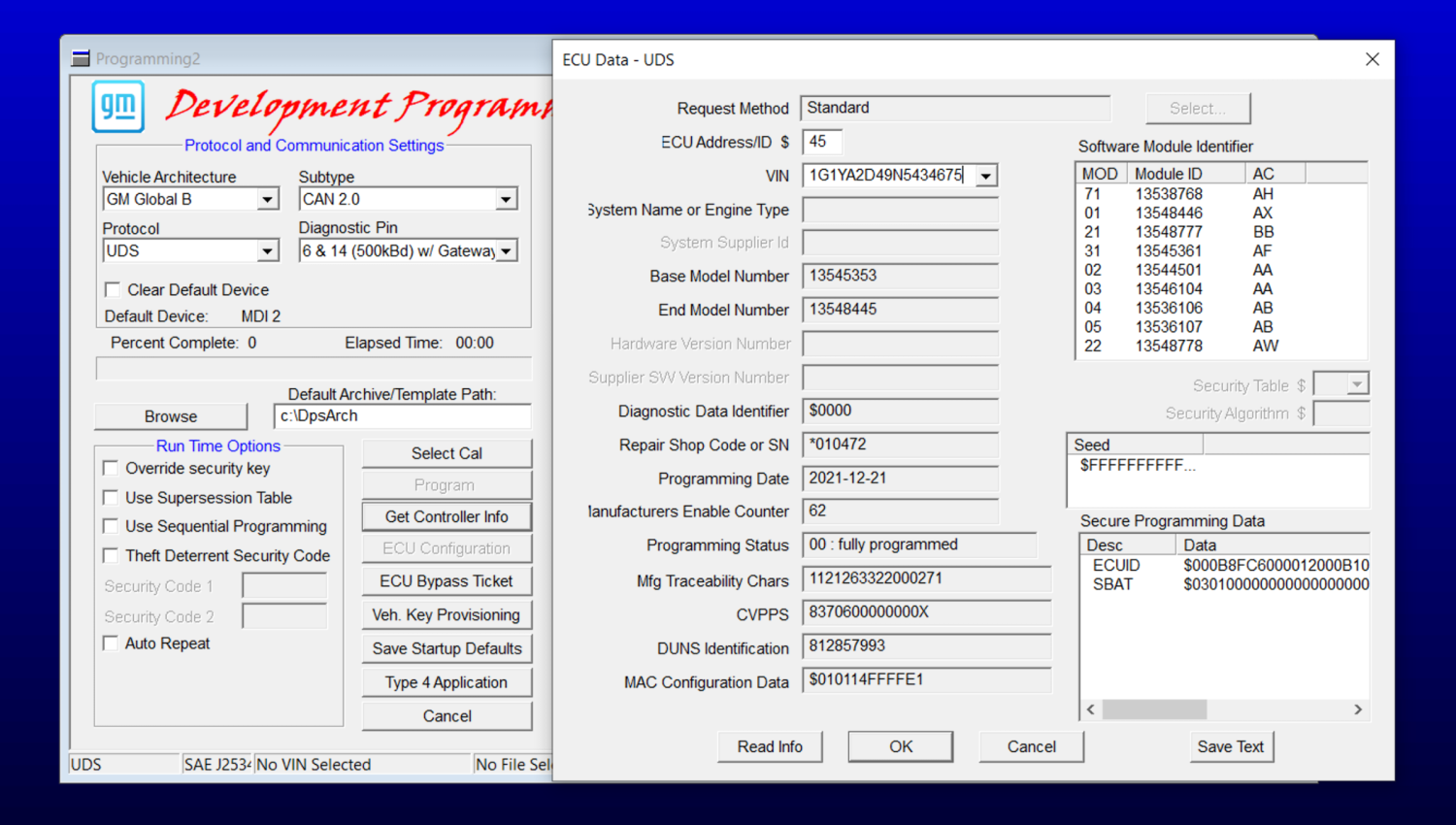
Using @T c suggestion for reading the VIN with DPS at the beginning when ECM is powered on. That worked, and I can read the VIN with DPS in the 2021 global-B Chevy Onix ECM. The Onix doesn't have a separate gateway module like some of the other GM vehicles. I think the Onix gateway module is combined in its BCM. My BCM seems faulty, so I couldn't test with both modules fully connected. 

I should receive the global-B gateway module sometime this week, hopefully then I'll get the other modules working.
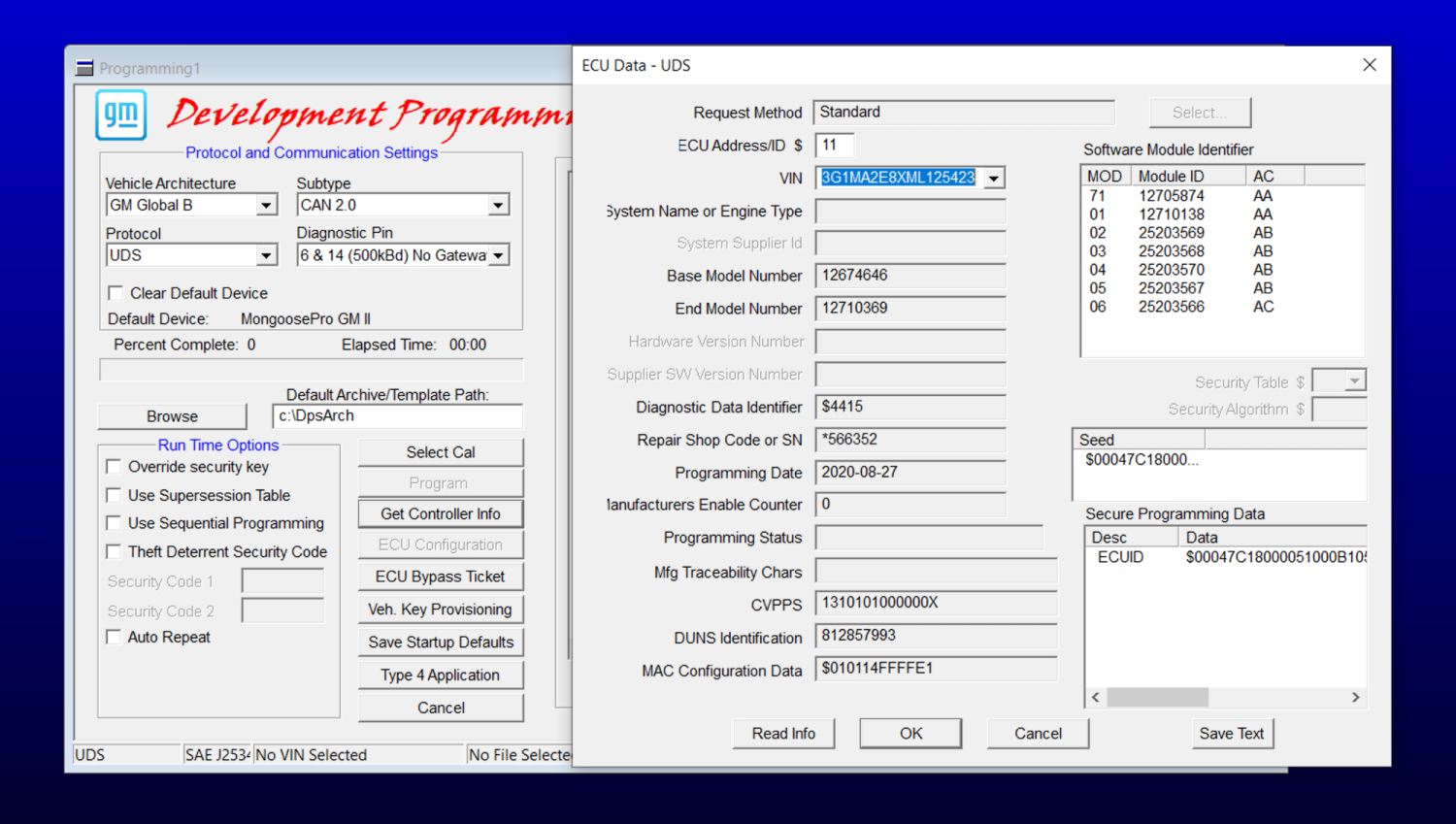
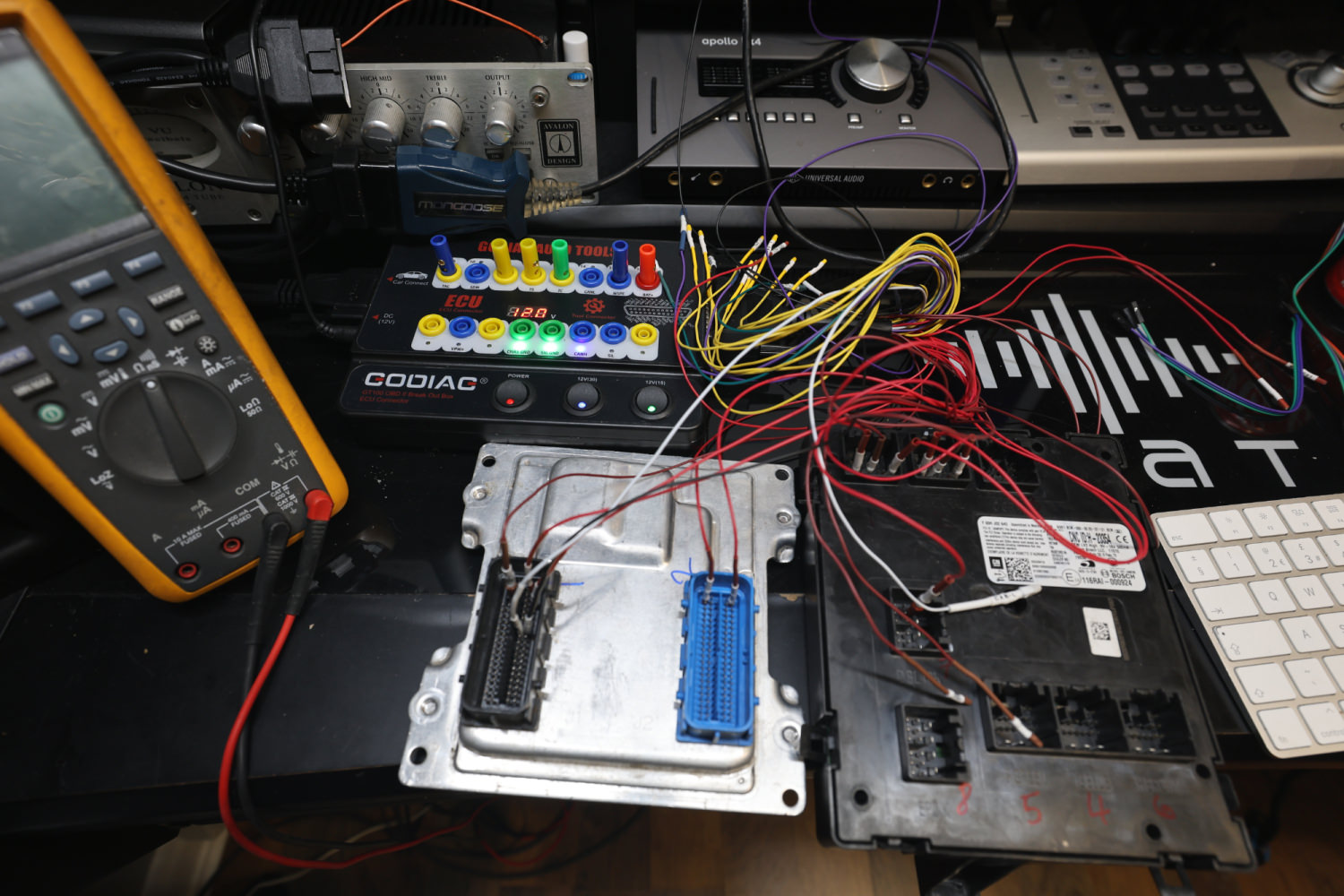
image.png


image.jpeg

GM Techlink article, which has some info.


Update 12/April/2023

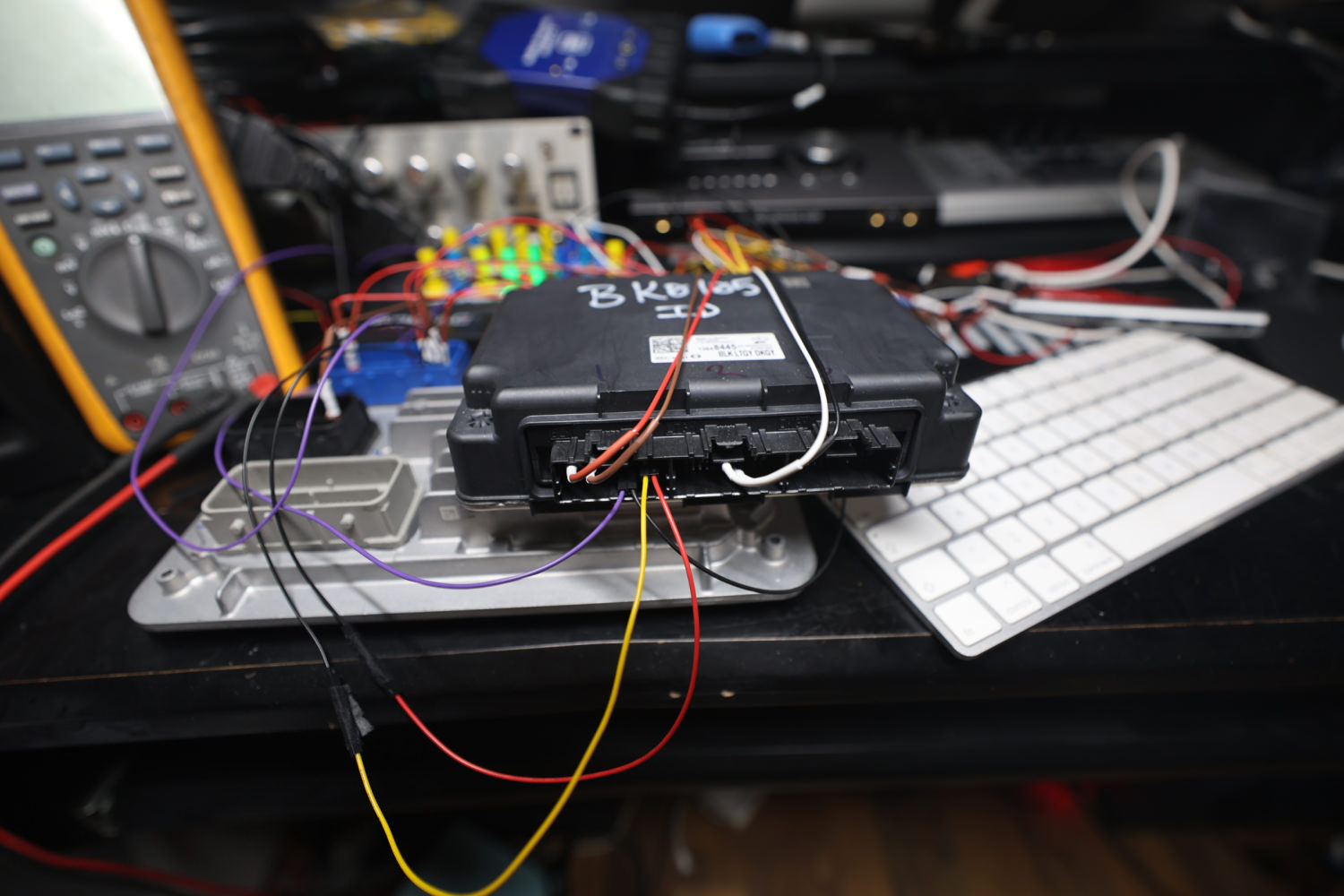
I received and connected the serial gateway module with the other modules, as shown in the GM SI schematics. I can now read the VIN with DPS anytime for all modules and perform partial programming, which is excellent. One step further. 
Global-B command functions differ from Global-A, which will take me some time to understand fully.
You will need the serial data gateway module and a genuine MDI2 to do any programming for a Global-B bench setup.

R6_23721.JPG


R6_23723.JPG


image.png


Data Link Communications Description and Operation.pdf


Update 18/October/2024

It is now possible to change the VIN and program General Motors Global-B UDS VIP 12-byte seed security electronic modules using the GM DPS tool. This is an excellent option for those who want to replace a faulty GM Global-B module in their vehicle by recycling a used module purchase from a scrap yard or eBay. More info to follow later.


In the video below, I demonstrate changing the VIN in a GM Global-B BCM module from a 2022 Chevrolet Silverado using a GM DPS file I created.
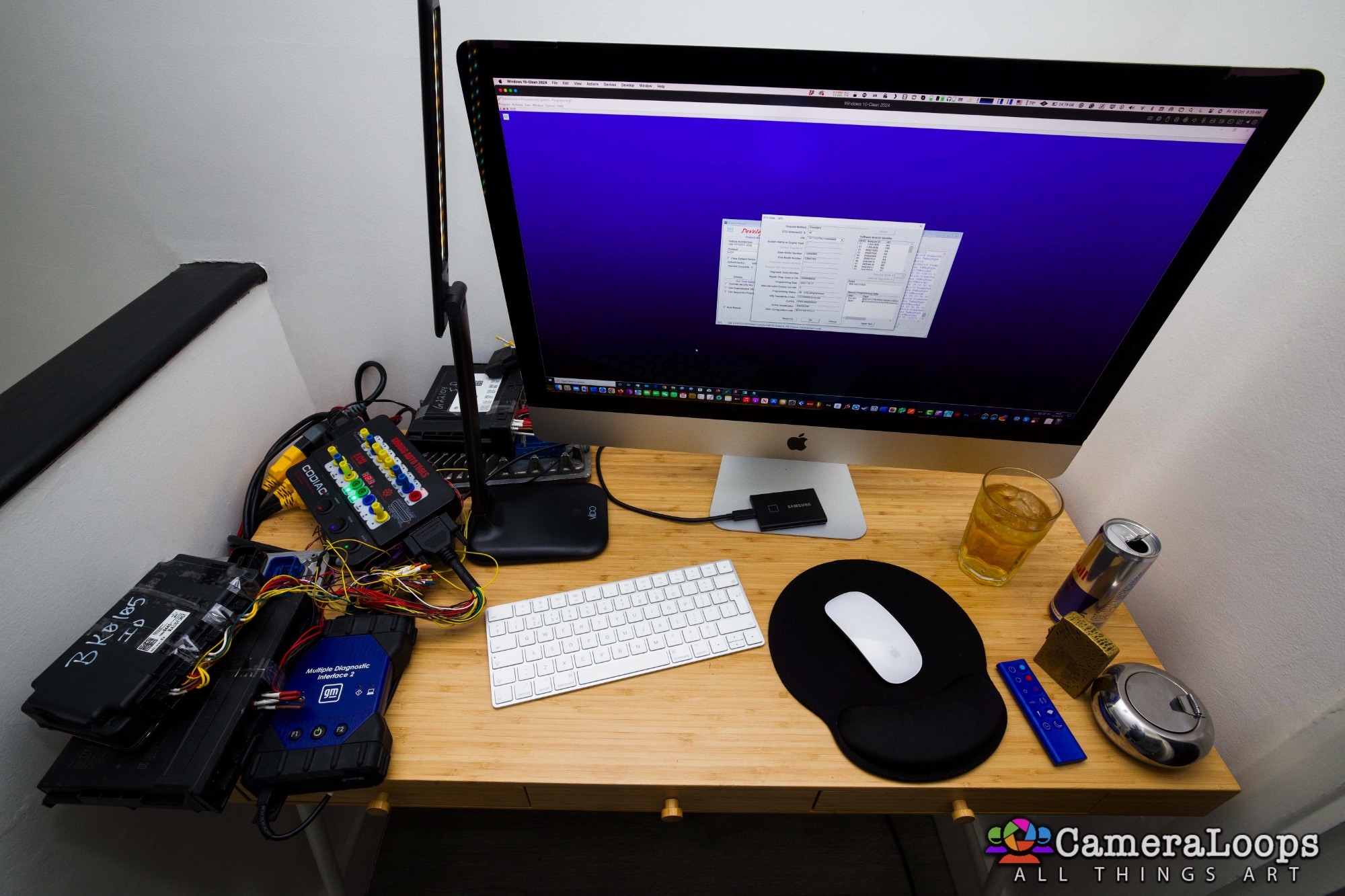
 

image.jpeg


Update 1/October/2025

Today, I assisted a member who required information to connect the BCM to the Gateway module for a Global-B bench setup. I post the information here in case anyone needs it.

Info for connecting the BCM to the Gateway module for a Global-B bench setup.

Six pins are used to connect the BCM to the Gateway module.

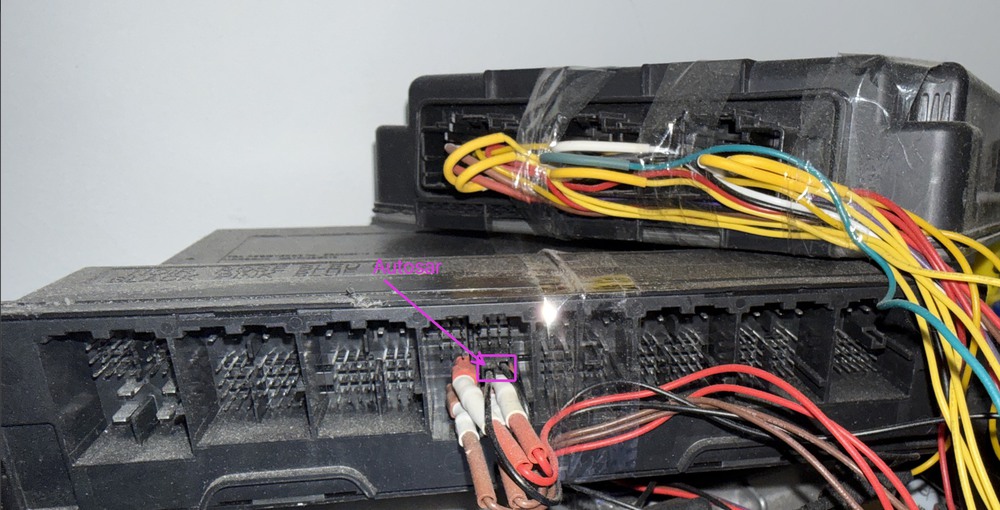
Two battery positive and two battery negative pins need to be connected, along with two AUTOSAR pins. In total, six pins are used for connecting the BCM to the Gateway module.

For the AUTOSAR PINS: Connect the Gateway connector port X1 PIN-18 to the BCM connector port X4 PIN-19, and the Gateway connector port X1 PIN-17 to the BCM connector port X4 PIN-20.

I hope this helps anyone who needs this info.
Screenshot 2025-10-01 at 6.17.48 am.jpg

Screenshot 2025-10-01 at 12.08.09 am.jpg

Global-B Sierra 1500 BCM X4 connector pinouts.
Global-B Gateway module X1 connector pinouts.


User Feedback

Recommended Comments

Commander Apprentice

Commander

Member

     对于全球B架构模块,如果没有正版的DPS,最关键的是计算模块安全密钥2702,B架构的SEED的KEY值

是动态的,读一次变化一次,如果不能计算啥事也干不了

    如果可以算2702,就可以使用DPS或指令收发工具对模块的VIN,模块安全码删除等等

大佬!你可以计算2702吗

Troy Grand Master

Troy

Administrator

GM Car Hacking Expert

On 4/12/2023 at 10:09 AM, Commander said:

     对于全球B架构模块,如果没有正版的DPS,最关键的是计算模块安全密钥2702,B架构的SEED的KEY值

是动态的,读一次变化一次,如果不能计算啥事也干不了

    如果可以算2702,就可以使用DPS或指令收发工具对模块的VIN,模块安全码删除等等

大佬!你可以计算2702吗


Yes, I have a method which I use for calculating Global-B 12-byte keys for programming with DPS.

The Mutley Rising Star

+The Mutley

+Contributor
  • Contributor

I also ordered a bunch of Global-B ECUs from a '22 CT4, but since I'm waiting for them I was wondering if anyone here had some CAN logs to share from behind the K56 Gateway (raw CAN from PT, CH or any other CAN network). I would like to compare the raw CAN vs Global-A and see how close or far they are. 

Matthew Maher Rising Star

Matthew Maher

Member

Hello, I have a K56 SDGM hooked up to a 2022 GMC Yukon Denali IPC bench setup and I can read the SDGM with ID 45 but when trying to read the IPC ID 60 I get an invalid target address for ID 60? I was wondering if you could help me out? Does the K56 SDGM have to be programmed with the same VIN as the cluster first? Attached are some photos of what I'm working with! I've been a dash expert for a very long time I can do almost any vehicle in the world but this Global B stuff haha! I could help you out with basically any vehicle out there in return for your help? 🙏 

16860105584371100639734077706971.jpg

16860105753047064237269737686243.jpg

16860105898835782629389577946419.jpg

16860106220557943186836508005597.jpg

16860106476774643552278448524628.jpg

Troy Grand Master

Troy

Administrator

GM Car Hacking Expert

27 minutes ago, Matthew Maher said:

Hello, I have a K56 SDGM hooked up to a 2022 GMC Yukon Denali IPC bench setup and I can read the SDGM with ID 45 but when trying to read the IPC ID 60 I get an invalid target address for ID 60? I was wondering if you could help me out? Does the K56 SDGM have to be programmed with the same VIN as the cluster first? Attached are some photos of what I'm working with! I've been a dash expert for a very long time I can do almost any vehicle in the world but this Global B stuff haha! I could help you out with basically any vehicle out there in return for your help? 🙏 

16860105584371100639734077706971.jpg

16860105753047064237269737686243.jpg

16860105898835782629389577946419.jpg

16860106220557943186836508005597.jpg

16860106476774643552278448524628.jpg


More than likely your IPC is not connected fully. Use GM Service Information to get the IPC and SDGM schematics then make sure all the IPC data, power and wake up lines are connected. I was able to get IPC, BCM and ECM all connected to the SDGM and I can read all those modules with DPS and also perform full SPS programming on the bench.

The IPC depends a lot on the BCM so you may need to have a BCM connected to get the IPC functioning.

Matthew Maher Rising Star

Matthew Maher

Member

Hey Troy! I have a BCM hooked up to everything now and I can read the SDGM and I can read the BCM no problem and the IPC functions fully on my bench setup by hooking up the ethernet bus lines from the SDGM to the IPC but I still cannot read the IPC? Did you have the ethernet bus enable and the ethernet 1T+, 1T-, 1R+, 1R- from the SDGM x2 to the DLC for communication from the cluster to work I'm baffled by this fml 

16865410653156762892099027203008.jpg

Troy Grand Master

Troy

Administrator

GM Car Hacking Expert

21 hours ago, Matthew Maher said:

Hey Troy! I have a BCM hooked up to everything now and I can read the SDGM and I can read the BCM no problem and the IPC functions fully on my bench setup by hooking up the ethernet bus lines from the SDGM to the IPC but I still cannot read the IPC? Did you have the ethernet bus enable and the ethernet 1T+, 1T-, 1R+, 1R- from the SDGM x2 to the DLC for communication from the cluster to work I'm baffled by this fml 

16865410653156762892099027203008.jpg


I have the IPC Ethernet and the 4 AUTOSAR CAN data lines connected to the SDGM.


Here are my connections.

image.png

image.png

I can read IPC and all the other modules with DPS.

image.png

image.png

image.jpeg


image.jpeg


image.jpeg


decode Rising Star

+decode

+Contributor
  • Contributor

hi troy l think you need j2534 with can FD ADAPTER remember tha vehicle is CAN FD

Troy Grand Master

Troy

Administrator

GM Car Hacking Expert

15 minutes ago, decode said:

hi troy l think you need j2534 with can FD ADAPTER remember tha vehicle is CAN FD


The GM MDI 2 works fine with the Global-B. 
 

I place this Global-B mission on hold due to work and less free time. But I do have some new ideas and findings to test out when I hit it again, hopefully soon. 


A61bk Enthusiast

+A61bk

+Contributor
  • Contributor

@Troy Is there a way to change the vin number of a E90 Global B via DPS 

I TRY DPS GM MDI 2 i read vin number 


but i want now change the vin number


thanks

Troy Grand Master

Troy

Administrator

GM Car Hacking Expert

6 hours ago, A61bk said:

@Troy Is there a way to change the vin number of a E90 Global B via DPS 

I TRY DPS GM MDI 2 i read vin number 


but i want now change the vin number


thanks

No, not at this moment.

The Dewd Apprentice

+The Dewd

+Contributor
  • Contributor

Don't know if this helps, regarding the resistors in a can bus.

The bus wants to see 60 ohms across the bus lines (pins 6 - 14 for original CAN) this was accomplished by having two 120 Ohm resisters (in parallel) in two different modules (Usually PCM and one other) when I would make "bucks" we did not use PCMs at first, but usually all the other modules. and we would just put a single 60 ohm resister across the 6 & 14 pins in the back of the OBD / DLC connector.  When we added the PCMs to the mix we had to change the resistors to 120 ohm because the PCMs already had a 120 ohm inside them.

It is very simple to test connect all your modules and test resistance across that bus if your at 60 Ohms your done. If NOT add either a 60 or a 120 depending on what you already have.

This resistance was/is critical for a Chrysler can bus, but I have GM buddy's who said they did not have to deal with it. That was for 2010 vintage vehicles. Don't know if things have changed or not.

Scott Rising Star

Scott

Member
On 10/20/2023 at 8:36 PM, Troy said:


The GM MDI 2 works fine with the Global-B. 
 

I place this Global-B mission on hold due to work and less free time. But I do have some new ideas and findings to test out when I hit it again, hopefully soon. 


Any luck on this?

Otuamobile Rising Star

+Otuamobile

+Purchaser

were you able to get to the bottom of this? How about Used BCM programming?

Troy Grand Master

Troy

Administrator

GM Car Hacking Expert

It is now possible to change the VIN and program General Motors Global-B UDS VIP 12-byte seed security electronic modules using the GM DPS tool. This is an excellent option for those who want to replace a faulty GM Global-B module in their vehicle by recycling a used module purchase from a scrap yard or eBay. More info to follow later.


In the video below, I demonstrate changing the VIN in a GM Global-B BCM module from a 2022 Chevrolet Silverado using a GM DPS file I created.


image.jpeg


penguin4170 Rising Star

+penguin4170

+Contributor
  • Contributor
On 10/18/2024 at 6:04 AM, Troy said:

It is now possible to change the VIN and program General Motors Global-B UDS VIP 12-byte seed security electronic modules using the GM DPS tool. This is an excellent option for those who want to replace a faulty GM Global-B module in their vehicle by recycling a used module purchase from a scrap yard or eBay. More info to follow later.


In the video below, I demonstrate changing the VIN in a GM Global-B BCM module from a 2022 Chevrolet Silverado using a GM DPS file I created.


Any update on this, Troy? I havent heard much on calculating the 12 byte keys

image.jpeg

Troy Grand Master

Troy

Administrator

GM Car Hacking Expert

Hi, I haven't mess with Global-B since due to work and other things. I'm working on updating the website's GUI and features and all. Hopefully soon.

Mark Still Rising Star

+Mark Still

+Contributor
  • Contributor
On 2/16/2023 at 11:12 PM, jesus teran said:

Hello, I am working on a GMC Sierra 1500 2022 on Global B Platform, I have only been able to read the PCM using godiag GT100+ on the bench, which is an E90 Using an interface called AEZFLASHER 3. I attach photos and the reading obtained with DPS. I am in Miami if you need help for this project I am at your service.

dps.thumb.png.95a011a3611a82d8a1664ebb3701f3eb.png


pinout e90.jpg


aezflasher.jpg


godiag gt100+.jpg


GCI_Log.Txt 79.26 kB · 33 downloads

You have the pin diagram for this connection?

christian Rising Star

christian

Member

Not sure if you’ve heard of the Comma.ai 3x- but I was going to say if you have figured out global B, I know it’s much more intricate than than I understand, but that company is on hold with GM products holding their product development back. I feel like you would have a lot of leverage to possibly have them buy your software/knowledge to make their system once again compatible, all I know is something about global b scrambles the data where the system cannot read it. I came across your website when doing research about gobal B. Thanks :)

Hasan Ustar Rising Star

+Hasan Ustar

+Purchaser
On 5/7/2025 at 8:48 AM, christian said:

Not sure if you’ve heard of the Comma.ai 3x- but I was going to say if you have figured out global B, I know it’s much more intricate than than I understand, but that company is on hold with GM products holding their product development back. I feel like you would have a lot of leverage to possibly have them buy your software/knowledge to make their system once again compatible, all I know is something about global b scrambles the data where the system cannot read it. I came across your website when doing research about gobal B. Thanks :)

Troy's goal here is to reprogram the VIN (and possibly some other parameters) using offline DPS. That is not what Comma is afer.

The CAN messages are signed and padded with some kind of cryptographic magic using an AES key which resides in the HSM peripheral in the MCUs of the ECUs. This key is difficult to extract. Comma needs to retrieve that key in order to generate forged signatures to simulate the messages from the LKAS/ACC modules to automate the drive. The AES key is shared across all modules in a given car, but is unique to each car.

It's possible that the AES key is automatically derived/calculated from the VIN. This could be verified by changing the VIN of a part using Troy's methods on the bench, and installing that module in the car to see if the module works without requiring any additional special/online function.

Troy Grand Master

Troy

Administrator

GM Car Hacking Expert

Today, I assisted a member who required information to connect the BCM to the Gateway module for a Global-B bench setup. I post the information here in case anyone needs it.

Info for connecting the BCM to the Gateway module for a Global-B bench setup.

Six pins are used to connect the BCM to the Gateway module.

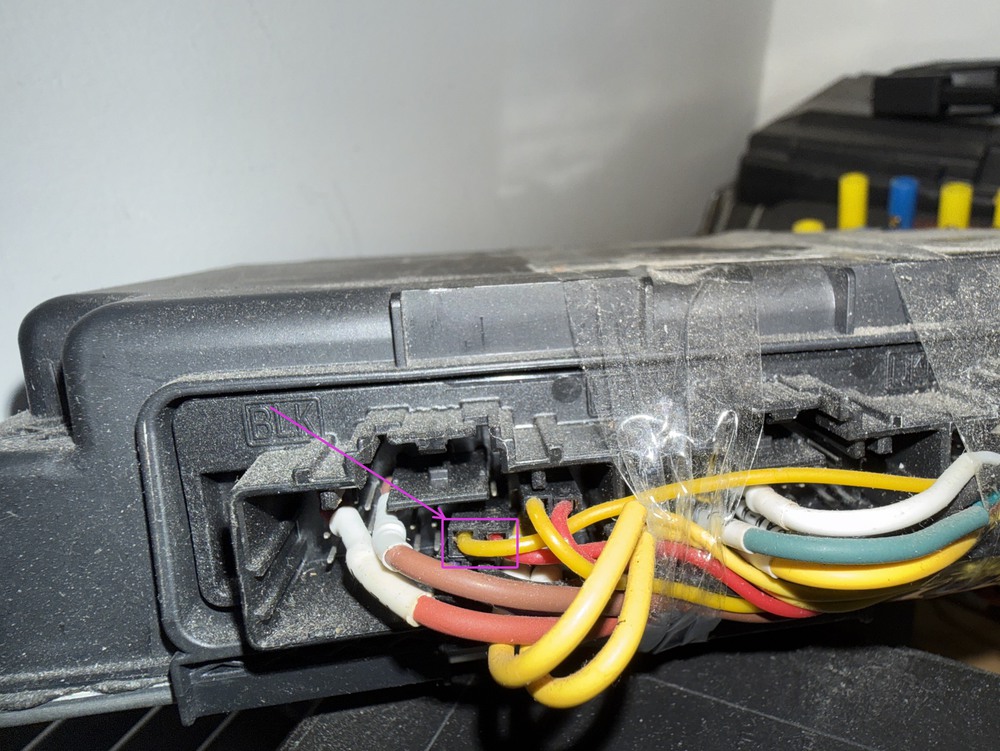
Two battery positive and two battery negative pins need to be connected, along with two AUTOSAR pins. In total, six pins are used for connecting the BCM to the Gateway module.

For the AUTOSAR PINS: Connect the Gateway connector port X1 PIN-18 to the BCM connector port X4 PIN-19, and the Gateway connector port X1 PIN-17 to the BCM connector port X4 PIN-20.

I hope this helps anyone who needs this info.
Screenshot 2025-10-01 at 6.17.48 am.jpg

Screenshot 2025-10-01 at 12.08.09 am.jpg

Global-B Sierra 1500 BCM X4 connector pinouts.

Global-B Gateway module X1 connector pinouts.

Drew Johnson Rising Star

+Drew Johnson

+Contributor
  • Contributor

I have a 24 Silverado refresh global b cluster iam trying to program the miles on. Is this possible with dps or techline? Or am I totally off and it’s not even in the cluster and i need to be attempting to re program the Bcm?

LS-Juan Apprentice

+LS-Juan

+Contributor
  • Contributor

whats the minimum version of DPS needed for Global B?

I have 4.56 and have no global B or type 4 application options.

pupu14 Community Regular

+pupu14

+Contributor

GM Car Hacking Expert

  • Contributor
54 minutes ago, LS-Juan said:

whats the minimum version of DPS needed for Global B?

I have 4.56 and have no global B or type 4 application options.

Must add necessary DLLs to have Type4 button activated.

LS-Juan Apprentice

+LS-Juan

+Contributor
  • Contributor
1 minute ago, pupu14 said:

Must add necessary DLLs to have Type4 button activated.

i was reading that but seems to be if i have sps installed but i have DPS in a virtual enviroment and never installed sps in it.

Join the conversation

You can post now and register later. If you have an account, sign in now to post with your account.

Guest
Add a comment...

All Articles

Popular Members

  1. hassan77h
    +hassan77h
    27
  2. Troy
    Troy
    22
  3. uglyoldbastard
    +uglyoldbastard
    13
  4. regloops
    +regloops
    8
  5. GM-Enthusiast
    +GM-Enthusiast
    7

New Members

  1. David Fontenot
    David Fontenot
      Member
    Joined
  2. SSAUTOZ
    SSAUTOZ
      Member
    Joined
  3. valdemarford
    valdemarford
      Member
    Joined
  4. Course faycal khalil
    Troll-Course faycal khalil
      Troll-Troll
    Joined
  5. Troll stevie nick
    Troll-Troll stevie nick
      Troll-Troll
    Joined
  6. Troll Parkerchevy
    Troll-Troll Parkerchevy
      Troll-Troll
    Joined
  7. Hayk Vardanyan
    Hayk Vardanyan
      Member
    Joined
  8. tunedbycasco
    tunedbycasco
      Member
    Joined
  9. freehugs
    freehugs
      Member
    Joined
  10. ceberon
    ceberon
      Member
    Joined

CameraLoops™
Powered by Art
All Trademarks appearing on this website are the property of their respective owners.

Account

Navigation

Configure browser push notifications

Chrome (Android)
  1. Tap the lock icon next to the address bar.
  2. Tap Permissions → Notifications.
  3. Adjust your preference.
Chrome (Desktop)
  1. Click the padlock icon in the address bar.
  2. Select Site settings.
  3. Find Notifications and adjust your preference.