











.jpg.9dd8d45a3fad0a651bb2bc39ddead936.jpg.7a19f233d3331becb9d93ee7cfc63379.jpg)
.thumb.png.6cba57c5e88519e419516e3ed1152e01.png)
By Troy
How To Hack Apple Mac EFI Bios Firmware Password On A MacBook Pro 2011
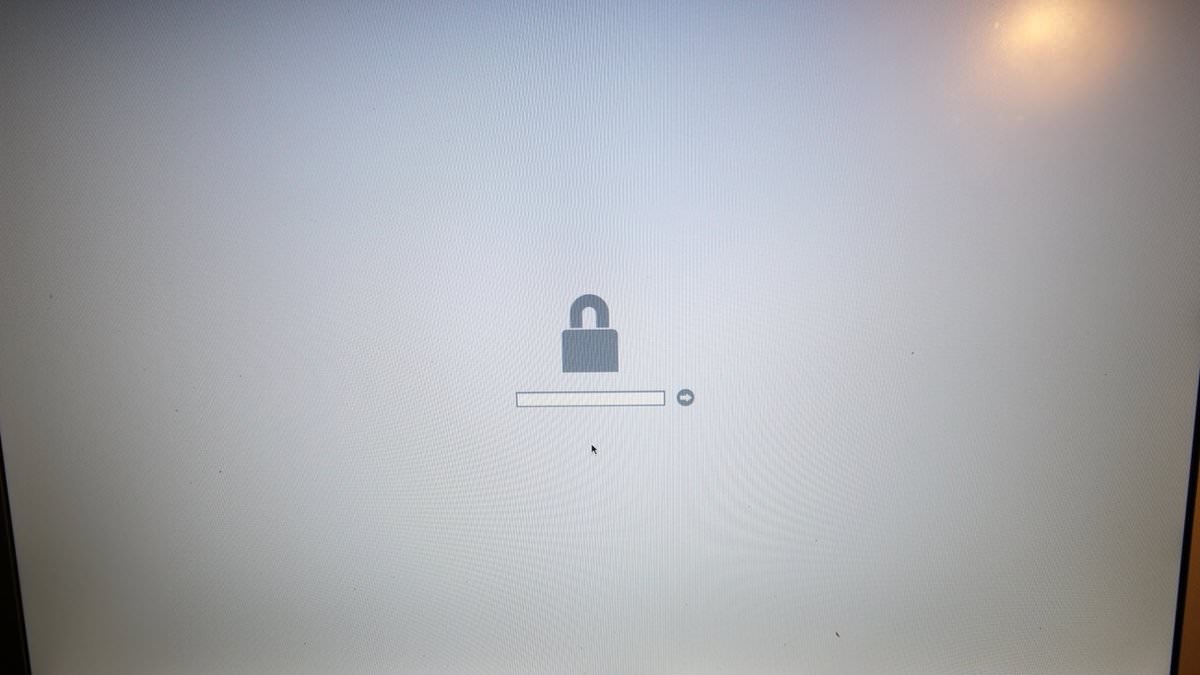
If you're reading this, I'm guessing you yourself is on a mission to remove an unknown bias password from a Macbook pro.
I'll start off with the tools you will need in order to spare you the read
Tools needed.
- A sop 8 chip programmer with a sop 8 holder or pin connectors. ( I use the True Wellem USB chip programmer acquired some years ago back in my Xbox 360 hacking days).
- A hot air rework station, or a soldering iron with soldering wick and a razor blade.
- A hex editor software. (I use the Synalyze it Pro Hex editor on Mac).
Hacking an Apple MacBook pro bios security chip may seem sinister in some cases, however, there can also be a legitimate circumstance whereby the owner forgot his password and do not have the original apple receipt in order to access the bios lock recovery from Apple Inc.
Before I get into the nitty-gritty of the how-to.
The 2011 MacBook pro was one of Apple's greatest creation aside from the major graphics card issues with this model.
Many large live productions shows are still being powered by a Macbook pro-2011 in the year 2019.
Some of the pros are.
i7 processor, option to upgrade the ROM, the option to install a standard SSD drive, and the option to remove the CD drive then install a second SSD drive.
The Hack.
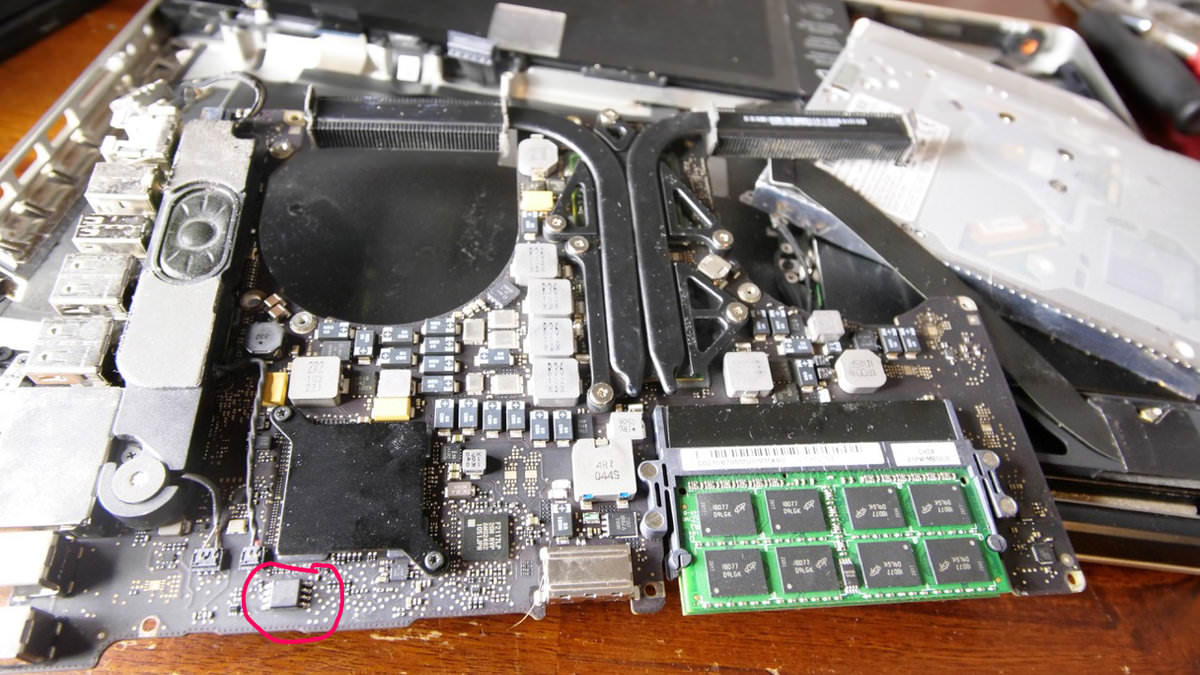
Remove the Bios chip for the logic board
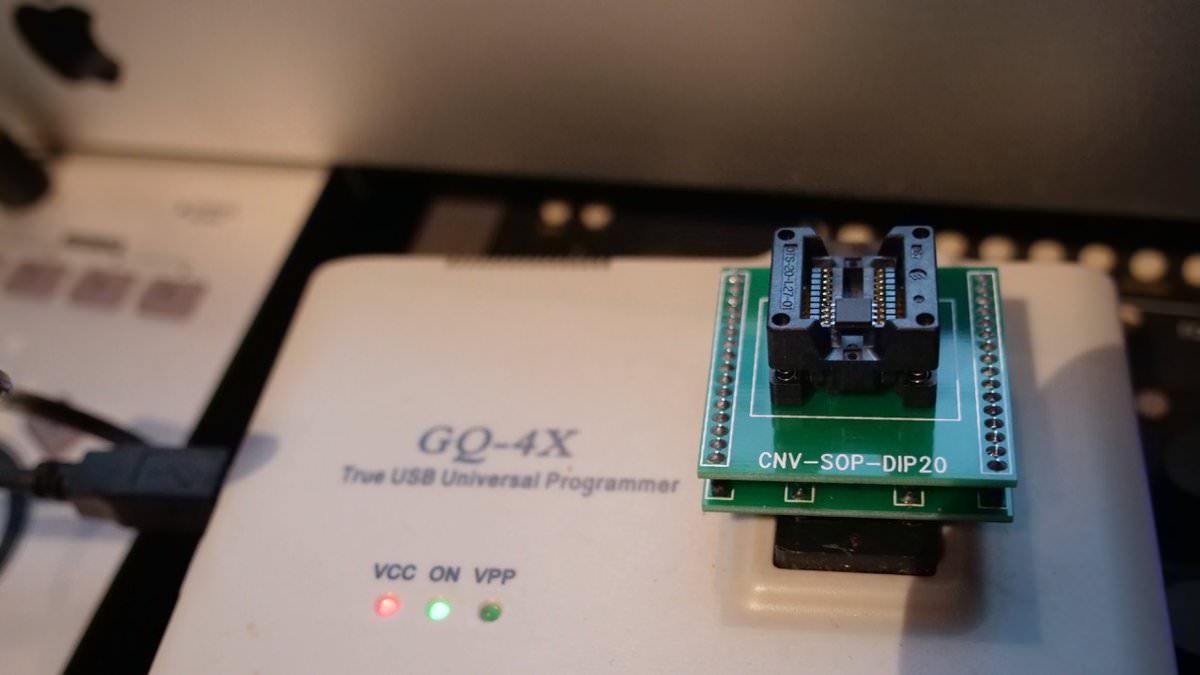
Place the Bios chip in your chip programer.
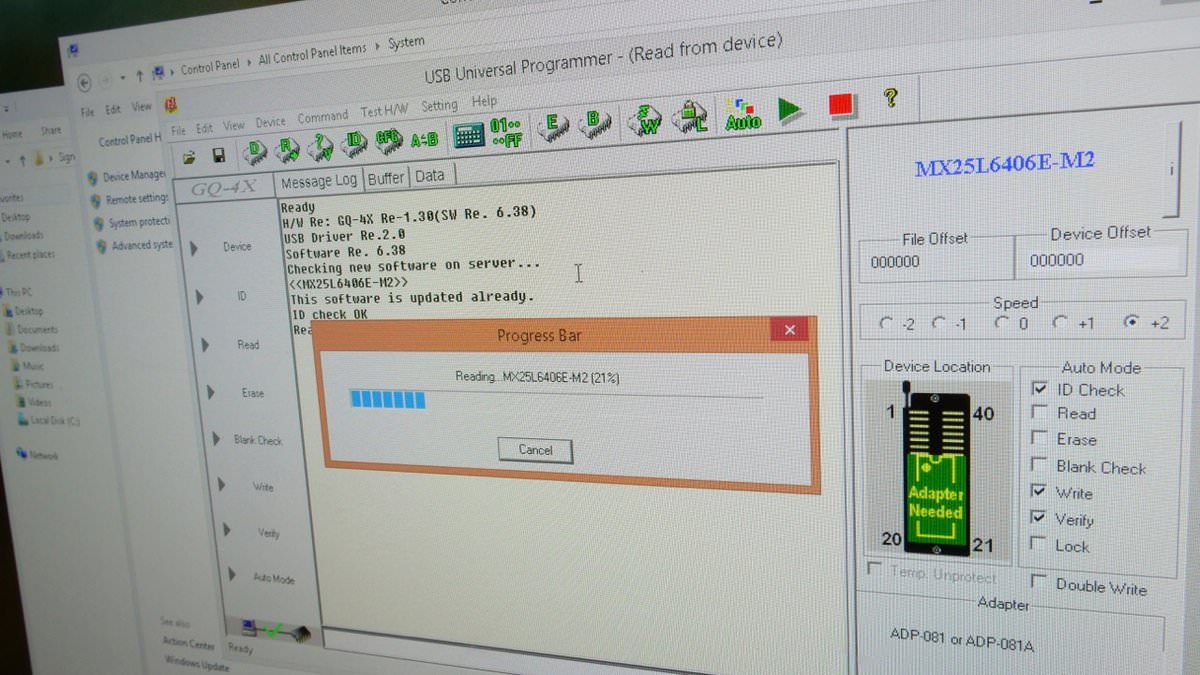
Read then Dump the chip code.
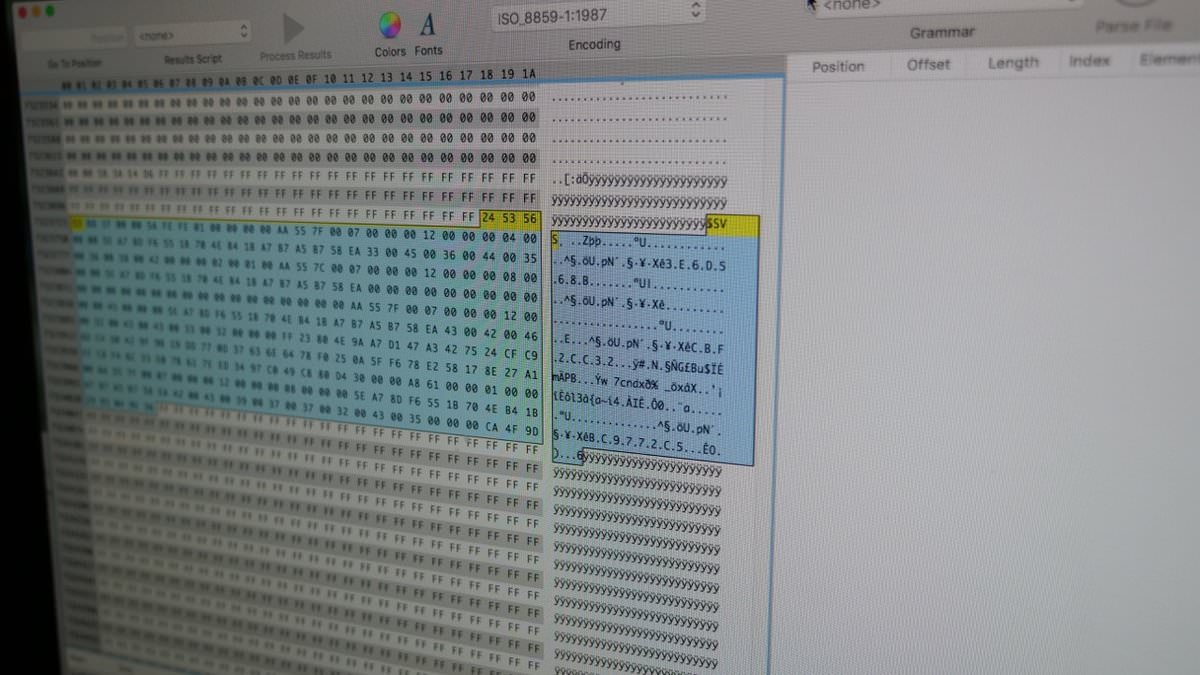
Open the chip code in your hex editor and search for "pN" or what ever gibberish is on the photo above. The line is located at the bottom of the chip code.
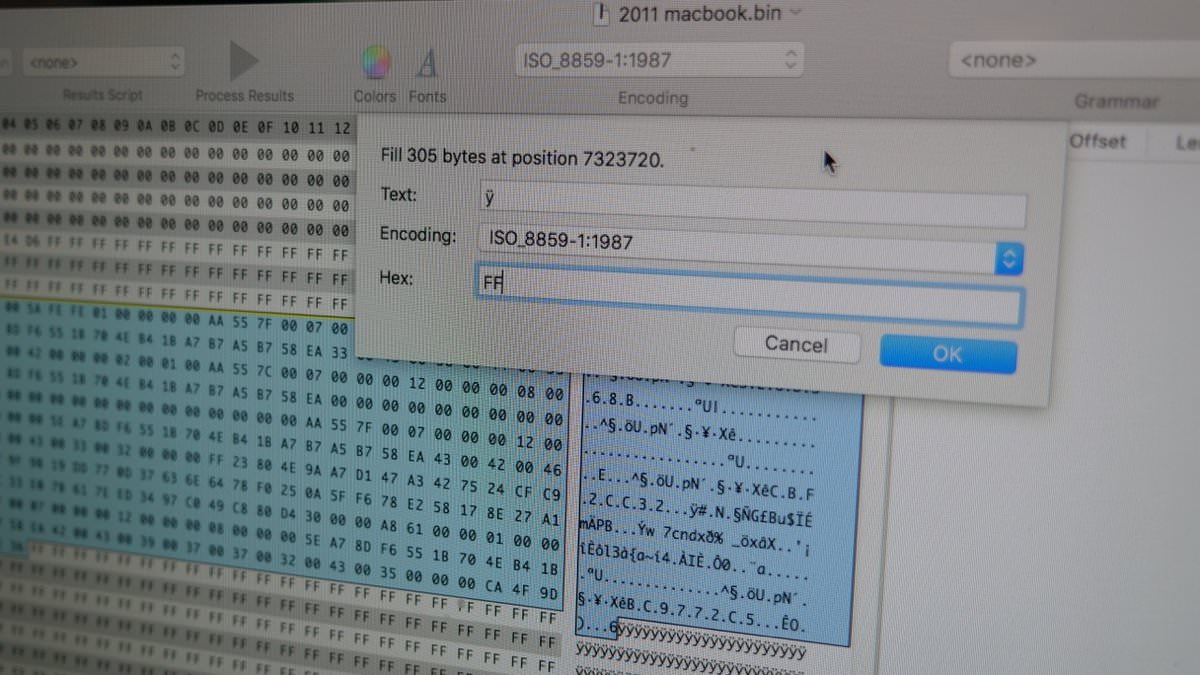
Select it all and change the gibberish to hex: FF
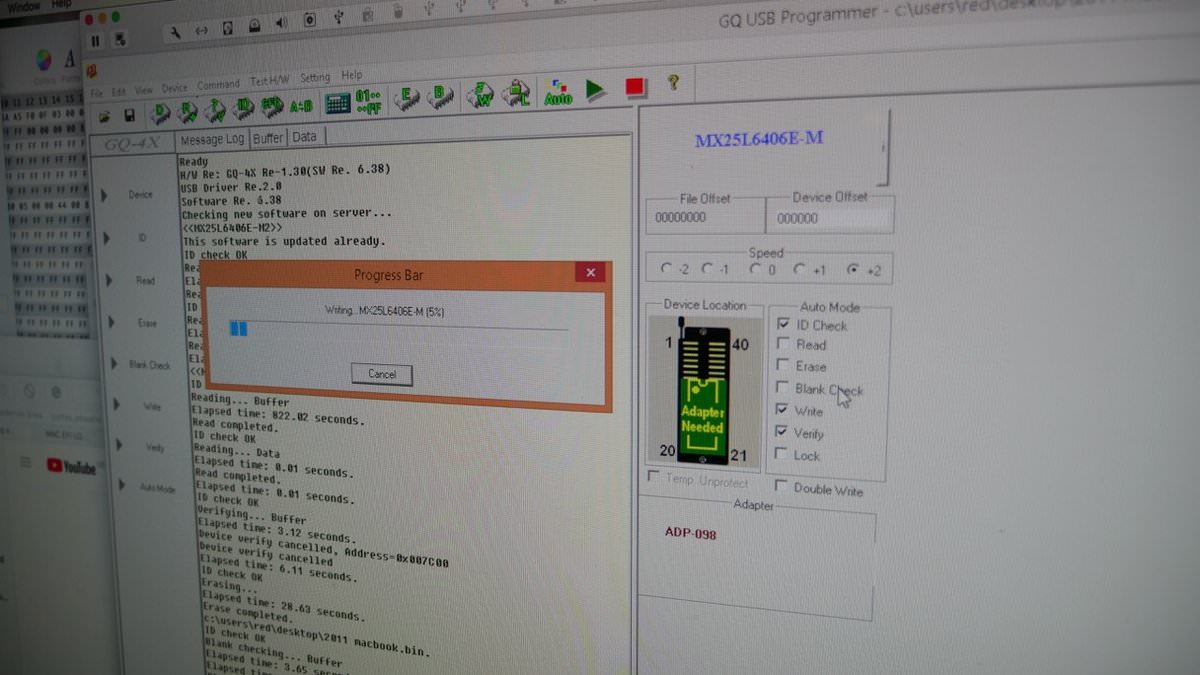
Then Dump the edit code back to the bios chip.
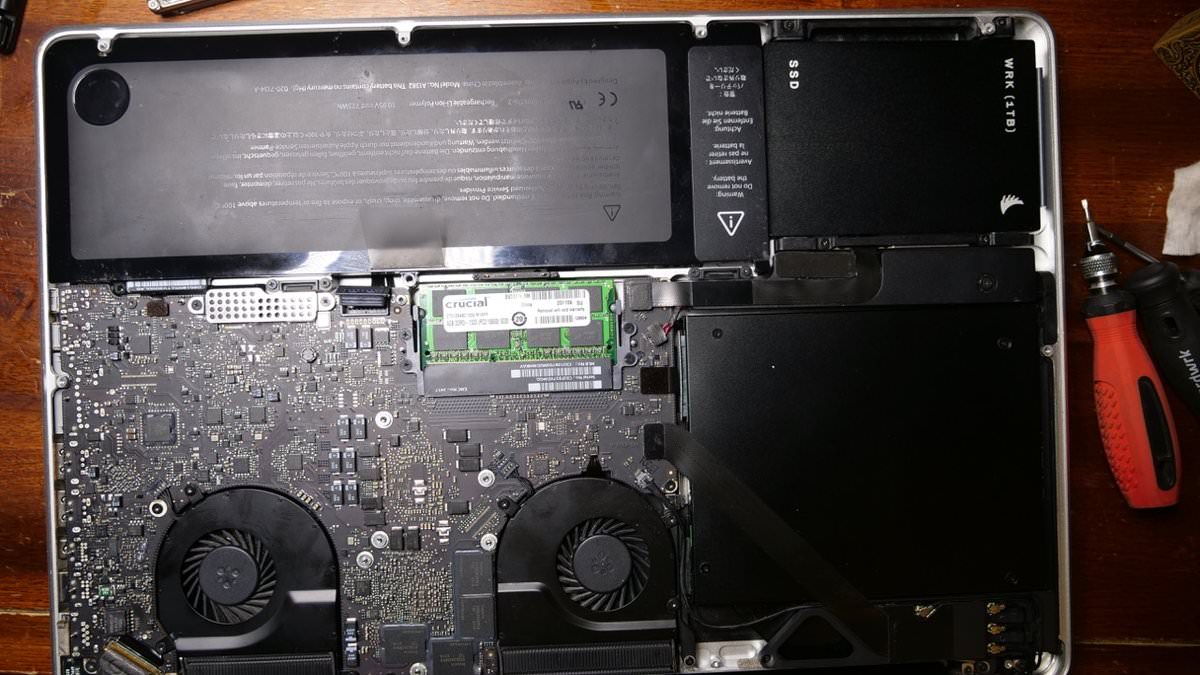
Re-solder the bios chip back to the MacBook Pro Logic board.
If all goes well you should have a MacBook Pro with no more Bois Password.
If you need more help doing this Hack, feel free to drop a comment.
Happy Hacking.
-
 1
1























































.jpg.434408b0b61b4552ae25cde5c0b5a388.jpg)






.jpeg.503ad3cbf167f180662b9e06a35f1911.jpg.4256ffb79777f00833ddbf666186ef55.jpg)




-min.jpeg.e57f393a5b1034dc5ead0fdf0e5be0a7.jpg.8b0eac9dbd8dd2120749a61afa119519.jpg)




.jpeg.7788c0ed0981e43684ee21be2e0cfd0c.jpg.5fe699189bcf0d18517707ce4222e81a.jpg)


.thumb.jpg.0f819d95317e386a92453772edb75c6b.jpeg.61f2c44081948bc780313ab6fcfdc53b.jpeg)













.jpeg.c58f6a017dba02d1386e26ad62d32fe5.jpeg)








.jpg.3dfde5099751bef5f6e2d27f3d463275.jpg.edf3062b4fb37e14c71ab2caa86c1053.jpg)






















Recommended Comments
Join the conversation
You can post now and register later. If you have an account, sign in now to post with your account.