












.thumb.png.6cba57c5e88519e419516e3ed1152e01.png)
By Troy
HMI theft lock, How to remove GM HMI theft lock with GM DPS, Plus more.
Welcome, one and all.
Feel free to ask any questions in the comments section for help.
Here, you will find information and files for upgrading your HMI v2 to the HMI v2.5 or replacing your HMI module with a used part.
Upgrading from HMI v2.0 to HMI v2.5 will enable Apple CarPlay, Android Auto, better SAT-NAV maps, video playback, and faster touch reaction from your touch screen.
Most of GM's electronic module car parts are security-locked to a specific car via the car's VIN number.
To install used car parts and have them functioning, you must first program your vehicle's VIN into the module.
When upgrading from the HMI v2.0 to the HMI v2.5, you must also upgrade the radio module. You can bypass the radio module upgrade by updating the firmware to v2.5 specs. (if you update the radio module firmware, you do not need to replace it)
The radio module upgrade firmware can be found below.
To get Apple Carplay to work, you will also need to replace your vehicle's double USB port with a single USB port.
See the photos below.
The items you will need for removing the theft lock from the HMI module:
A copy of GM DPS software, preferably V4.44.
A compatible GM diagnostic interface example: VXDIAG Nano, Drew tech mongoose GM2 pro, etc. (All diagnostic interfaces that work with GM's SPS will work with GM's DPS software.
GM DPS V4.44
This file will remove the theft lock from the HMI and radio module DPS VIN Relearn file.
This is for European cars/cars that use the SilverBox Radio module.
For USA cars/cars that use the satellite radio module.
GM HMI 2.5 Activate Video In Motion, SAT-NAV In Motion, Track-Pad, Rear Camera And Climate Control Using GM DPS
Check out this article, which demonstrates how to gain wireless Apple CarPlay and wireless Android Auto for GM vehicles that use the HMI 2.5 module.
The HMI module location and USB module you will need for Apple CarPlay.
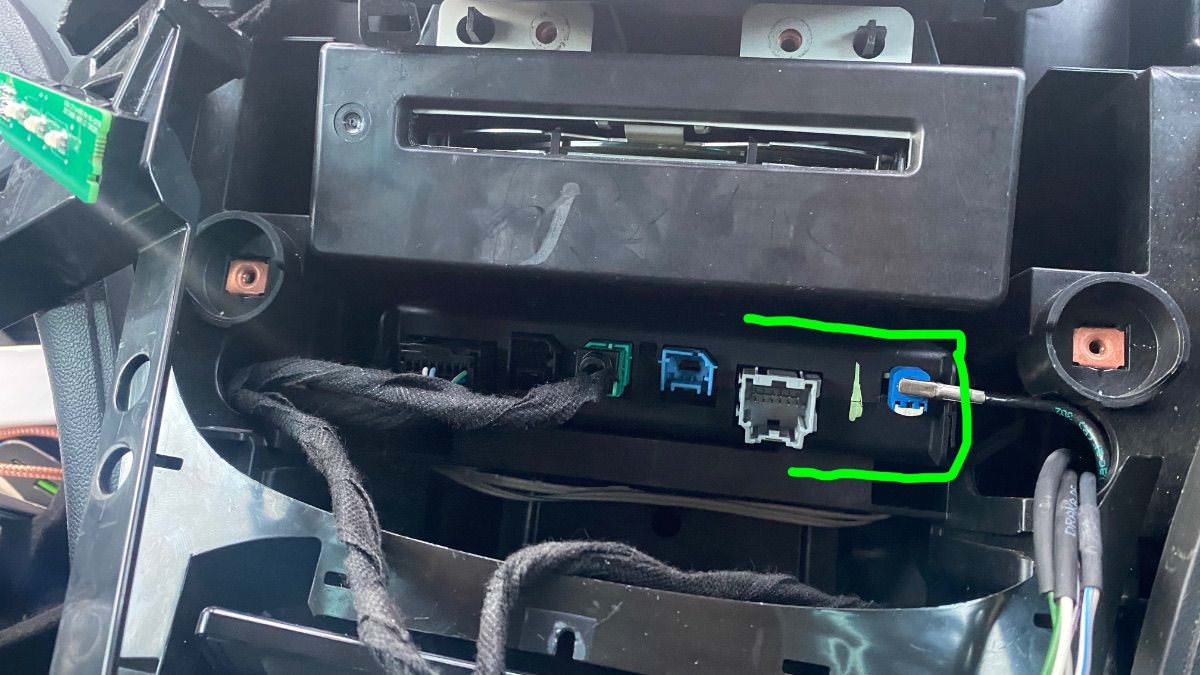

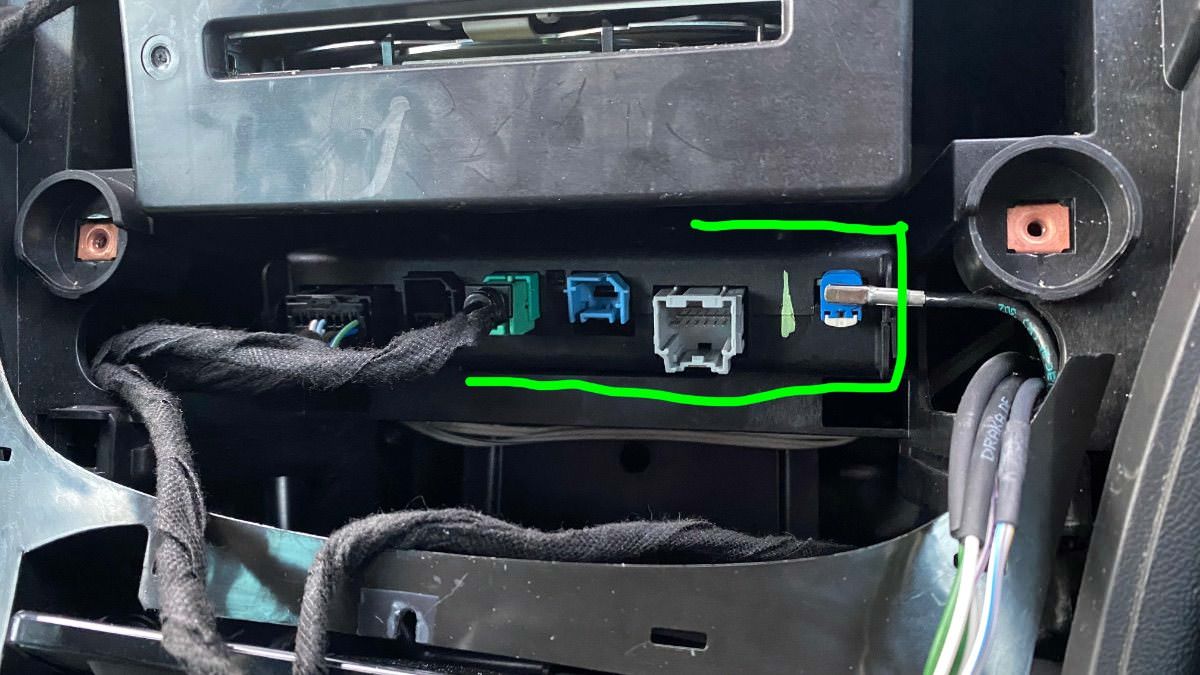

-
 8
8
-
 1
1
-
 1
1
-
 1
1























































.jpg.434408b0b61b4552ae25cde5c0b5a388.jpg)






.jpeg.503ad3cbf167f180662b9e06a35f1911.jpg.4256ffb79777f00833ddbf666186ef55.jpg)




-min.jpeg.e57f393a5b1034dc5ead0fdf0e5be0a7.jpg.8b0eac9dbd8dd2120749a61afa119519.jpg)




.jpeg.7788c0ed0981e43684ee21be2e0cfd0c.jpg.5fe699189bcf0d18517707ce4222e81a.jpg)


.thumb.jpg.0f819d95317e386a92453772edb75c6b.jpeg.61f2c44081948bc780313ab6fcfdc53b.jpeg)












.jpeg.c58f6a017dba02d1386e26ad62d32fe5.jpeg)




.jpg.9dd8d45a3fad0a651bb2bc39ddead936.jpg.7a19f233d3331becb9d93ee7cfc63379.jpg)




.jpg.3dfde5099751bef5f6e2d27f3d463275.jpg.edf3062b4fb37e14c71ab2caa86c1053.jpg)






















Recommended Comments
Join the conversation
You can post now and register later. If you have an account, sign in now to post with your account.