






651 topics in this forum
-

Hi all Like in tittle of topic. Any way to get access to SI and SPS for GM cars?
-
- 4 replies
- 2.7k views
- 1 follower
-
-

Hoping to get some better insight on the MEC for GM modules. I understand that it is 255 ign cycles before the module is locked out from factory. I dont really understand the programming side of this. When using a used module, are you needing to flash the MEC to 255 for it to accept a new calibration or vin, or set it to zero to do so? Do you know which modules will need this, is it global a only? What is a symptom of a MEC exceeded, would that be a errored out programming event? Thank you
-
-
- 2 replies
- 4.7k views
- 3 followers
-
-

I am new to this but i have a 2019 silverado 6.2 want to delete the dfm i know hptuners will do this but ecm has to be unlocked first my question is, i have access to gm sps2 and i have gm dps, can i take the original gm flash file, convert to bin, edit dfm out of the flash then calculate checksum and flash with dps?
-
- 4 replies
- 4.5k views
- 5 followers
-
-

How can I listen to USA radio stations in Europe?
-
- 1 reply
- 1.2k views
- 2 followers
-
-

Hi i have captiva 2014 E2700 when trying to program new TCM.
-
-
- 1 reply
- 1.7k views
- 1 follower
-
-
.thumb.png.6cba57c5e88519e419516e3ed1152e01.png)
Does anyone have a bench setup for the Global-B architecture vehicle? I have some Global-B modules on the way, I need to know if I can connect a Global-B BCM direct to the power and Canbus data line and have DPS read the VIN, or will I need to route the BCM through another module in order to read the Global-B VIN with DPS? Will need the Network Gateway Control Module for connecting to DPS?
-
-
- 2 replies
- 1.1k views
- 4 followers
-
-

Hello, ran into some issues when trying to run the HMI vin relearn file. The HMI I am trying to flash is an io4/5/6 xm satellite radio module. It is I identical to the one pictured on the file page, however the part number is 1350 6455 as apposed to 8436 1172 (as shown on the page for the HMI relearn file) Log: Initializing Programming Session - v4.44.0000 Programming Initialization Loading Calibration Files C:\Users\user1\Desktop\Radio-VIN_Relearn_USA_TattooTroy.zip! The VIT2 does not contain Part Number Information (VIT not populated)! >> DLL Path: C:\Program Files (x86)\GM\J2534Wrapper\J2534Wrapper.dll >&g…
-
- 1 reply
- 2.4k views
- 3 followers
-
-

Hello there can someone help me out with IPC Cali and firmware files for this VIN. W0VBE8EV0L8012707 Thanks in advance.
-
- 0 replies
- 953 views
- 1 follower
-
-

I am trying to fit a used BCM to a 2022 GMC Sierra 1500 6.2L. The BCM has 8 connectors with a SEED of 12 bytes is GlobalB, I need to change the VIN and the PIN with DPS. New BCM in the UNITED STATES THERE ARE NOT AVAILABLE The waiting list is more than 30 days.
-
-
- 2 replies
- 3.7k views
- 3 followers
-
-

Evening, CameraLoops community. I'm just hopping on to the car hacking scene and I'm seeking any knowledge on extracting firmware and .XML files from SPS2. I've looked into the files located in spsDEBUG, and it appears that they are .gzip files with varying contents. I have SPS2 and DPS for future reference. Thanks everyone!
-
-
- 12 replies
- 3.8k views
- 7 followers
-
-

Hello. I am working on getting a test bench set up so I can reprogram different GM modules. So far i have BCM, and Radio communicating and am trying to get DPS to communicate with HMI. I have HMI hooked up to radio through the MOST bus. But hmi still does not want to speak. BCM is address 40 and radio is 80. What could i be missing? Do I need to hook up IPC and radio controls as well? I got all the wiring diagrams from gmupfitter. Truck is a 2015 Silverado. This is all for fun and learning new stuff. Have to keep my mind working, turning 60 this year. Troy you've set up a test bench, any tips? Thanks Dom Test IMG_2792.HEIC
-
- 2 replies
- 1.7k views
- 5 followers
-
-

Have been trying to crack this E46 and already blown alot of money on it, just trying to keep costs down since it's just me
-
- 2 replies
- 1.1k views
- 2 followers
-
-

Hi! Can anybody help me to find the PIN code of this VIN? The VIN is W0L0TGF071B012522. It's a 2001 Opel Astra G. Thank you.
-
- 1 reply
- 2k views
- 2 followers
-
-

Hi, can I change the vin for my E92 or restore it to VERGIN?
-
-
- 6 replies
- 2.3k views
- 6 followers
-
-

Hi friends What I want to do is change the vin number from all brains. Because I accidentally replaced all modules of a flooded vehicle with an unused vehicle. Who can help me with this? Thanks in advance
-
- 1 reply
- 1.8k views
- 2 followers
-
-

Hello does anyone know if we can configure cadillac xts 2017 to disable radar but make cruise control work? thanks
-
- 0 replies
- 2.5k views
- 1 follower
-
-

hello folks, i dont any file to chance the PIN and VIN to HVAC, i need replace my module but when i replace it the inmo is locked, any idea ?
-
- 3 replies
- 1.4k views
- 3 followers
-
-

Hi, Does anyone have an old firmware version apart firmware 84156714. Thanks!
-
- 0 replies
- 2.5k views
- 1 follower
-
-

Hi dose someone have a xml file for a 2020 ipc like in the pictures?
-
- 2 replies
- 1.5k views
- 3 followers
-
-

The EL-52100 MDI 2 is required for control module programming, configuration and setup on vehicles equipped with the Vehicle Intelligence Platform. The MDI 1 does not have the capability to complete programming and setup procedures. Using an MDI 1 on these vehicles could result in erroneous data or failed programming events that could lead to unnecessary module replacement. When Service Programming System (SPS) programming a module, the power mode needs to be Off with the vehicle fully asleep. Follow all SPS on-screen instructions. Ensure that the vehicle will not become awake during the programming event.
-
- 0 replies
- 1.9k views
- 2 followers
-
-

Hey guys i am very new to this stuff so I am trying to learn. I read Troy's tutorial about making dps archive files. I am using sps2 to get the calibration files and making the archive in dps. So when I go to program it I get a error saying the file name is not a GMLAN archive. I tried making the archive over several times but still the same. I am at loss if anybody has any information it would be greatly appreciated thanks. I included the file that I have made. 2016 silverado hmi(1).zip
-
-
- 26 replies
- 5.2k views
- 5 followers
-
-

hi everyone i have a 2015 Sierra 2500HD.
-
- 2 replies
- 2.8k views
- 3 followers
-
-

Hello All, The modules appear to be the same but the label state otherwise. One is made for XM Satellite radio and the other Broadcast Receiver. Would the 13596607 radio be compatible with 13596605 after VIN change and SPS2 programming ? Attached are images of the two radios.
-
-
- 13 replies
- 1.8k views
- 4 followers
-
-
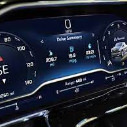
Hello Guys, I am getting an error on programming the IPC on a 2022 GMC Yukon. I get MixedFormatFrames dupported. I have built the archive 2 times. I noticed that when extracting the calibration files, I get files with no file extension except for the "~" character. I have added the .bin extensions and still a no go. I have attached a picture of the error as well as the log file. Thanks, Speedo32 8961.Txt
-
- 3 replies
- 5.6k views
- 4 followers
-
-

hi all i have replaced steering wheel into the malibu 2016 LS with cruise control button and now need to edit files to make cruise control to work.. any one can help me in this condition? thank you
-
- 2 replies
- 1.6k views
- 2 followers
-




Popular Members
-
Troy
-
 +uglyoldbastard
 -
 +Arbe_gtc
 -
 +Adelin
 -
 +GM-Enthusiast
New Topics
-
Hello all
 Emad_ali
 -
new door control module programming tahoe 2007

-
Request for IPC Equinox CAL File 84336579
Xumoyun Server
-
Help with adding the Arabic language to a 2015 Charger.

-
Vauxhall Adam right VIN needed

-
Hello and Greetings
 Todrello
 -
Astra j bcm calabrations
 +Jasper
 -
URGENT HELP NEEDED – Opel Insignia A BCM / GM DPS Archive Creation

-
GM USED ECU ADAPTE SO VEHICULE USING THIS PROCESS SEE PICTURE

-
2009 cadillac ctsv radio unlock

New Posts
-
Will it run Doom?
- 19 posts
+Arbe_gtc -
Changing from Chevy blue to GMC red theme HMI

- 25 posts
+codebuilder -
Hello all
- 1 post
Emad_ali -
VCX Nano OEM on the VCX Site or GDS2 Which one is Preferred?
- 5 posts
Todrello -
Vauxhall Adam right VIN needed
- 20 posts
+M Ch -
Calibrations request example

- 835 posts
Hlk Sadro -
Chevy cruze tpms removal
- 10 posts
Todrello -
EPS Chevrolet Trailblazer 2 2020 3.6L

- 6 posts
+Mikluha_Maklay -
new door control module programming tahoe 2007

- 2 posts
+pupu14 -
Converting Frankenstein to a genuine car

- 35 posts
Cleberson Santos
New Downloads
-
ECC-HVAC VIN Change for Traverse 5-Byte Seed
-
SDM AirBag PIN Change for Traverse 5-Byte Seed
-
SDM AirBag VIN Change for Traverse 5-Byte Seed
-
2015 Escalade ESV
+GM-Enthusiast
-
2015 CORVETTE ECM HMI
+GM-Enthusiast
-
2014 GM ASSTD
+GM-Enthusiast
-
2012 GM TRUCKS ASSTD
+GM-Enthusiast
-
2010 YUKON FSCM
+GM-Enthusiast
-
2010 YUKON DENALI ECM
+GM-Enthusiast
-
2010 GMC SIERRA BCM M.E, U.S
+GM-Enthusiast
New Members
-
 jcmetal
-
Member
Joined -
 Kugkhg Ihbjgv
-
Member
Joined -
 darbaz ibrahim
-
Member
Joined -
 +IBRA
+IBRA-
+Purchaser
Joined -
 Mccrearya
-
Member
Joined -
 Amanda
-
Member
Joined -
 kalamoulacisse
-
Member
Joined -
 Jackie
-
Member
Joined -
Micheal Nadeau
-
Member
Joined -
 Calvin O
-
Member
Joined