Skip to content
Install the CameraLoops App

Browse CameraLoops via the app. Learn more.

www.CameraLoops.ru

Use the CameraLoops full-screen app on your home screen with push notifications, badges and more.

To install the CameraLoops app on iOS and iPadOS
  1. Tap the Share icon in Safari
  2. Scroll the menu and tap Add to Home Screen.
  3. Tap Add in the top-right corner.
To install the CameraLoops app on Android
  1. Tap the 3-dot menu (⋮) in the top-right corner of the browser.
  2. Tap Add to Home screen or Install app.
  3. Confirm by tapping Install.

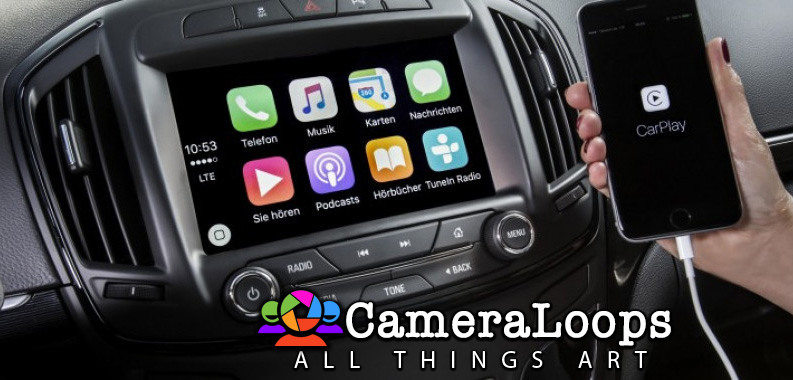
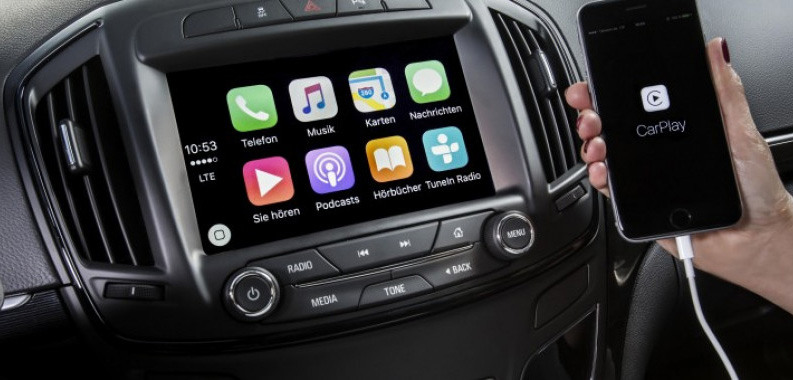
HMI 2.5 Firmware 84156714. Adds Apple CarPlay and Android Auto (For European HMI 2.5 module)

1 Screenshot

Opel-IntelliLink-For-Insignia-720x340-1140x38000.jpg

Important Note:

This HMI 2.5 module firmware is only compatible with GM vehicles in the European market. It is not compatible with the HMI 2.5 module in the North American market GM vehicles.

The Firmware file was retrieved for the European Insignia vehicle, but it should be compatible with all European GM vehicles that use the HMI 2.5 module.

The Firmware file for the North American market GM vehicles HMI 2.5 module can be found at this Web-Link.

Mega link for HMI 2.5 Firmware file 84156714.

You can use this firmware file to update the HMI 2.5 module via a USB stick, which will add the Apple CarPlay and Android Auto features.

This file does not remove the theft lock from the HMI module.

Click here for the HMI 2.0 and HMI 2.5 theft-lock removal DPS file for North America Satellite radio.

Click here for the HMI 2.0 and HMI 2.5 theft-lock removal DPS file for the Europe SilverBox radio.


After completing the HMI 2.5 firmware update, you will see "calibrate Device" showing on the screen. You can use one of the three options below to remove the "calibrate Device" notification and have the HMI module functioning again.

  1. You will need to use the GM SPS service with a VIN number from a car that has the HMI 2.5 and all the necessary features activated to program your HMI module.

  2. Program the HMI with a DPS archive made for the HMI 2.5 

  3. Use these files to program the HMI after a firmware update to Activate video in motion, RVS guide-lines and RVS always on for GM vehicles.

How to install the Firmware:

1. Extract the contents of the file onto a reputable USB stick.

2. Insert the USB stick into the vehicle's USB port.

3. Follow the onscreen instructions.


Check out this article, which demonstrates how to gain wireless Apple CarPlay and wireless Android Auto for GM vehicles that use the HMI 2.5 module.

User Feedback

Recommended Comments

nostra Top Member

+nostra

+Purchaser

Thank you TROY for that download and your work.

shock007 Apprentice

+shock007

+Purchaser

Is there a procedure on creating the usb stick? or just copy over the files to the usb stick and run the updated firmware?

Troy Grand Master

On 3/15/2022 at 12:41 AM, shock007 said:

Is there a procedure on creating the usb stick? or just copy over the files to the usb stick and run the updated firmware?

Extract the files onto any reputable USB memory stick then place the memory sick into the car's USB port and follow the onscreen instructions.

shock007 Apprentice

+shock007

+Purchaser

Awesome thank you!

Lyubomir Krastanov Rookie

+Lyubomir Krastanov

+Contributor

  • Contributor

@Troy they definately will get Device calibration screen. So is good to be prepared with SPS session or someone to source them dps pack to recalibrate hmi.

Paulius Tilvikas Rising Star

+Paulius Tilvikas

+Purchaser

On 5/18/2022 at 5:15 AM, Lyubomir Krastanov said:

@Troy they definately will get Device calibration screen. So is good to be prepared with SPS session or someone to source them dps pack to recalibrate hmi.

Hi @troy,T hats exactly what i got. device calibration. I manage to get vin correct. I got both dumps. Before update and after. I got j2534. Would you be able to help?

Troy Grand Master

31 minutes ago, Paulius Tilvikas said:

Hi @troy,T hats exactly what i got. device calibration. I manage to get vin correct. I got both dumps. Before update and after. I got j2534. Would you be able to help?


"Dumps" do you mean calibration files?

With the error, "device calibration" you will have to use sps with a VIN that came with HMI2.5 module. depending on your car's specs you can use these files below to create a dps archive file to program the HMI and get it up and running again.


This file is for Vauxhall branding no touchpad and no reverse camera.


Here are some other HMI files I think they are Opel branding.


Paulius Tilvikas Rising Star

+Paulius Tilvikas

+Purchaser

I did read it with vvdi prog on bench :) I got d-flash, p-flash and opbt0 dump files. Im not sure how to load calibration files using dps.

Troy Grand Master

I don't know about the flash files.


Here is tutorial for how to get and create the DPS archive for the modules.


yusuftolga Rising Star

yusuftolga

Member

Hello,

I have a 2016 model Opel Insignia. My car has a rear camera. There is Carplay but no AndroidAuto. I want to update software for setup AndroidAuto, but I don't have any OBD device, so I don't know how to do things. Is it enough for me to transfer your files to USB and update? If I receive a Calibration warning after the update, what action will I have to take? If you can help with the file, I can share the VIN number of my vehicle with you. Thank you.

yusuftolga Rising Star

yusuftolga

Member

3 hours ago, Troy said:

You need a diagnostic interface. 

I think if this apparatus is necessary I can find it. Well, what kind of action will I have to take at this time, can you inform me about the process? I think there are many people like me who want to do this but do not fully understand the subject. Thank you for your support

Troy Grand Master

11 minutes ago, yusuftolga said:

I think if this apparatus is necessary I can find it. Well, what kind of action will I have to take at this time, can you inform me about the process? I think there are many people like me who want to do this but do not fully understand the subject. Thank you for your support


Before using dps you need to have some experience using gm sps and a diagnostic interface. You can find more info on using gm sps service and a diagnostic interface on YouTube and other places. 

GM-Enthusiast Mentor

+GM-Enthusiast

+Contributor

  • Contributor

HMI 2.5 Firmware file, 84156714 / includes android auto and Apple CarPlay

Does it works on Cadillac CT6 2017


Car Hacking Services I Provide For General Motors Vehicles.

  • GM Remote Diagnosing and Troubleshooting
  • All GM Modules Programming
  • GM ECM/TCM Tuning
  • Auto Mechanic Workshop
Troy Grand Master

1 minute ago, LLCasaol said:

HMI 2.5 Firmware file, 84156714 / includes android auto and Apple CarPlay

Does it works on Cadillac CT6 2017


Yes the firmware will install on all HMI 2.5 module. A 2017 HMI 2.5 should already have the latest firmware already installed.

SUXROB HUSENOV Rising Star

SUXROB HUSENOV

Member

hello

SUXROB HUSENOV Rising Star

SUXROB HUSENOV

Member

photo_2023-03-24_22-24-41.jpg.9f628c04b185133c531fdbb852b357ac.jpg

SUXROB HUSENOV Rising Star

SUXROB HUSENOV

Member

Here's how to install this radio block, Malibu 2 car, do I need to write the vin code


Troy Grand Master

1 hour ago, SUXROB HUSENOV said:
Here's how to install this radio block, Malibu 2 car, do I need to write the vin code


Hi, you can use DPS and this file to change the VIN in that HMI module.


schultp Rising Star

+schultp

+Purchaser

I have a 2017 Chevy Volt Premier with an HMI that is stuck in 'Waiting for Update Media'. I have downloaded the files onto a USB drive but no update is occurring. My HMI # is 84028492. Are the downloaded files compatible?

GM-Enthusiast Mentor

+GM-Enthusiast

+Contributor

  • Contributor

go to SPS, on programming, select USB File Transfer. or reprogram HMI...


Car Hacking Services I Provide For General Motors Vehicles.

  • GM Remote Diagnosing and Troubleshooting
  • All GM Modules Programming
  • GM ECM/TCM Tuning
  • Auto Mechanic Workshop
schultp Rising Star

+schultp

+Purchaser

2 hours ago, LLCasaol said:

go to SPS, on programming, select USB File Transfer. or reprogram HMI...


I am way past that option. The HMI has lost communication with SPS so I cannot do the file transfer doing the traditional recovery. I was hoping these files posted here would allow me to get the HMI running again so that I could update with my vehicle specific calibrations.

GM-Enthusiast Mentor

+GM-Enthusiast

+Contributor

  • Contributor

Have 2017 Volt here, with L3A Engine, i will do hmi files if i have time tommorow


Car Hacking Services I Provide For General Motors Vehicles.

  • GM Remote Diagnosing and Troubleshooting
  • All GM Modules Programming
  • GM ECM/TCM Tuning
  • Auto Mechanic Workshop
schultp Rising Star

+schultp

+Purchaser

Thanks!

GM-Enthusiast Mentor

+GM-Enthusiast

+Contributor

  • Contributor

2017 CHEVROLET VOLT HMI, I DOWNLOAD TO FILE FOLDER


Car Hacking Services I Provide For General Motors Vehicles.

  • GM Remote Diagnosing and Troubleshooting
  • All GM Modules Programming
  • GM ECM/TCM Tuning
  • Auto Mechanic Workshop

Join the conversation

You can post now and register later. If you have an account, sign in now to post with your account.

Guest
Add a comment...

Other files from Troy


CameraLoops™
Powered by Art
All Trademarks appearing on this website are the property of their respective owners.

Account

Navigation

Configure browser push notifications

Chrome (Android)
  1. Tap the lock icon next to the address bar.
  2. Tap Permissions → Notifications.
  3. Adjust your preference.
Chrome (Desktop)
  1. Click the padlock icon in the address bar.
  2. Select Site settings.
  3. Find Notifications and adjust your preference.
CameraLoops members who viewed this content
Pedro Pica Opelfan BaldPunk notovi Mikluha_Maklay mohammed Daniil_Ast jingwei hassan77h bajad acff zhilwe yaser andrey tolmachev kitsaras bekooly thxx Harlock Axioma Arcani