Skip to content
Install the CameraLoops App

Browse CameraLoops via the app. Learn more.

www.CameraLoops.ru

Use the CameraLoops full-screen app on your home screen with push notifications, badges and more.

To install the CameraLoops app on iOS and iPadOS
  1. Tap the Share icon in Safari
  2. Scroll the menu and tap Add to Home Screen.
  3. Tap Add in the top-right corner.
To install the CameraLoops app on Android
  1. Tap the 3-dot menu (⋮) in the top-right corner of the browser.
  2. Tap Add to Home screen or Install app.
  3. Confirm by tapping Install.

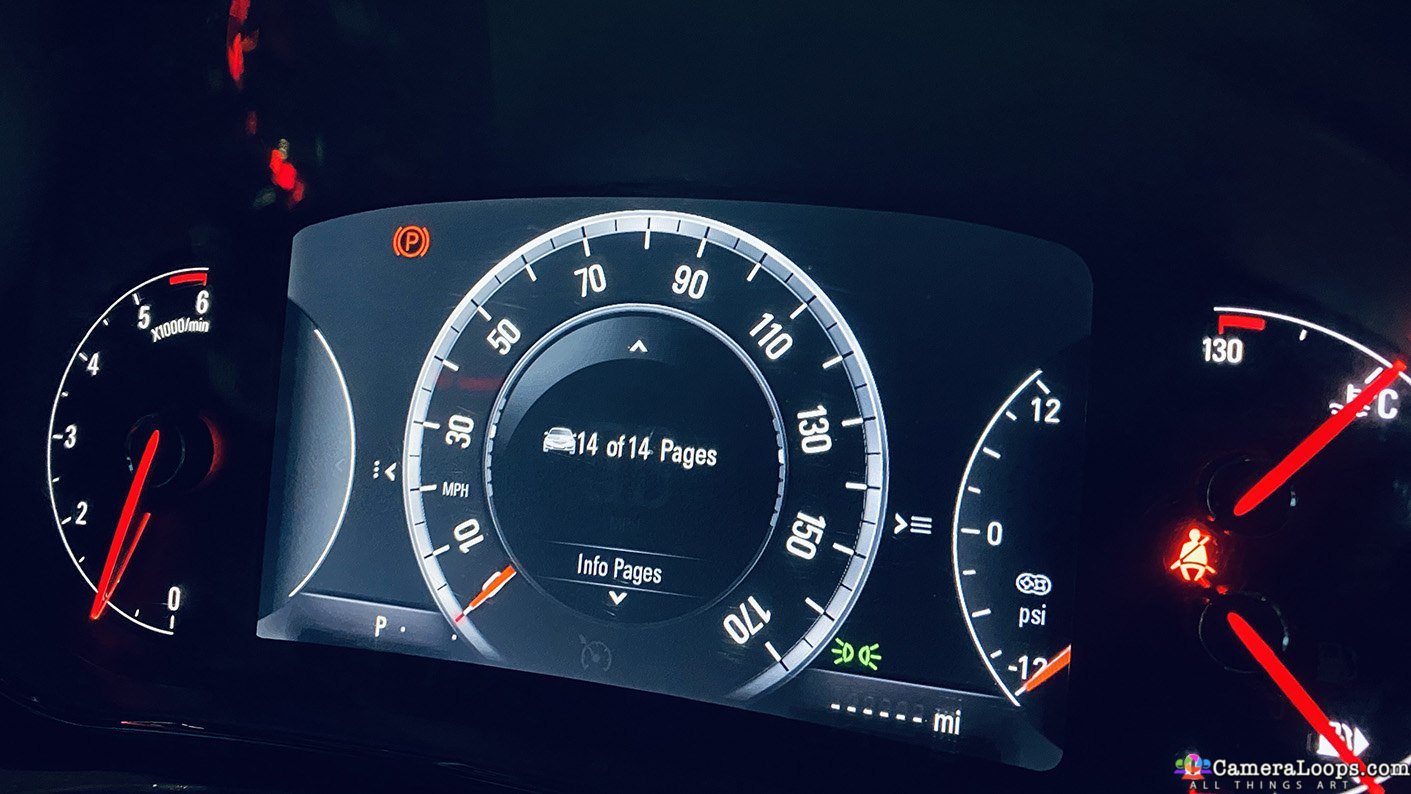
Insignia-B Buick Regal 2018 IPC firmware update files

1 Screenshot

Insignia-B firmware files

This file is for Insignia-B Buick Regal 2018 onwards.

if you install this file onto a Insignia-A IPC your outside temperature will not show on the sat-nav screen.


The Insignia-A version can be found here.


This file includes

  1. The USB firmware update file

  2. The DPS calibration file.

  3. The DPS XML file.


What's New in Version 01/12/2022 08:26 PM

Released

No changelog available for this version.

User Feedback

Recommended Comments

nozim Rising Star

Banned-nozim

Banned-Banned

IPC tutorials how can i get

WhiteAndBlue Top Member

+WhiteAndBlue

+Contributor

  • Contributor

Can be reversed back to Insignia A firmware?

Did someone tried to use this firmware on Insignia A cluster with O/S Air Temperature Calibration file from Insignia A? 

karolputowski Top Member

+karolputowski

+Contributor

  • Contributor
On 7/19/2024 at 9:08 PM, WhiteAndBlue said:

Can be reversed back to Insignia A firmware?

Did someone tried to use this firmware on Insignia A cluster with O/S Air Temperature Calibration file from Insignia A? 

I've tried, there is a power mode issue, IPC won't wake from sleep

BullMech Enthusiast

+BullMech

+Contributor

  • Contributor

what should this actually do? Would it apply the MY19 look of IPC?

Troy Grand Master

4 minutes ago, BraynV said:

what should this actually do? Would it apply the MY19 look of IPC?


That file is for those who want to experiment with installing the more modern features of the Insignia-B IPC on to the older Insignia-A IPC. I tried it. All features work except the side temperature, which doesn't. The Insignia-A has a dedicated outside temperature sensor, while Insignia-B gets the outside temperature through the ECM.

BullMech Enthusiast

+BullMech

+Contributor

  • Contributor
5 minutes ago, Troy said:


That file is for those who want to experiment with installing the more modern features of the Insignia-B IPC on to the older Insignia-A IPC. I tried it. All features work except the side temperature, which doesn't. The Insignia-A has a dedicated outside temperature sensor, while Insignia-B gets the outside temperature through the ECM.

Thank you, Troy. 

Is there any way to update Insignia B IPC to the MY19 theme (the "blue one")?

image.png.555f3d8b9da5c8ef2e782e43a5f49c2d.png

Troy Grand Master

9 minutes ago, BraynV said:

Thank you, Troy. 

Is there any way to update Insignia B IPC to the MY19 theme (the "blue one")?

image.png.555f3d8b9da5c8ef2e782e43a5f49c2d.png


I don't know, as I've never tried it before. 

Arbe_gtc Rookie

+Arbe_gtc

+Contributor

  • Contributor
20 hours ago, BraynV said:

Thank you, Troy. 

Is there any way to update Insignia B IPC to the MY19 theme (the "blue one")?

image.png.555f3d8b9da5c8ef2e782e43a5f49c2d.png


Not possible by a USB Update, Left speedo its for IO5,6 systems (HMI 1, 2, 2.5). Right speedo, IOT,IOS,IOU Radio systems (harman Info 3X).

Posibilities,

Edit directly onto the EMMC (pinout unknown)
Know how sign the usb update with modified pngs  (too unprobably)

All the assets of the speedometer are PNGs, if you can access to the emmc, you can change anything


pngdddd.PNG.7a9c3b4ef09b01661398d9f6204fc37a.PNG

Maybe the cluster runs a Linux system like HMI

BullMech Enthusiast

+BullMech

+Contributor

  • Contributor
13 minutes ago, Arbe_gtc said:

Not possible by a USB Update, Left speedo its for IO5,6 systems (HMI 1, 2, 2.5). Right speedo, IOT,IOS,IOU Radio systems (harman Info 3X).

Posibilities,

Edit directly onto the EMMC (pinout unknown)
Know how sign the usb update with modified pngs  (too unprobably)

All the assets of the speedometer are PNGs, if you can access to the emmc, you can change anything


pngdddd.PNG.7a9c3b4ef09b01661398d9f6204fc37a.PNG

Maybe the cluster runs a Linux system like HMI

Thank you for the explanation. It seems to be quite difficult... 

Robi_X Collaborator

+Robi_X

+Contributor

  • Contributor
On 1/24/2025 at 6:36 PM, Arbe_gtc said:

All the assets of the speedometer are PNGs, if you can access to the emmc, you can change anything

In theory yes but unfortunately it is a NAND flash in parallel connected, so 

not possible 😢 (Is 2GB big)


Join the conversation

You can post now and register later. If you have an account, sign in now to post with your account.

Guest
Add a comment...

Other files from Troy


CameraLoops™
Powered by Art
All Trademarks appearing on this website are the property of their respective owners.

Account

Navigation

Configure browser push notifications

Chrome (Android)
  1. Tap the lock icon next to the address bar.
  2. Tap Permissions → Notifications.
  3. Adjust your preference.
Chrome (Desktop)
  1. Click the padlock icon in the address bar.
  2. Select Site settings.
  3. Find Notifications and adjust your preference.
CameraLoops members who viewed this content
notovi Opelfan jingwei acff pupu14 Christos Tsirdanis Enterlan Rumpel marcel_hack_guy mechanix GMcars D L penguin4170 Adelin RAFAL Moe Saad Mantas Jucius Yuliyan2133 cipher BRANDON BURDEAUX