






7 topics in this forum
-

Hello, Do anybody know what ECU address ID # is for programming BECM, and HPCM2?
-
- 1 reply
- 818 views
- 2 followers
-
-

Hi how are you everyone I need way to program used ecu e88 for chevy equinox 2020 can any body help me
-
-
- 1 reply
- 2.4k views
- 2 followers
-
-

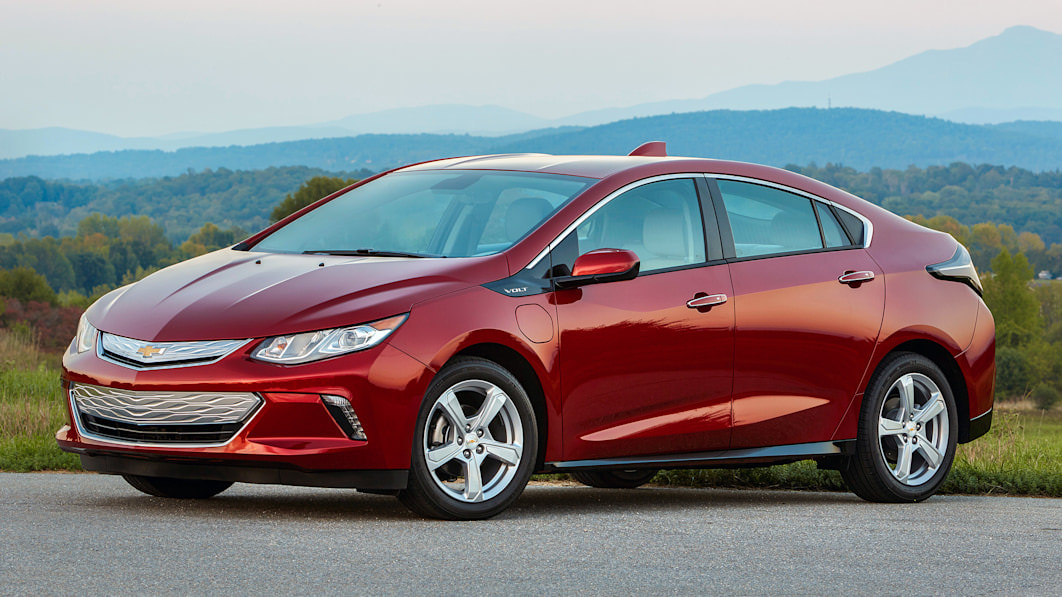
The Cadillac ELR and Chevrolet Volt shares almost Identical drivetrain components. GM came out with the Cadillac ELR in 2013 that has more power compared to the Chevy Volt. Some smart minds found a way to take the programming of the ELR and transfer it directly to the Chevy Volt resulting in more power for the Volt. This club will show you how to unlock the potential of your Chevy Volt or Cadillac ELR. Currently a group effort is being made to modify the code to suit customization needs. Please feel free to share any insight you may have on how to make more modifications. The ELR mod on a Chevy Volt is is only available from 2013 to 2015 Volt: 2014…
-
-
- 4 replies
- 2.7k views
- 4 followers
-
-

Hi all i would like wish all Members Happy New Year , and healthy!!! I have question i have ampera with problem IPC ,sometimes dash is black LCD all hearing that work but black LCD , close car ,open and is ok Anybody meet this problem in IPC? and what is solution for this
-
- 0 replies
- 573 views
- 1 follower
-
-
2016-2018 only Each year has specific calibration files. *To convert 2016 to ACC since it never came with ACC you need to buy a new engine control module that's compatible with 2017 model year otherwise only LKA is possible. For LKA only All Gen2 Volts regardless of trim have LKA commands built-in the power steering module firmware just connect openpilot and do a fingerprint. For LT ACC You need to flash 1. Engine control module 2. ABS control module 3. Body control module For Premier ACC You need to flash 1. Engine control module 2. ABS control module 3. Body control module 4. F…
-
-
- 20 replies
- 4.1k views
- 8 followers
-
-

Hello everyone I am a beginner, I constructed a sniffing device using Adam Varga's youtube video series "hack your car". I am sniffing pin 1, GMLAN. In his video when he sniffs his data, his IDs are 3 bytes. However, when I sniff my 18 volt, almost all my IDs are 8 bytes. such as "1036A080". In addition, some of my packets that do different things appear to be identical. I wonder what I am doing wrong, I really want to sniff and send packets over the GMLAN network, but am having difficulty because of these problems. So my data looks like this for example: 1681.45,108680CB,00,01,08,A3,02,8C,0A,2C,A8,B2,00 1673.20,102C6060,00,01,06,00,00,00,00,E7,14,, …
-
- 2 replies
- 1.1k views
- 2 followers
-
-
Welcome all club member this is the future spot to get all your Chevy volt modification guides and files. Please give us sometime to build this clubs content.
-
- 0 replies
- 748 views
- 1 follower
-

Popular Members
-
.thumb.png.6cba57c5e88519e419516e3ed1152e01.png) Troy
Troy -
 +uglyoldbastard
 -
 +Arbe_gtc
 -
 +Adelin
 -
 +GM-Enthusiast
New Topics
-
Hello all
 Emad_ali
 -
new door control module programming tahoe 2007

-
Request for IPC Equinox CAL File 84336579
 Xumoyun Server
 -
Help with adding the Arabic language to a 2015 Charger.

-
Vauxhall Adam right VIN needed

-
Hello and Greetings
 Todrello
 -
Astra j bcm calabrations
 +Jasper
 -
URGENT HELP NEEDED – Opel Insignia A BCM / GM DPS Archive Creation

-
GM USED ECU ADAPTE SO VEHICULE USING THIS PROCESS SEE PICTURE

-
2009 cadillac ctsv radio unlock

New Posts
-
Will it run Doom?
- 19 posts
+Arbe_gtc -
Changing from Chevy blue to GMC red theme HMI

- 25 posts
+codebuilder -
Hello all
- 1 post
Emad_ali -
VCX Nano OEM on the VCX Site or GDS2 Which one is Preferred?
- 5 posts
Todrello -
Vauxhall Adam right VIN needed
- 20 posts
+M Ch -
Calibrations request example

- 835 posts
Hlk Sadro -
Chevy cruze tpms removal
- 10 posts
Todrello -
EPS Chevrolet Trailblazer 2 2020 3.6L

- 6 posts
+Mikluha_Maklay -
new door control module programming tahoe 2007

- 2 posts
+pupu14 -
Converting Frankenstein to a genuine car

- 35 posts
Cleberson Santos
New Downloads
-
ECC-HVAC VIN Change for Traverse 5-Byte Seed
-
SDM AirBag PIN Change for Traverse 5-Byte Seed
-
SDM AirBag VIN Change for Traverse 5-Byte Seed
-
2015 Escalade ESV
+GM-Enthusiast
-
2015 CORVETTE ECM HMI
+GM-Enthusiast
-
2014 GM ASSTD
+GM-Enthusiast
-
2012 GM TRUCKS ASSTD
+GM-Enthusiast
-
2010 YUKON FSCM
+GM-Enthusiast
-
2010 YUKON DENALI ECM
+GM-Enthusiast
-
2010 GMC SIERRA BCM M.E, U.S
+GM-Enthusiast
New Members
-
 Kugkhg Ihbjgv
-
Member
Joined -
 darbaz ibrahim
-
Member
Joined -
 +IBRA
+IBRA-
+Purchaser
Joined -
 Mccrearya
-
Member
Joined -
 Amanda
-
Member
Joined -
 kalamoulacisse
-
Member
Joined -
 Jackie
-
Member
Joined -
Micheal Nadeau
-
Member
Joined -
 Calvin O
-
Member
Joined -
 Rafael Lopes
-
Member
Joined