Skip to content
Install the CameraLoops App

Browse CameraLoops via the app. Learn more.

www.CameraLoops.ru

Use the CameraLoops full-screen app on your home screen with push notifications, badges and more.

To install the CameraLoops app on iOS and iPadOS
  1. Tap the Share icon in Safari
  2. Scroll the menu and tap Add to Home Screen.
  3. Tap Add in the top-right corner.
To install the CameraLoops app on Android
  1. Tap the 3-dot menu (⋮) in the top-right corner of the browser.
  2. Tap Add to Home screen or Install app.
  3. Confirm by tapping Install.

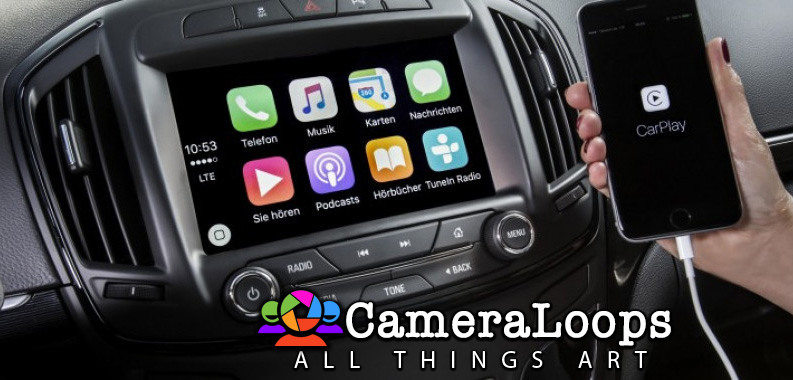
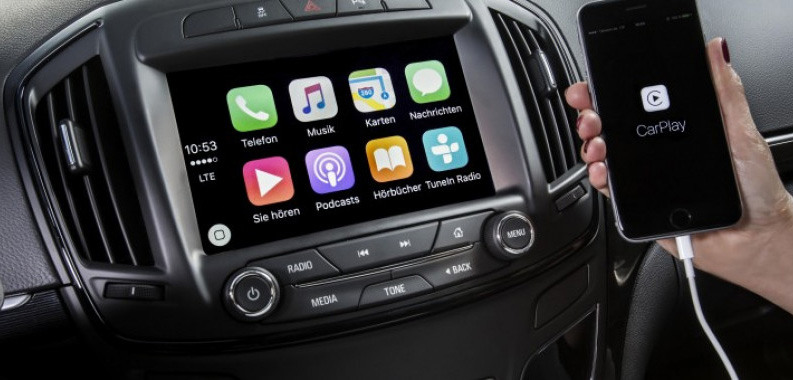
HMI 2.5 Firmware 84156714. Adds Apple CarPlay and Android Auto (For European HMI 2.5 module)

1 Screenshot

Opel-IntelliLink-For-Insignia-720x340-1140x38000.jpg

Important Note:

This HMI 2.5 module firmware is only compatible with GM vehicles in the European market. It is not compatible with the HMI 2.5 module in the North American market GM vehicles.

The Firmware file was retrieved for the European Insignia vehicle, but it should be compatible with all European GM vehicles that use the HMI 2.5 module.

The Firmware file for the North American market GM vehicles HMI 2.5 module can be found at this Web-Link.

Mega link for HMI 2.5 Firmware file 84156714.

You can use this firmware file to update the HMI 2.5 module via a USB stick, which will add the Apple CarPlay and Android Auto features.

This file does not remove the theft lock from the HMI module.

Click here for the HMI 2.0 and HMI 2.5 theft-lock removal DPS file for North America Satellite radio.

Click here for the HMI 2.0 and HMI 2.5 theft-lock removal DPS file for the Europe SilverBox radio.


After completing the HMI 2.5 firmware update, you will see "calibrate Device" showing on the screen. You can use one of the three options below to remove the "calibrate Device" notification and have the HMI module functioning again.

  1. You will need to use the GM SPS service with a VIN number from a car that has the HMI 2.5 and all the necessary features activated to program your HMI module.

  2. Program the HMI with a DPS archive made for the HMI 2.5 

  3. Use these files to program the HMI after a firmware update to Activate video in motion, RVS guide-lines and RVS always on for GM vehicles.

How to install the Firmware:

1. Extract the contents of the file onto a reputable USB stick.

2. Insert the USB stick into the vehicle's USB port.

3. Follow the onscreen instructions.


Check out this article, which demonstrates how to gain wireless Apple CarPlay and wireless Android Auto for GM vehicles that use the HMI 2.5 module.

User Feedback

Recommended Comments

schultp Rising Star

+schultp

+Purchaser

Thank you. I am new to the system. Can you provide details on where the file is located?


Troy Grand Master

Is your HMI version 2.5? This file is for HMI 2.5

Download and extract the files onto a reputable USB memory stick, then place the memory stick into your vehicle's USB port.

schultp Rising Star

+schultp

+Purchaser

8 minutes ago, Troy said:

Is your HMI version 2.5? This file is for HMI 2.5

Download and extract the files onto a reputable USB memory stick, then place the memory stick into your vehicle's USB port.

Yes, HMI 2.5. I have downloaded the files onto 3 different USB sticks and tried multiple times. The 'Waiting for Update Media' screen doesn't recognize the USB and files. No luck at all. I think my HMI module might be beyond fixing. I am looking for a replacement. My End Product Number is: 84028492. If I get an HMI 2.5  module that has the same feature set as mine but a different End Product Number would I be able to swap that into my 2017 Chevy Volt? Or, is a different End Product Number going to mess with things?

Troy Grand Master

1 minute ago, schultp said:

Product Number is: 84028492

Yes, it will work. The Product Number doesn't really matter. Just make sure you get one that has satellite antennas and one from a Volt. Otherwise, you will need to find a Vin that has your vehicle's features and then use that vin in sps to program the HMI.

schultp Rising Star

+schultp

+Purchaser

47 minutes ago, Troy said:

Yes, it will work. The Product Number doesn't really matter. Just make sure you get one that has satellite antennas and one from a Volt. Otherwise, you will need to find a Vin that has your vehicle's features and then use that vin in sps to program the HMI.


Unfortunately, there are no HMI modules on ebay at the moment that has the antenna port like my HMI from my Volt Premier. I can buy a comparable HMI 2.5 with the same End Product Number that was used in a different GM vehicle. Any obstacle to loading all the Volt calibrations onto one of these modules? I assume I will have to change the VIN and maybe do a Theft unlock as well.

Troy Grand Master

2 hours ago, schultp said:

Any obstacle to loading all the Volt calibrations onto one of these modules?


I don't know, as I only provide the vin change file for the HMI.

Arbe_gtc Rookie

+Arbe_gtc

+Contributor

  • Contributor
11 hours ago, schultp said:

Any obstacle to loading all the Volt calibrations onto one of these modules?

I tried load a Volt HMI calibrations in a Opel HMI 2.5 and works OK. PN HMI 23415900. This part number has changed to other when upgrade to the Android Auto software

schultp Rising Star

+schultp

+Purchaser

On 4/17/2023 at 7:01 AM, Arbe_gtc said:

I tried load a Volt HMI calibrations in a Opel HMI 2.5 and works OK. PN HMI 23415900. This part number has changed to other when upgrade to the Android Auto software

Thanks. I found an HMI with the same End Part number as mine. It was a bit more costly but I wanted to take this concern out of the equation. It is good to know using an HMI 2.5 with a different EPN will still work.

Suraxx Rising Star

Suraxx

Member

Hello there,
I'm a new Astra K owner and I ended up in a big trouble. I have an 2016 Astra K with Navi 900 and IntelliLink R4.0. Some days ago, I brought it to a mechanic to update the HMI to have Android Auto and it ended up with a bricked control unit. We first updated radio module, loaded config through the diag tool (i don't know how it's actually called) and then we created a USB to update the HMI control unit to the latest version. Update seemed successful,it asked to remove the USB stick and reboot the car, but after that i got stuck on the screen, asking to "calibrate device". We tried to load configurations and calibrate from the Opel/Vauxall software, but it failed. It also enabled the rear camera even if i don't have it! Is it possible we loaded a wrong firmware when updating? We paid attention to always specify I don't have a rear camera, but it ended up this way... It seems bricked and nothing happens if i touch any button, except for the "hidden" menù only showing HMI and another thing infos (before the update i had something like 4/5 items there, now only 2). Do someone know how to restore the HMI unit without replacing it?
Thank you in advance for any answer.

Suraxx Rising Star

Suraxx

Member

Hello there,
I'm a new Astra K owner and I ended up in a big trouble. I have an 2016 Astra K with Navi 900 and IntelliLink R4.0. Some days ago, I brought it to a mechanic to update the HMI to have Android Auto and it ended up with a bricked control unit. We first updated radio module, loaded config through the diag tool (i don't know how it's actually called) and then we created a USB to update the HMI control unit to the latest version. Update seemed successful,it asked to remove the USB stick and reboot the car, but after that i got stuck on the attached screen, asking to "calibrate device". We tried to load configurations and calibrate from the Opel/Vauxall software, but it failed. It also enabled the rear camera even if i don't have it! Is it possible we loaded a wrong firmware when updating? We paid attention to always specify I don't have a rear camera, but it ended up this way... It seems bricked and nothing happens if i touch any button, except for the "hidden" menù only showing HMI and another thing infos (before the update i had something like 4/5 items there, now only 2). Do someone know how to restore the HMI unit without replacing it? I am attaching both the pictures showing the HMI updating process and the actual situation.
Thank you in advance for any answer.

photo_2023-05-22_16-17-35.jpg

WhatsApp Image 2023-05-23 at 13.19.52.jpeg

Arbe_gtc Rookie

+Arbe_gtc

+Contributor

  • Contributor

you need to load the calibration files. or using SPS, or via DPS.


After load calibrations, the "Calibra Dispositivo" dissapears and working OK


Or try this packet

Suraxx Rising Star

Suraxx

Member

On 5/31/2023 at 7:14 PM, Arbe_gtc said:

you need to load the calibration files. or using SPS, or via DPS.


After load calibrations, the "Calibra Dispositivo" dissapears and working OK,


Or try this packet

What SPS is?

Arbe_gtc Rookie

+Arbe_gtc

+Contributor

  • Contributor
Just now, Suraxx said:

What SPS is?

tis2web


TIS2WEB.SERVICE.OPEL.COM

but with dealer access

Suraxx Rising Star

Suraxx

Member

Well, we already tried with the mechanic then, but no luck! It failed with an unspecified error

GM-Enthusiast Mentor

+GM-Enthusiast

+Contributor

  • Contributor
11 minutes ago, Suraxx said:

Well, we already tried with the mechanic then, but no luck! It failed with an unspecified error

if your mechanic have failed to retreive programming online SPS,  he have the tools fit to use DPS, try DPS PROGRAM,, sort for it,, All you need are in these site,,,,,


Car Hacking Services I Provide For General Motors Vehicles.

  • GM Remote Diagnosing and Troubleshooting
  • All GM Modules Programming
  • GM ECM/TCM Tuning
  • Auto Mechanic Workshop
Rav V Insignia Rising Star

Rav V Insignia

Member

Hi, so glad I've found this site and thank you for sharing these files. I have a 2014 vauxhall insignia with a hmi 2.0 interface. Can I use the 2.5 upgrade file on this? Also I'm a little confused with the calibration file via dps. Will this work on my car?

pupu14 Community Regular

+pupu14

+Contributor

  • Contributor

No. You can't update 2.0 to 2.5. It must be physically replaced - hardware inside is different. HMI 2.0 have lower specs.

Also, you would need to update or replace your radio module.


DPS works with any vehicle that has GMLAN - so, starting from around 2010 model year on most GM brands.

WhiteAndBlue Top Member

+WhiteAndBlue

+Contributor

  • Contributor

Hi all. I have an early 2016 Opel Insignia with HMI 2.5 pn: 23415905. I have apple Carplay but no AA. Tried to update with this firmware files but does nothing, no message. Already tried different USB sticks, 2.0 3.0 different capacity. What I'm doing wrong?

pupu14 Community Regular

+pupu14

+Contributor

  • Contributor
4 minutes ago, WhiteAndBlue said:

Hi all. I have an early 2016 Opel Insignia with HMI 2.5 pn: 23415905. I have apple Carplay but no AA. Tried to update with this firmware files but does nothing, no message. Already tried different USB sticks, 2.0 3.0 different capacity. What I'm doing wrong?

1) your flash drives may not be formatted with MBR partition table
2) you have not correctly prepared files on flashdrive (all files from archive must be put in the root folder)

WhiteAndBlue Top Member

+WhiteAndBlue

+Contributor

  • Contributor
5 minutes ago, pupu14 said:

1) your flash drives may not be formatted with MBR partition table
2) you have not correctly prepared files on flashdrive (all files from archive must be put in the root folder)

1. fat32 and mbr checked

2. all files from archive are present. even removed the usb drive and compared the files from source to destination with "beyond compare"


one of the drives was used also to update silverbox radio module for AA and CP and the update was successful 

LE: my linux version is 15.1A044 can this be the cause?

pupu14 Community Regular

+pupu14

+Contributor

  • Contributor
1 hour ago, WhiteAndBlue said:

2. all files from archive are present. even removed the usb drive and compared the files from source to destination with "beyond compare"


LE: my linux version is 15.1A044 can this be the cause?

2) not that files are present, but that they are put correctly on the drive (file structure)..

Have you checked at TIS2WEB that this update is suitable for your VIN? (K74 HMI -> USB File Transfer)

WhiteAndBlue Top Member

+WhiteAndBlue

+Contributor

  • Contributor
2 minutes ago, pupu14 said:

2) not that files are present, but that they are put correctly on the drive (file structure)..

Have you checked at TIS2WEB that this update is suitable for your VIN? (K74 HMI -> USB File Transfer)

file structure? how it should be? what is the order?


checked TIS2WEB and for USB File transfer it gives me 84156713 as update, probably because I have an Opel not a Vauxhall

pupu14 Community Regular

+pupu14

+Contributor

  • Contributor
4 minutes ago, WhiteAndBlue said:

checked TIS2WEB and for USB File transfer it gives me 84156713 as update, probably because I have an Opel not a Vauxhall

Well, you need a different file then, as stated in TIS.
Because for my personal early-2016MY Opel car it shows 84156714 file for USB update in TIS2WEB, and also, this file has worked just fine. 

WhiteAndBlue Top Member

+WhiteAndBlue

+Contributor

  • Contributor

no, that's wrong in my opinion, many with different brands used this firmware without this issue. Arbe used this firmware on the same version of HMI with GPS option (23415900) . He's from Spain and for sure it was an Opel. 

pupu14 Community Regular

+pupu14

+Contributor

  • Contributor

My HMI unit before update had that same part number - 23415900. And it took this update. Once again - 84156714 is correct for Opel too, it does not end with -13!


Yours clearly is different, and needs different files.

If it didn't matter, TIS would have shown the same USB update p/n as well for you, and your unit would have accepted the update. But it didn't.

Join the conversation

You can post now and register later. If you have an account, sign in now to post with your account.

Guest
Add a comment...

Other files from Troy


CameraLoops™
Powered by Art
All Trademarks appearing on this website are the property of their respective owners.

Account

Navigation

Configure browser push notifications

Chrome (Android)
  1. Tap the lock icon next to the address bar.
  2. Tap Permissions → Notifications.
  3. Adjust your preference.
Chrome (Desktop)
  1. Click the padlock icon in the address bar.
  2. Select Site settings.
  3. Find Notifications and adjust your preference.
CameraLoops members who viewed this content
Pedro Pica Opelfan BaldPunk notovi Mikluha_Maklay mohammed Daniil_Ast jingwei hassan77h bajad acff zhilwe yaser andrey tolmachev kitsaras bekooly thxx Harlock Axioma Arcani