Skip to content
Install the CameraLoops App

Browse CameraLoops via the app. Learn more.

www.CameraLoops.ru

Use the CameraLoops full-screen app on your home screen with push notifications, badges and more.

To install the CameraLoops app on iOS and iPadOS
  1. Tap the Share icon in Safari
  2. Scroll the menu and tap Add to Home Screen.
  3. Tap Add in the top-right corner.
To install the CameraLoops app on Android
  1. Tap the 3-dot menu (⋮) in the top-right corner of the browser.
  2. Tap Add to Home screen or Install app.
  3. Confirm by tapping Install.

Vauxhall HMI 2.5 activate video in motion, Track-Pad, rear camera. VAUXHALL Logo DPS file.

$200

1 Screenshot

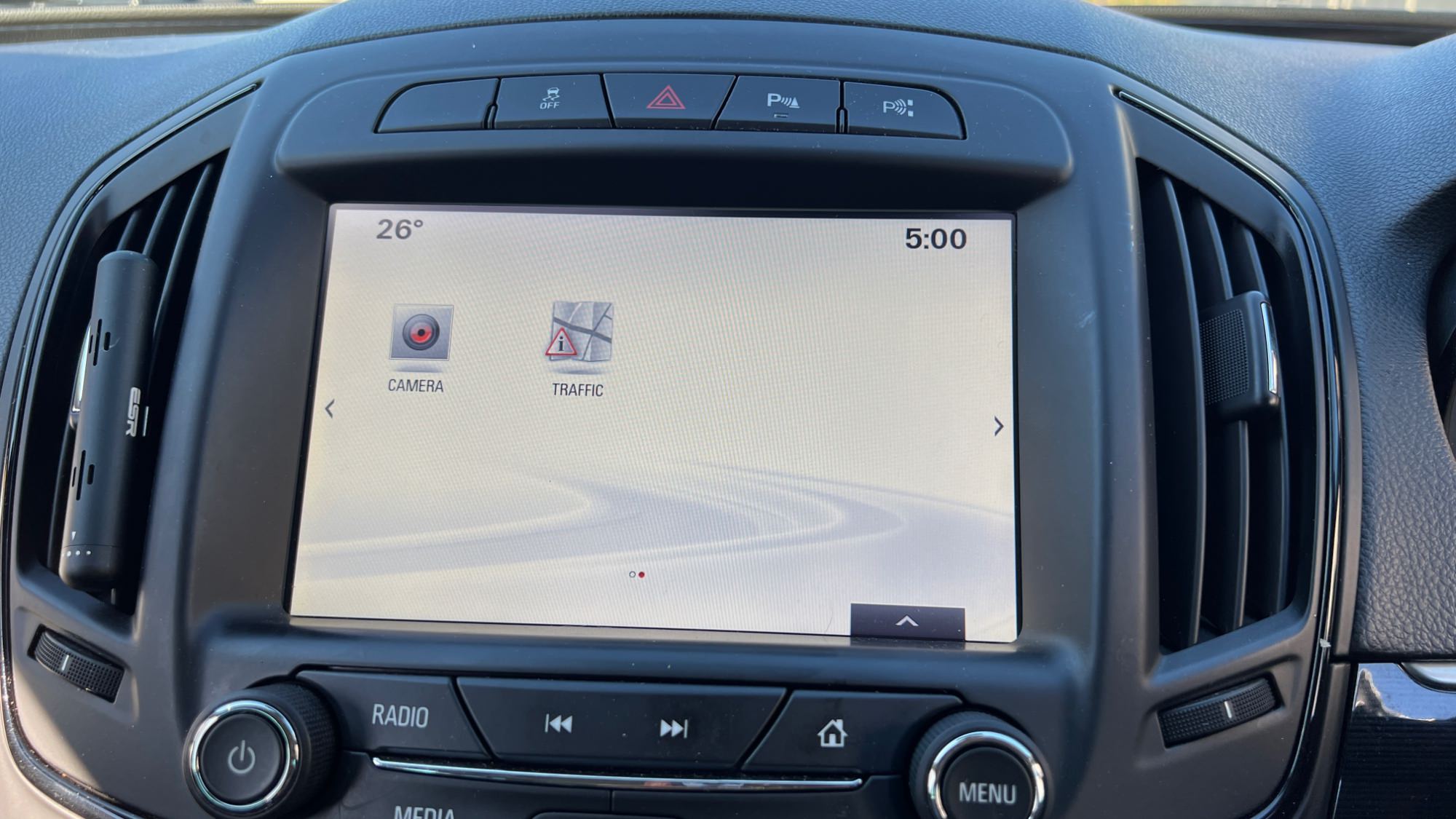
You can use this HMI 2.5 DPS calibration archive file to activate video in motion, SAT-NAV in motion, Track-Pad, rear camera, rear camera always on and climate control. VAUXHALL Logo DPS file.


Option features 

 Video in motion: Watch videos while the car is driving 

 SAT-NAV in motion: Type address in the SAT-NAV while the car is driving.

 Track-Pad: Track-pad activated.

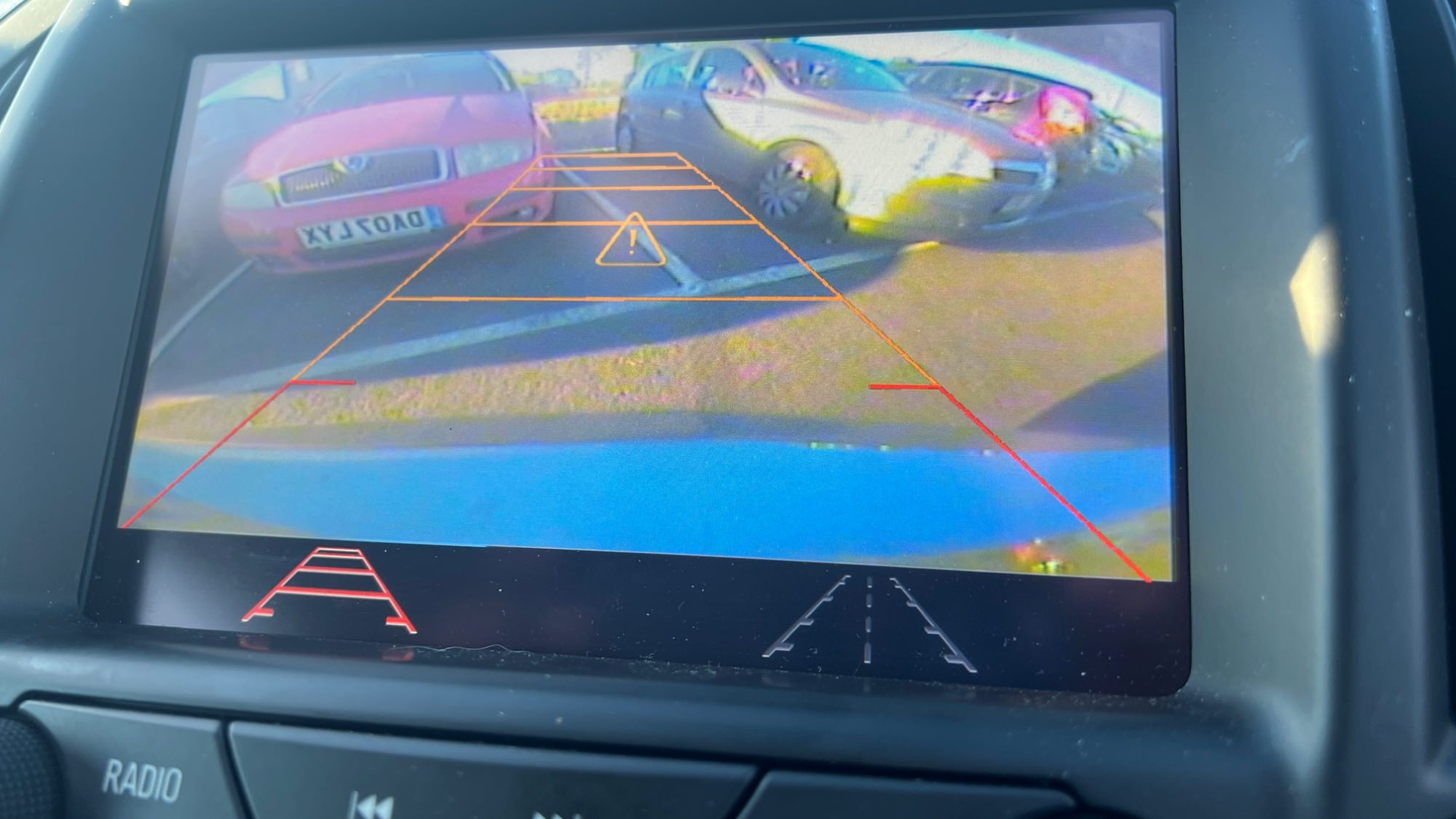
 Rear camera: Reverse camera with guidance lines and park assist symbols.

 Rear camera always on: Touchscreen icon to activate rear camera always on. (A special modification will need to be carried out for this option to work, which I need to figure out soon)

 Climate control: Control climate from the touch screen.

 Vauxhall screen boot up logo.

 Bonus file: This package also includes a DPS archive with the rear camera turned off.


image.jpeg

image.jpeg

image.jpeg

image.jpeg

image.jpeg

image.jpeg

image.jpeg

image.jpeg


User Feedback

Recommended Comments

said4275 Explorer

+said4275

+Contributor

  • Contributor

Hi Troy.     Iwant this option include add arabic language option....   I can send to you hmi files which have arabic language and other hmi without arabic language .   Can you make it?


Troy Grand Master

1 hour ago, said4275 said:

Hi Troy.     Iwant this option include add arabic language option....   I can send to you hmi files which have arabic language and other hmi without arabic language .   Can you make it?


Hi, Opel logo in the Arabic language is here.


said4275 Explorer

+said4275

+Contributor

  • Contributor

It is gmc and chevy  cars

Troy Grand Master

Just now, said4275 said:

It is gmc and chevy  cars


If you have, send me the GMC and chevy HMI 2.5 files maybe I can create it.

said4275 Explorer

+said4275

+Contributor

  • Contributor

this files for hmi 2.5 chevy 2017 with arabic language


ANDERSON Apprentice

ANDERSON

Member

PRECISO ATIVAR CAMERA TRASEIRA MYLINK2 EU PAGO ALGUEM PODE

hmi.zip

Troy Grand Master

On 2/21/2023 at 6:58 PM, said4275 said:

this files for hmi 2.5 chevy 2017 with arabic language


Hi, here is DPS HMI VIM for your Middle East Silverado.


Troy Grand Master

On 6/14/2023 at 12:01 AM, ANDERSON said:

PRECISO ATIVAR CAMERA TRASEIRA MYLINK2 EU PAGO ALGUEM PODE

hmi.zip 15.31 kB · 10 downloads


Your HMI calibration files are corrupted. 

You need to provide the uncompressed HMI 2.5 calibration files or the VIN for the vehicle with the HMI 2.5.

Opelinsignia1985 Collaborator

+Opelinsignia1985

+Contributor

  • Contributor

It's my first time using this. For some reasons, the climate & camera button and the climate menu are in yellow. I assume there is a USB file transfer that I need to do firstly?


image.png.a1a2c1e5687d032a51f51414c428ae2a.png

image.png.b84f53163dab38facc5814e03a05ef07.png

image.png.ee0f08da9bf9bf1ebf26014a28711573.png


Car Hacking Services I Provide For General Motors Vehicles.

  • GM SPS Access (Europe)
  • GM SPS Access (USA)
  • GM GDS2 Access
  • GM Features Activation/Deactivation
  • GM Remote Diagnosing and Troubleshooting
  • All GM Modules Programming
  • Providing Required GM Calibrations
  • GM ECM/TCM Unlocking
  • GM ECM/TCM Tuning
  • Auto Mechanic Workshop
Troy Grand Master

Did the car come with a reverse camera and does the car have digital climate control?

Arbe_gtc Rookie

+Arbe_gtc

+Contributor

  • Contributor
6 hours ago, Opelinsignia1985 said:

It's my first time using this. For some reasons, the climate & camera button and the climate menu are in yellow. I assume there is a USB file transfer that I need to do firstly?


image.png.a1a2c1e5687d032a51f51414c428ae2a.png

image.png.b84f53163dab38facc5814e03a05ef07.png

image.png.ee0f08da9bf9bf1ebf26014a28711573.png


your projection icon support android auto? or you can see the Android Auto in settings or only CarPlay?

if not have Android Auto, need uptate the HMI and this icons appears
 

Opelinsignia1985 Collaborator

+Opelinsignia1985

+Contributor

  • Contributor
6 minutes ago, Troy said:

Did the car come with a reverse camera and does the car have digital climate control?

Yes it come with both of them.


only one thing that is difference to this insignia spec is it have the Bose sound system, not sure if it’d affect it? 


Car Hacking Services I Provide For General Motors Vehicles.

  • GM SPS Access (Europe)
  • GM SPS Access (USA)
  • GM GDS2 Access
  • GM Features Activation/Deactivation
  • GM Remote Diagnosing and Troubleshooting
  • All GM Modules Programming
  • Providing Required GM Calibrations
  • GM ECM/TCM Unlocking
  • GM ECM/TCM Tuning
  • Auto Mechanic Workshop
Opelinsignia1985 Collaborator

+Opelinsignia1985

+Contributor

  • Contributor
2 minutes ago, Arbe_gtc said:

your projection icon support android auto? or you can see the Android Auto in settings or only CarPlay?

if not have Android Auto, need uptate the HMI and this icons appears
 

Yes it does have Android Auto.


Car Hacking Services I Provide For General Motors Vehicles.

  • GM SPS Access (Europe)
  • GM SPS Access (USA)
  • GM GDS2 Access
  • GM Features Activation/Deactivation
  • GM Remote Diagnosing and Troubleshooting
  • All GM Modules Programming
  • Providing Required GM Calibrations
  • GM ECM/TCM Unlocking
  • GM ECM/TCM Tuning
  • Auto Mechanic Workshop

Join the conversation

You can post now and register later. If you have an account, sign in now to post with your account.

Guest
Add a comment...

Other files from Troy


CameraLoops™
Powered by Art
All Trademarks appearing on this website are the property of their respective owners.

Account

Navigation

Configure browser push notifications

Chrome (Android)
  1. Tap the lock icon next to the address bar.
  2. Tap Permissions → Notifications.
  3. Adjust your preference.
Chrome (Desktop)
  1. Click the padlock icon in the address bar.
  2. Select Site settings.
  3. Find Notifications and adjust your preference.
CameraLoops members who viewed this content
Ali Albaqali Alpha-Leader ΓΡΗΓΟΡΗΣ γκοτσικασ Electrof _new_user Enterlan Opelinsignia1985 ElectroHobby Iasi Royfocker_ Pasha Batesz Adelin marcel_hack_guy notovi DesiredEdge BadBoiDJ Camelot mechanix BullMech etegtman