Skip to content
Install the CameraLoops App

Browse CameraLoops via the app. Learn more.

www.CameraLoops.ru

Use the CameraLoops full-screen app on your home screen with push notifications, badges and more.

To install the CameraLoops app on iOS and iPadOS
  1. Tap the Share icon in Safari
  2. Scroll the menu and tap Add to Home Screen.
  3. Tap Add in the top-right corner.
To install the CameraLoops app on Android
  1. Tap the 3-dot menu (⋮) in the top-right corner of the browser.
  2. Tap Add to Home screen or Install app.
  3. Confirm by tapping Install.

Silver-Box Radio module firmware update for Apple CarPlay-AndroidAuto

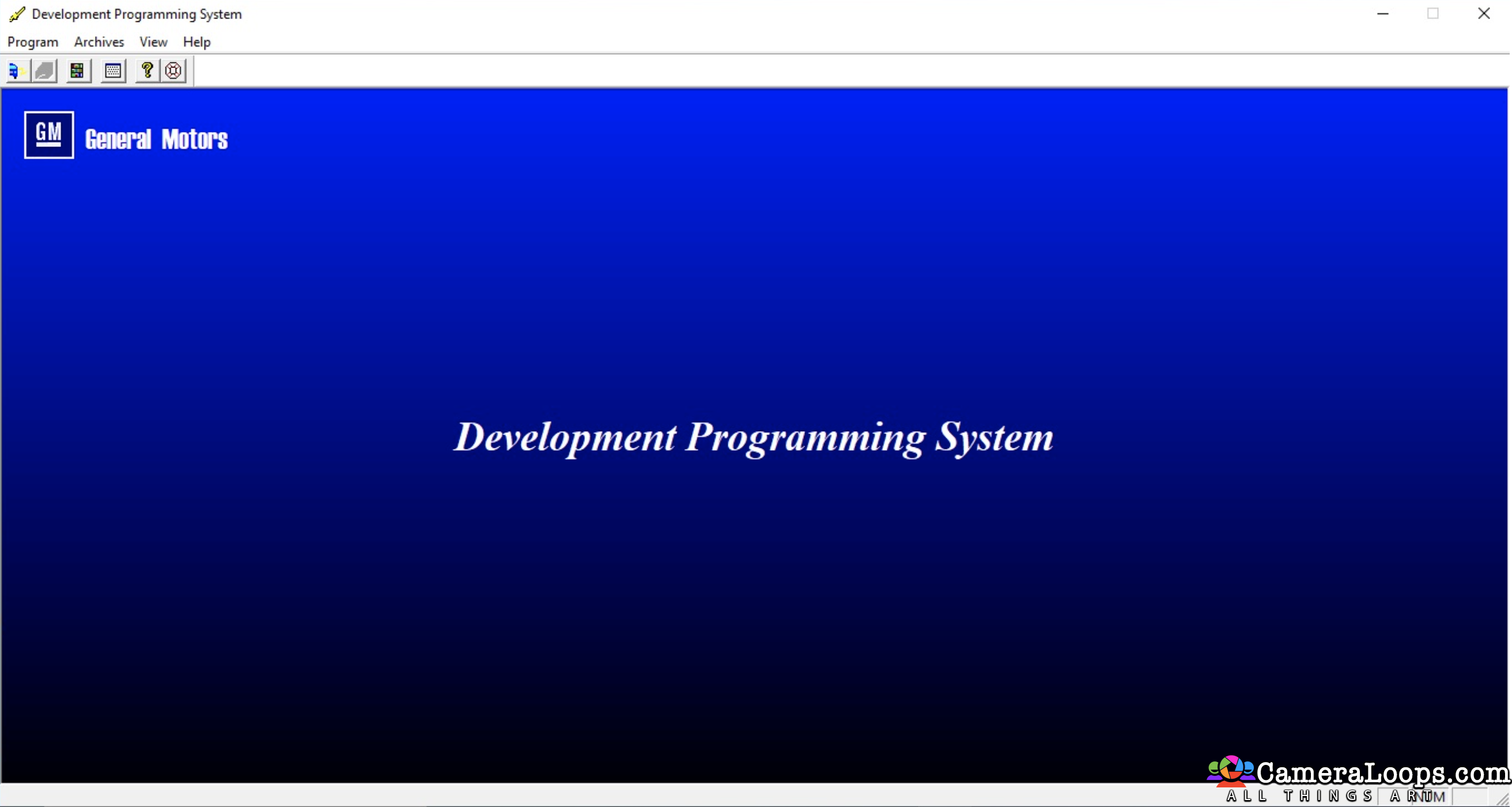
1 Screenshot

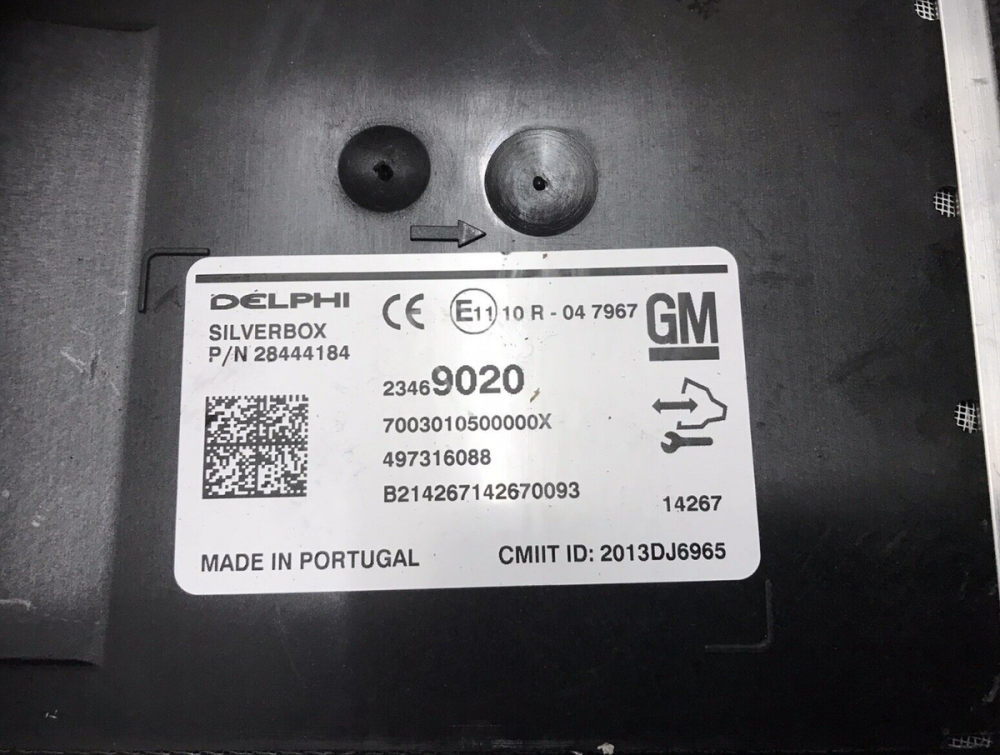
Silver-Box Radio module firmware update for Apple CarPlay-Android Auto

Use this file to update your HMI-2 SilverBox to HMI-2.5 specs.

Instead of changing the SilverBox, you can update the firmware.

Without a firmware update, you will have issues when receiving phone calls in the vehicle.

This firmware is only compatible with the European SilverBox radio module. I will not work with the North American satellite radio.


Extract the firmware files onto a reputable USB memory stick, insert it into the vehicle's USB port, and follow the on-screen instructions.
s-l1200.png

s-l1600 (3).webp

User Feedback

Recommended Comments

Troy Grand Master

3 minutes ago, wolf said:

Ok thank you now I just need to find an hmi 2.5 for our 2015 gmc Acadia denali

Did the vehicle initially come with the HMI 2.5 module with sat nav?

wolf Rising Star

wolf

Member

No I believe its 2.0 with nav sirus xm and bose audio

Troy Grand Master

Yes, you need an HMI 2.5 module from a 2017 or newer vehicle. Alternatively, you can search for a VIN from a 2017 or newer GMC Acadia Denali on eBay or other vehicle selling websites. Once you have a VIN, you can purchase any HMI 2.5 with satellite navigation from any GM vehicle. Use the VIN from the 2017 or newer GMC Acadia Denali to program the HMI via GM SPS service. This process will ensure you receive all the vehicle specific logo themes and features. It's important to note that all HMI 2.5 units with satellite navigation are essentially the same module, the main difference lies in the calibration files and firmware programmed into them.

Troy Grand Master

You will also need the Bose radio module from a 2017 or newer vehicle, plus a single USB connector if you want wired CarPlay and Android Auto.

infinitelyknown Rising Star

infinitelyknown

Member

Hey Troy, I'm also on a Silmar boat. 2013 Cadillac xts with xm bose and navi. Trying to update to apple carplay with hmi 2.5. Have both the 2.5 hmi and xm module from 2017 Cadillac with carplay. Have techline, dps, gds 2. Installed and tried reprogramming with sps2 and failed. After that screen went from theft lock to blank screen. Ran scanner had multiple errors for hmi, erased, but screen still blank. Have dps tool, but not sure how to use it to flash donor hmi. Have the vin from donor hmi. Is the answer in front of me and Im just not seeing it?

Troy Grand Master

13 hours ago, infinitelyknown said:

Hey Troy, I'm also on a Silmar boat. 2013 Cadillac xts with xm bose and navi. Trying to update to apple carplay with hmi 2.5. Have both the 2.5 hmi and xm module from 2017 Cadillac with carplay. Have techline, dps, gds 2. Installed and tried reprogramming with sps2 and failed. After that screen went from theft lock to blank screen. Ran scanner had multiple errors for hmi, erased, but screen still blank. Have dps tool, but not sure how to use it to flash donor hmi. Have the vin from donor hmi. Is the answer in front of me and Im just not seeing it?

A blank screen may be caused by incompatible calibration files programmed into the HMI. You could try programming stock calibration files into the HMI to see if it boots.

Find some 2017 Cadillac XTS VINS and use them to program the HMI via the GM SPS service. You can also try a stock DPS HMI 2.5 file from the download section to see if the HMI boots up.

https://www.cameraloops.ru/files/category/16-hmi-files/

Last_Captain Community Regular

+Last_Captain

+Contributor

  • Contributor

Tip:

Use GDS2 and go to HMI module and do Display Test, if screen is black due to Calibration issue

Display test will show test pictures, if not appears on screen with display test than issue is display cable, Blue display cable HMI display screen.

HMI Display cable.jpg


Car Hacking Services I Provide For General Motors Vehicles.

  • GM Features Activation/Deactivation
  • GM Remote Diagnosing and Troubleshooting
  • All GM Modules Programming
  • Providing Required GM Calibrations
  • GM ECM/TCM Tuning
infinitelyknown Rising Star

infinitelyknown

Member

1 hour ago, Troy said:

A blank screen may be caused by incompatible calibration files programmed into the HMI. You could try programming stock calibration files into the HMI to see if it boots.

Find some 2017 Cadillac XTS VINS and use them to program the HMI via the GM SPS service. You can also try a stock DPS HMI 2.5 file from the download section to see if the HMI boots up.

https://www.cameraloops.ru/files/category/16-hmi-files/

Ok got it. So are you saying that I can get the donor to work in my vehicle using a vin from a 2017 xts and not programming with my vin? also, will the xm module also need the 2017 xts vin flashed to it also to work?

infinitelyknown Rising Star

infinitelyknown

Member

59 minutes ago, Last_Captain said:

Tip:

Use GDS2 and go to HMI module and do Display Test, if screen is black due to Calibration issue

Display test will show test pictures, if not appears on screen with display test than issue is display cable, Blue display cable HMI display screen.

HMI Display cable.jpg

Ok, got it! Thank you for that info. Going to double check that cable now.

Troy Grand Master

4 minutes ago, infinitelyknown said:

Ok got it. So are you saying that I can get the donor to work in my vehicle using a vin from a 2017 xts and not programming with my vin? also, will the xm module also need the 2017 xts vin flashed to it also to work?

Yes, if you use your vehicle's original VIN in SPS, SPS will issue HMI 2.0 files, which you don't need. By manually inputting a VIN from a vehicle that originally came with the HMI 2.5 module, GM SPS will issue the HMI 2.5 calibrations you need. I don't have much knowledge about the XM Bose amp, but from other members' posts, I think the XM Bose amp will work once the donor radio module was taken from a vehicle that originally had the XM Bose amp.

infinitelyknown Rising Star

infinitelyknown

Member

12 minutes ago, Troy said:

Yes, if you use your vehicle's original VIN in SPS, SPS will issue HMI 2.0 files, which you don't need. By manually inputting a VIN from a vehicle that originally came with the HMI 2.5 module, GM SPS will issue the HMI 2.5 calibrations you need. I don't have much knowledge about the XM Bose amp, but from other members' posts, I think the XM Bose amp will work once the donor radio module was taken from a vehicle that originally had the XM Bose amp.

Okay, I understand. I will try this and see if I can get this baby working! I appreciate your quick response and knowledge about the topic. I will update here soon.

infinitelyknown Rising Star

infinitelyknown

Member

Update: I was able to get the screen connection back on clearing out the codes on the HMI using my scanner. I now have the theft lock again being displayed. My issue now is when I use SPS2 to reprogram the HMI by manually entering the vin from the 2017 Cadillac, I have to override the vin after that it says I don't have a slot for that vin. My question is if the sps2 program is confirming vins, getting a additional slot won't matter because the program compares the vin of the car with the module, correct? If so what would be the solution to this?

codebuilder Community Regular

+codebuilder

+Contributor

  • Contributor
14 hours ago, infinitelyknown said:

Update: I was able to get the screen connection back on clearing out the codes on the HMI using my scanner. I now have the theft lock again being displayed. My issue now is when I use SPS2 to reprogram the HMI by manually entering the vin from the 2017 Cadillac, I have to override the vin after that it says I don't have a slot for that vin. My question is if the sps2 program is confirming vins, getting a additional slot won't matter because the program compares the vin of the car with the module, correct? If so what would be the solution to this?

On 4/19/2025 at 12:18 PM, Troy said:

Yes, if you use your vehicle's original VIN in SPS, SPS will issue HMI 2.0 files, which you don't need. By manually inputting a VIN from a vehicle that originally came with the HMI 2.5 module, GM SPS will issue the HMI 2.5 calibrations you need. I don't have much knowledge about the XM Bose amp, but from other members' posts, I think the XM Bose amp will work once the donor radio module was taken from a vehicle that originally had the XM Bose amp.

The 2.0 calibrations making the 2.5 module go blank is a question I get a lot :)

Svbasta Rising Star

Svbasta

Member

Hello,

Thanks for this files.

I try to update my 2015 insignia to 2.5 HMI.

I try to make it alone. Maybe a bad idea.

abdel Rising Star

abdel

Member

Hello Troy,
Will this update fix the issue with the voice button (for Siri) on the steering wheel?

Also, does this update enable the steering wheel buttons to work when using Apple CarPlay on the Opel Insignia?

jjagel Rising Star

+jjagel

+Contributor

  • Contributor

Unfortunately i am having an issue when plugging in the usb into the vehicle (2014 lacrosse) Car does not recognize usb at all. I have successfully installed an hmi 2.5 into the vehicle and reprogrammed it using sps2. A usb firmware update cannot be created using sps2 because it doesnt give me the option. And it fails whenever i try flashing the updated software from different vin.

Nikola Rising Star

Nikola

Member

Thank you for the update! I have an Opel Insignia A (2015) and recently upgraded my HMI to version 2.5. I wasn't aware that the silver-box required any specific changes or updates as well. The HMI was successfully unlocked and configured, and while almost everything worked perfectly, I ran into an issue where Siri couldn't hear me and phone calls didn't work. This update fixed those problems.

Join the conversation

You can post now and register later. If you have an account, sign in now to post with your account.

Guest
Add a comment...

Other files from Troy


CameraLoops™
Powered by Art
All Trademarks appearing on this website are the property of their respective owners.

Account

Navigation

Configure browser push notifications

Chrome (Android)
  1. Tap the lock icon next to the address bar.
  2. Tap Permissions → Notifications.
  3. Adjust your preference.
Chrome (Desktop)
  1. Click the padlock icon in the address bar.
  2. Select Site settings.
  3. Find Notifications and adjust your preference.
CameraLoops members who viewed this content
OP Course faycal khalil Bekashoo AL RAED jingwei Savip_ brennyn21 Opelinsignia1985 alaa_bastaki Opelfan Elias Haddad Dalton J Thamer Mo Adelin ABOMAZEN acff DumitrescuGabriel Chriscarguy Siarhei Beliashchuk Alpha