Skip to content
Install CameraLoops App

Browse CameraLoops via the app. Learn more.

www.CameraLoops.ru

Use the CameraLoops full-screen app on your home screen with push notifications, badges and more.

To install the CameraLoops app on iOS and iPadOS
  1. Tap the Share icon in Safari
  2. Scroll the menu and tap Add to Home Screen.
  3. Tap Add in the top-right corner.
To install the CameraLoops app on Android
  1. Tap the 3-dot menu (⋮) in the top-right corner of the browser.
  2. Tap Add to Home screen or Install app.
  3. Confirm by tapping Install.

2016 Insignia Hatch HMI 2.5 module. SPS calibration Files

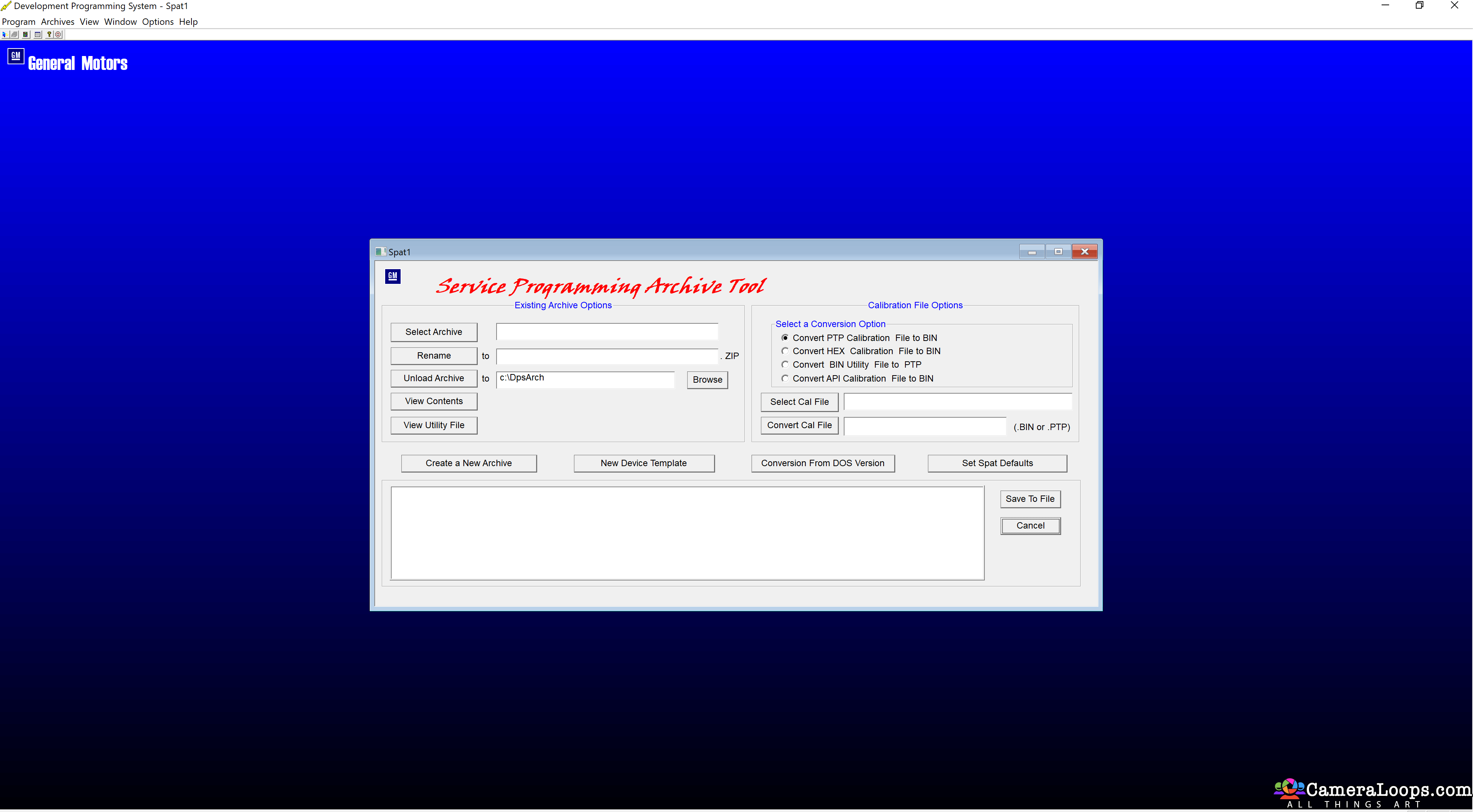
1 Screenshot

2016 Insignia Hatch HMI 2.5 module. SPS Calibration Files

Create a DPS archive to program the HMI module.


HMI config. 

No touchpad

No reverse camera.

Vauxhall logo UK car 


User Feedback

Recommended Comments

Petey Pablo Apprentice

+Petey Pablo

+Contributor

  • Contributor

When I updated all my modules with SPS2, it didn't download files as a *.bin.  I'm not sure if this is the new way of doing things or not.  Is there a way to save this tutorial as a PDF?

Richard Dore Rising Star

Richard Dore

Member

Troy

It looks like this may be the way for me to change the hardware number on the hmi I just installed so the ecu can see the hardware number from the old non nav hmi and let me load the program so it will calibrate the new hmi. Can this be done? Please see files which I will reload on this spot. they will show the calibration data for old 7313 and 7314and newly installed HMI7317,7318 and 7322. Please get back as soon as you can   Thanks

Richard 

IMG_7314.JPEG

IMG_7317.JPEG

IMG_7318.JPEG

IMG_7322.JPEG

IMG_7313.JPEG

Troy Grand Master

10 hours ago, Richard Dore said:

Troy

It looks like this may be the way for me to change the hardware number on the hmi I just installed so the ecu can see the hardware number from the old non nav hmi and let me load the program so it will calibrate the new hmi. Can this be done? Please see files which I will reload on this spot. they will show the calibration data for old 7313 and 7314and newly installed HMI7317,7318 and 7322. Please get back as soon as you can   Thanks

Richard 

IMG_7314.JPEG

IMG_7317.JPEG

IMG_7318.JPEG

IMG_7322.JPEG

IMG_7313.JPEG


Hi, I don't have knowledge for manipulating the HMI calibration files. At the moment I only know how to remove the theft lock from the HMI module. 

Richard Dore Rising Star

Richard Dore

Member

Thanks for your help

Join the conversation

You can post now and register later. If you have an account, sign in now to post with your account.

Guest
Add a comment...

Other files from Troy


CameraLoops™
Powered by Art
All Trademarks appearing on this website are the property of their respective owners.

Account

Navigation

Configure browser push notifications

Chrome (Android)
  1. Tap the lock icon next to the address bar.
  2. Tap Permissions → Notifications.
  3. Adjust your preference.
Chrome (Desktop)
  1. Click the padlock icon in the address bar.
  2. Select Site settings.
  3. Find Notifications and adjust your preference.
CameraLoops members who viewed this content
jingwei Opelfan chicking Mr Swi acff hassan77h spadesbrian BullMech Enterlan Christos Tsirdanis pupu14 exc11 alatka asd Alain Ahmed Ali NPD Tech mechanix Gregor OP emaxenver