Skip to content
Install the CameraLoops App

Browse CameraLoops via the app. Learn more.

www.CameraLoops.ru

Use the CameraLoops full-screen app on your home screen with push notifications, badges and more.

To install the CameraLoops app on iOS and iPadOS
  1. Tap the Share icon in Safari
  2. Scroll the menu and tap Add to Home Screen.
  3. Tap Add in the top-right corner.
To install the CameraLoops app on Android
  1. Tap the 3-dot menu (⋮) in the top-right corner of the browser.
  2. Tap Add to Home screen or Install app.
  3. Confirm by tapping Install.

ECM VIN change for Insignia/Buick Regal E39, E59 ECM 2-Byte Seed

$100

1 Screenshot

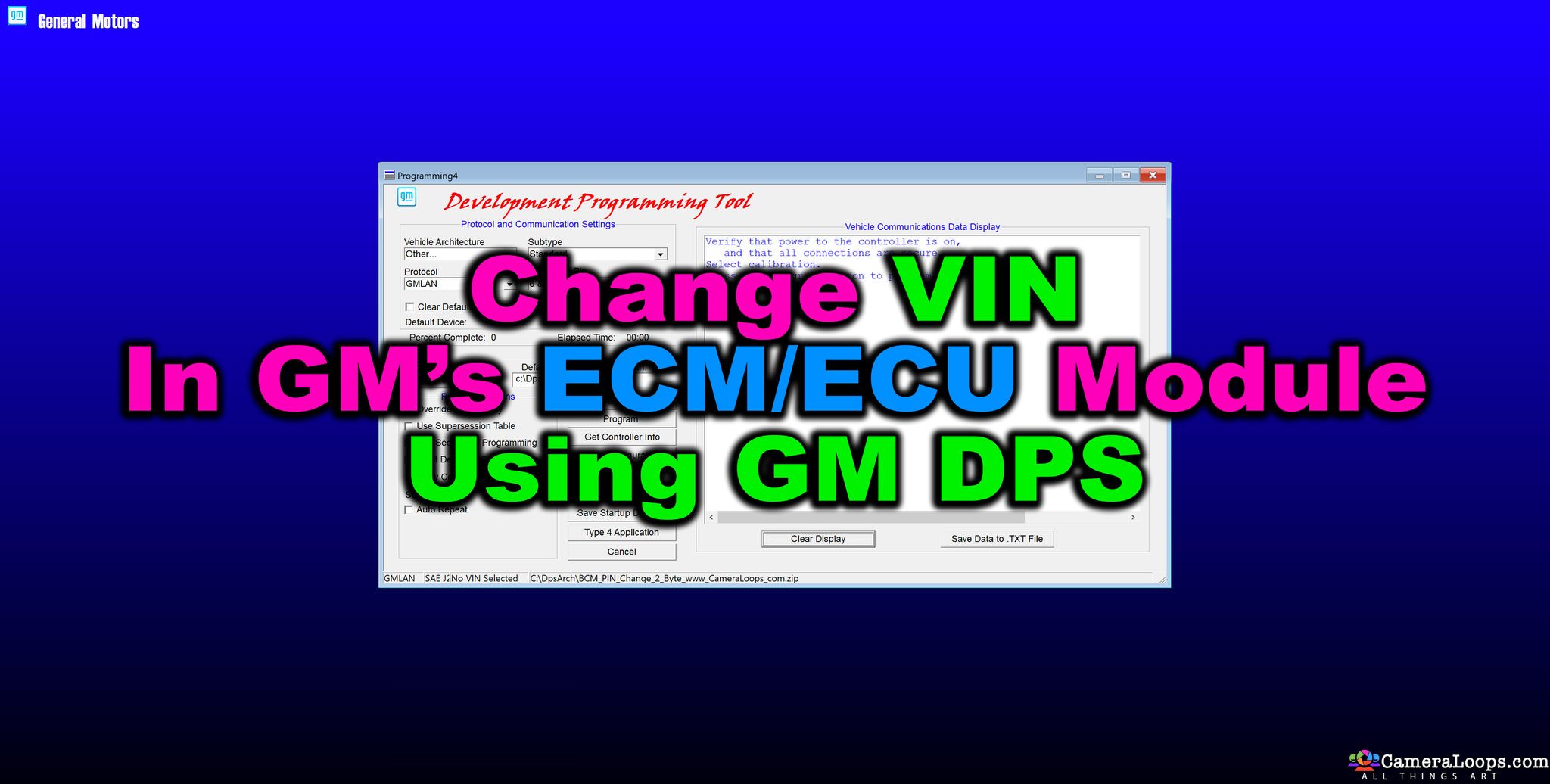
ECM VIN change for Insignia/Buick Regal E39, E59 ECM 2-Byte Seed DPS archive.

This is a DPS archive file which can be used to change the VIN number in the ECM module.

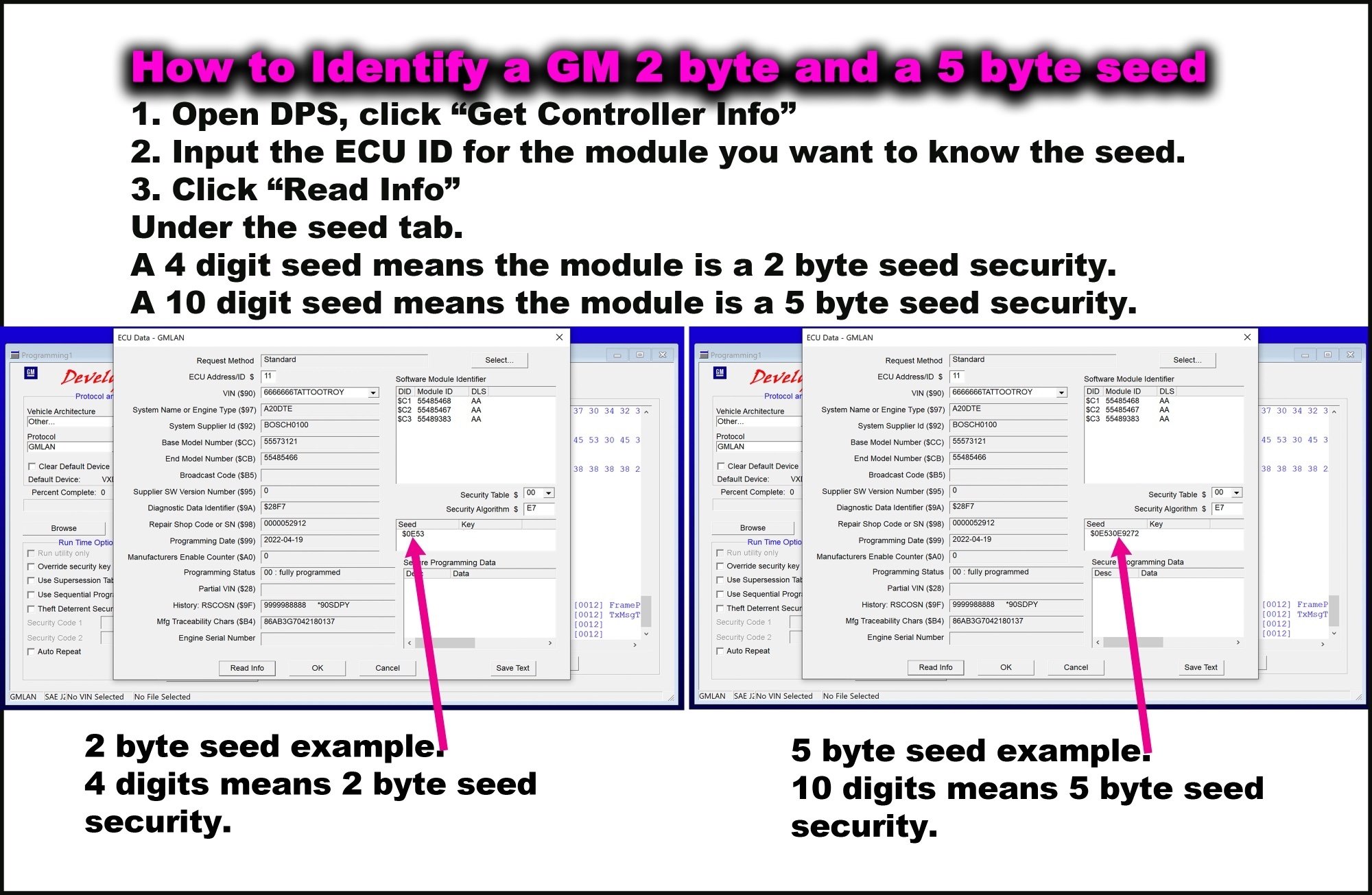
2-byte Seed key compatible.
1916242776_HowtoidentifyGM2and5byteseed.jpg.f46b4d8f85a83c349ad4f6e12b99a097.jpg


Watch the video below to see how quickly you can change the VIN in the ECM

https://cameraloops.ru/uploads/videos/ECM_VIN_CHANGE.mp4

 

User Feedback

Recommended Comments

med458 Enthusiast

+med458

+Contributor

  • Contributor

Hello I purchased this and BCM vin change.  BCM vin change works really great right out of the box.  However, the ECU vin change is giving me problems.  When I try to program the vin the ecu already has, there is no error, programming successful.  However, when I try to program a different vin, there is an error and programing fails.  I see a few others purchased this before and I assume had no problem.  Am I doing something wrong.  I am attaching a video of it working and it not working.  Thank you friends.

Troy Grand Master


The issue at hand is not with the file, but with the firmware OS on the ECM. In certain GM models, such as the Insignia, the VIN and PIN can be changed using DPS. However, in some other GM vehicle models, such as the Malibu, some ECM firmware is coded to prevent VIN and PIN changes using DPS. For instance, the E39A ECM in the Insignia can be modified using DPS to change the VIN, while the same E39A ECM in a Malibu will not allow VIN changes after it has been programmed to the vehicle. 

It is possible for DPS to overwrite the original VIN in the ECM, but it cannot write a different VIN if the one already coded to the ECM is different. The same applies to the SDM in Malibu. Whether or not VIN and PIN changes are possible depends on the module's firmware; some ECMs allow it, while others don't.

The file above has been tested and found to work on the Insignia/Buick Regal E39A, E39, and E59 models. However, in Malibu, some ECMs work while others don't. It is unclear how to determine which ECMs work and which don't.

med458 Enthusiast

+med458

+Contributor

  • Contributor

Ok, yes I was using a 14 or 15 Malibu ECU.  It sounds like if I get a 2014 Buick Regal ECU then I'll be good.  I'll try that, thanks for the fast reply.

codebuilder Community Regular

+codebuilder

+Contributor

  • Contributor
4 hours ago, med458 said:

Ok, yes I was using a 14 or 15 Malibu ECU.  It sounds like if I get a 2014 Buick Regal ECU then I'll be good.  I'll try that, thanks for the fast reply.

Throw the DPS log up as well anyways, it sometimes might be a different factor.  Just curious what it threw back to you myself :).

med458 Enthusiast

+med458

+Contributor

  • Contributor
15 hours ago, codebuilder said:

Throw the DPS log up as well anyways, it sometimes might be a different factor.  Just curious what it threw back to you myself :).

My pleasure, attached find the log for the failure and the log for the success. 

Tomorrow I am scheduled to pick up an ECU from a 13 Regal.  My research reveals that the E39A were in Regals 13-16.  So my assumption is that the ability to write vin via DPS is an exploit in the early ECUs that was patched by GM in the later ECUs.  However, I thought about it more and perhaps the ability to write vin via DPS might be a new feature that was added, rather than being viewed as a vulnerability that needs to be patched, it may be viewed as a feature improvement that was not included in early ECUs.  So after I pick up my '13 Regal ECU, I might still have the same problem.  But if that happens, I will just then try to get a '16 Regal ECU and hopefully that one will finally have the ability to write vin. 

The overall goal is to use a genuine ECU as an ECU emulator.  You might recall the issues with the emulator seller being unreliable, the software itself being expensive and also leading to accounts using the emulator being banned from SPS.  Lyubomir posted a picture of his bench and creating that for myself is what my overall goal is.  I would be quite happy if I could get a bunch of modules like he has all connected up on the bench so it looks pretty close to a complete vehicle.  Then I could use Troy's vin change files to change the modules vins so they all match when I connect up to SPS.  My hope is that would allow me to fly under the radar when I try to program a module.

ProgramLogecmfailure.Txt ProgramLogecmsuccess.Txt

med458 Enthusiast

+med458

+Contributor

  • Contributor

For someone who got this working with Buick Regal ECU please tell me the year of the Regal ECU or the 8-digit acdelco part number, if its not too much trouble.  Or otherwise if it was a Malibu or some other car it worked with, any specific information for any USA ECU that worked.  Thank you and happy new year!

codebuilder Community Regular

+codebuilder

+Contributor

  • Contributor
On 12/29/2023 at 8:38 PM, med458 said:

For someone who got this working with Buick Regal ECU please tell me the year of the Regal ECU or the 8-digit acdelco part number, if its not too much trouble.  Or otherwise if it was a Malibu or some other car it worked with, any specific information for any USA ECU that worked.  Thank you and happy new year!

I haven't been around much (busy with Christmas).  Actually, this is interesting... It goes into security access, returns to normal then tries to set the VIN.  This might still work with a modified utility.  

med458 Enthusiast

+med458

+Contributor

  • Contributor
11 hours ago, codebuilder said:

I haven't been around much (busy with Christmas).  Actually, this is interesting... It goes into security access, returns to normal then tries to set the VIN.  This might still work with a modified utility.  

Yes, I agree.  I am going to look into it further.  I see no reason why this should not behave more like Troy's BCM utility I also bought.  I have also been busy but in a few days will focus on this problem.

med458 Enthusiast

+med458

+Contributor

  • Contributor

Let me ask others who have used this file:  You have not needed to mess with seed/key or PIN to do a successful write, is that correct?

BLKATSG Collaborator

+BLKATSG

+Contributor

  • Contributor

I've run into this same issue with a 2016 ATS-V E92 ECM

wasiil Apprentice

+wasiil

+Purchaser

hello,

I have E98 with 5-byte seed. Is there any posibility to change the VIN of the ECU? I just need to get hands on the calibration of other vehicle. I think this is the only option how to do it : just to change the VIN of the current ECU and download calibrations from SPS. Is there any alternative?
Best regards

BLKATSG Collaborator

+BLKATSG

+Contributor

  • Contributor

You can change the vin in the ECU with the current utility file you have.  You just need to open the file in a hex editor and try to understand what the utility file is doing.  The GM Interpreters .pdf is what you need to reference and read.


SPS will let you download new calibrations for vins even if the ECM vin is different.

wasiil Apprentice

+wasiil

+Purchaser

hello,

thank you for your reply.  by the utility file you mean the zip file sold on this page? For the GM Interpreters.pdf i found DPS interpreter.pdf here: https://www.scribd.com/document/566141817/DPS-Interpreters

is that what you meant ?

thank you for your support.

wasiil Apprentice

+wasiil

+Purchaser

I got it. The utility file is the first file that is uploded in the DPS to create the ZIP file. after changing the utility file, if probably need to correct the checksum, don't I?

wasiil Apprentice

+wasiil

+Purchaser

unfortunately I don't see any VIN in the utility file. I attached the bin file and the uncompressed version with 7ZIP. As hex editor I used : FlexHex. I would appreciate if you could give me a hint, where the VIN is to be changed.

55488128 - Copy.bin 55488128 - Copy

wasiil Apprentice

+wasiil

+Purchaser

10 minutes ago, wasiil said:

unfortunately I don't see any VIN in the utility file. I attached the bin file and the uncompressed version with 7ZIP. As hex editor I used : FlexHex. I would appreciate if you could give me a hint, where the VIN is to be changed.

55488128 - Copy.bin 3.83 kB · 0 downloads 55488128 - Copy 11 kB · 0 downloads

the current VIN ends with 20030 and begins with W0LTZ

wasiil Apprentice

+wasiil

+Purchaser

Okay. VIN changed.  Solution for my case:

I have edited the EEPROM dump with hexeditor without checksum correction and loaded it with IO terminal. The DPS and GDS2 see the new VIN.

med458 Enthusiast

+med458

+Contributor

  • Contributor
On 6/21/2024 at 1:57 AM, wasiil said:

Okay. VIN changed.  Solution for my case:

I have edited the EEPROM dump with hexeditor without checksum correction and loaded it with IO terminal. The DPS and GDS2 see the new VIN.

It is good you figured it out, however I'd prefer to do it with DPS because it is easy and fast.  I would be happy to do the hard work of finding a specific part number from a specific year/make/model if someone would point me in the right direction, if they figured it out and can provide a part number and make/model/year from a known working vehicle.

Join the conversation

You can post now and register later. If you have an account, sign in now to post with your account.

Guest
Add a comment...

Other files from Troy


CameraLoops™
Powered by Art
All Trademarks appearing on this website are the property of their respective owners.

Account

Navigation

Configure browser push notifications

Chrome (Android)
  1. Tap the lock icon next to the address bar.
  2. Tap Permissions → Notifications.
  3. Adjust your preference.
Chrome (Desktop)
  1. Click the padlock icon in the address bar.
  2. Select Site settings.
  3. Find Notifications and adjust your preference.
CameraLoops members who viewed this content
Lorenzo Barrientos Zeus martens Saturno Autorepair mttweeks DanielGerardo Evans Appiah Leodegariohdz Reximus tungnv93pt Fulcrum Donaldson Gregor autodiag sashavSv Jond13 shekspeer redcamaro Akmal Encrypted Owner