


Skip to content
Install the CameraLoops App

Browse CameraLoops via the app. Learn more.

www.CameraLoops.ru

Use the CameraLoops full-screen app on your home screen with push notifications, badges and more.

To install the CameraLoops app on iOS and iPadOS
  1. Tap the Share icon in Safari
  2. Scroll the menu and tap Add to Home Screen.
  3. Tap Add in the top-right corner.
To install the CameraLoops app on Android
  1. Tap the 3-dot menu (⋮) in the top-right corner of the browser.
  2. Tap Add to Home screen or Install app.
  3. Confirm by tapping Install.

NAVI900 +UPH +USR -UBT +UVC +J71

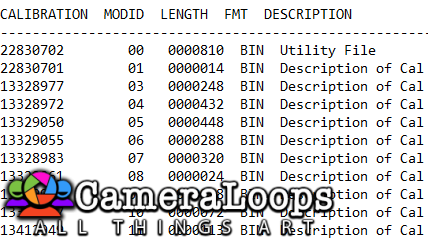
1 Screenshot

Navi 900 calibration with the following options:


UPH - bluetooth phone

USR - USB

-UBT - no DAB

UVC - reverse camera

J71 - electric handbrake (joystick enabled)


OPEL logo

User Feedback

Recommended Comments

There are no comments to display.

Join the conversation

You can post now and register later. If you have an account, sign in now to post with your account.

Guest
Add a comment...

CameraLoops™
Powered by Art
All Trademarks appearing on this website are the property of their respective owners.

Account

Navigation

Configure browser push notifications

Chrome (Android)
  1. Tap the lock icon next to the address bar.
  2. Tap Permissions → Notifications.
  3. Adjust your preference.
Chrome (Desktop)
  1. Click the padlock icon in the address bar.
  2. Select Site settings.
  3. Find Notifications and adjust your preference.
CameraLoops members who viewed this content
Adelin artur minasyan hassan77h Opelfan stensin E-Ing-X20XEV DumitrescuGabriel ABOMAZEN Obada Alrifaee Yuser Yuserov Thamer Mo Charlotte Giddins bekatsilosani Manuela Rieck pupu14 Christos Tsirdanis Ivan Sidorov Ernesto codebuilder exc11