Skip to content
Install the CameraLoops App

Browse CameraLoops via the app. Learn more.

www.CameraLoops.ru

Use the CameraLoops full-screen app on your home screen with push notifications, badges and more.

To install the CameraLoops app on iOS and iPadOS
  1. Tap the Share icon in Safari
  2. Scroll the menu and tap Add to Home Screen.
  3. Tap Add in the top-right corner.
To install the CameraLoops app on Android
  1. Tap the 3-dot menu (⋮) in the top-right corner of the browser.
  2. Tap Add to Home screen or Install app.
  3. Confirm by tapping Install.

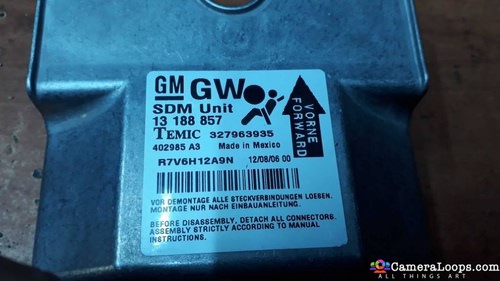
Opel Chevrolet Cruze 2013

1 Screenshot

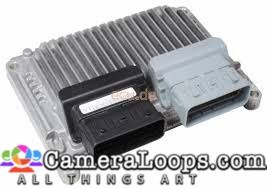
SIMTEC 76.1

E2 , power fast... tested ok with ECUF and Tactrix OpenPort 2.0 clone

Opel Software Number  E6HH30A1.DR

E N J O Y E


User Feedback

Recommended Comments

Hero Tran Enthusiast

+Hero Tran

+Contributor

  • Contributor

Can you enable remote start on ECU Simtec 76.1?

ABOMAZEN Apprentice

+ABOMAZEN

+Contributor

  • Contributor
On 5/22/2023 at 10:53 AM, Hero Tran said:

Can you enable remote start on ECU Simtec 76.1?

Did you get this file, my friend ?

Join the conversation

You can post now and register later. If you have an account, sign in now to post with your account.

Guest
Add a comment...

Other files from SHARAWI


CameraLoops™
Powered by Art
All Trademarks appearing on this website are the property of their respective owners.

Account

Navigation

Configure browser push notifications

Chrome (Android)
  1. Tap the lock icon next to the address bar.
  2. Tap Permissions → Notifications.
  3. Adjust your preference.
Chrome (Desktop)
  1. Click the padlock icon in the address bar.
  2. Select Site settings.
  3. Find Notifications and adjust your preference.
CameraLoops members who viewed this content
hassan77h andreychen SHARAWI geku alatka asd Inam Ullah Elviss Pereira Chriscarguy pupu14 ABOMAZEN james Kwesi forson JESUS RODRIGUEZ bolskaya Obada Alrifaee Ahmadjon Rahimjanov Szeffo abood ahmmad Zarate-Solution ruben casique ZAMU