Skip to content
Install the CameraLoops App

Browse CameraLoops via the app. Learn more.

www.CameraLoops.ru

Use the CameraLoops full-screen app on your home screen with push notifications, badges and more.

To install the CameraLoops app on iOS and iPadOS
  1. Tap the Share icon in Safari
  2. Scroll the menu and tap Add to Home Screen.
  3. Tap Add in the top-right corner.
To install the CameraLoops app on Android
  1. Tap the 3-dot menu (⋮) in the top-right corner of the browser.
  2. Tap Add to Home screen or Install app.
  3. Confirm by tapping Install.

GM Vehicle Modules Documentation

GM HMI 2.5 Activate Video In Motion, Track-Pad + more

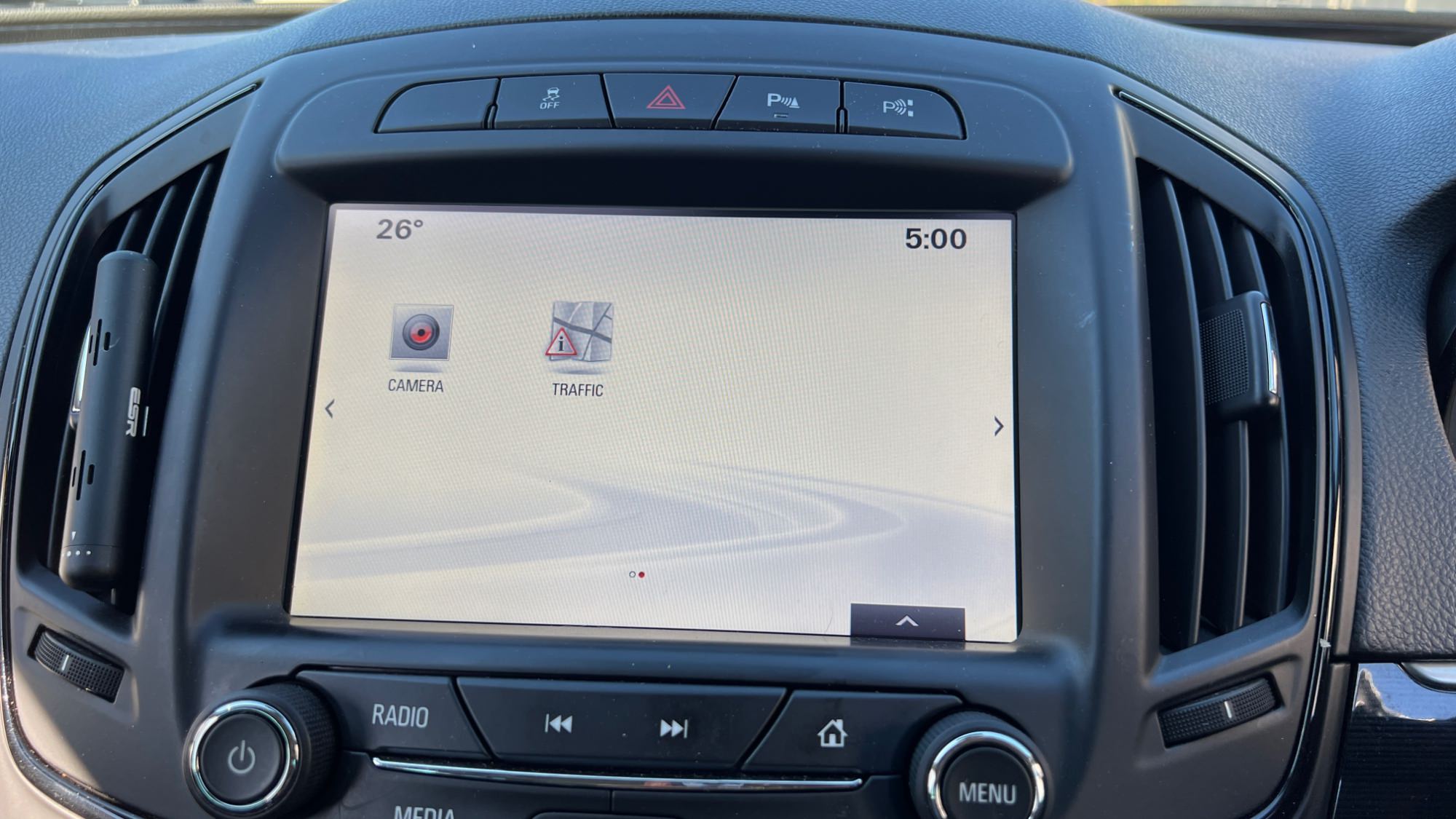
You can use this HMI 2.5 DPS calibration archive file to activate video in motion, SAT-NAV in motion, Track-Pad, rear camera, rear camera always on and climate control. 


Option features 

 Video in motion: Watch videos while the car is driving 

 SAT-NAV in motion: Type address in the SAT-NAV while the car is driving.

 Track-Pad: Track-pad activated.

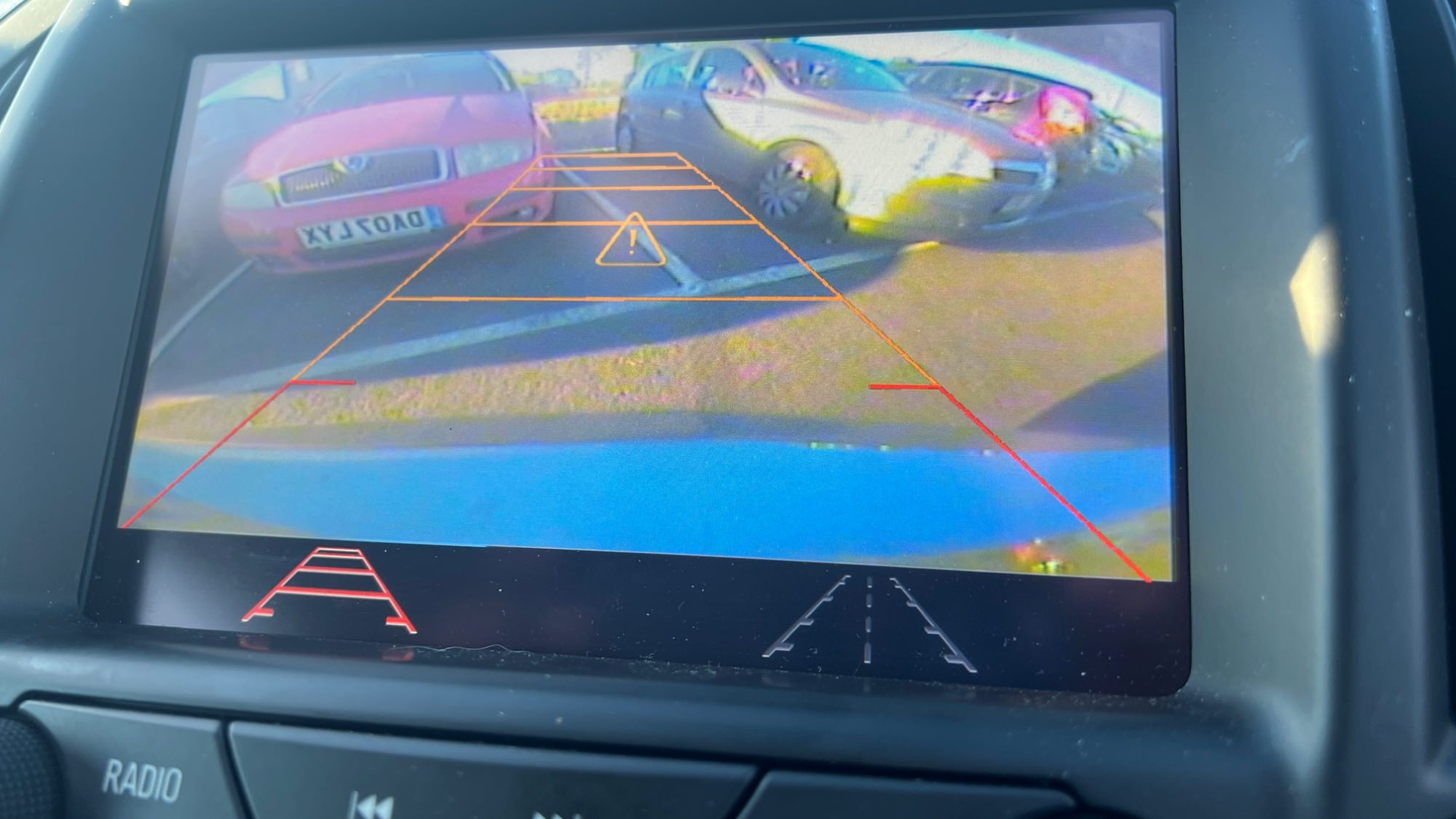
 Rear camera: Reverse camera with guidance lines and park assist symbols.

 Rear camera always on: Touchscreen icon to activate rear camera always on. (A special modification will need to be carried out for this option to work, which I need to figure out soon)

 Climate control: Control climate from the touch screen.

 Vauxhall and Opel screen boot up logo.

 Bonus file: This package also includes a DPS archive with the rear camera turned off.


For Vauxhall Brand


For Opel Brand


image.jpeg

image.jpeg

image.jpeg

image.jpeg

image.jpeg

image.jpeg

image.jpeg

image.jpeg


Troy

By Troy

User Feedback

Recommended Comments

Smash Top Member

Smash

Member

good job. I would also add a package where the rear camera icon is disabled, because it does not work quite correctly, as well as climate control (buttons without a name)

Troy Grand Master

Troy

Administrator

GM Car Hacking Expert


11 hours ago, Smash said:

good job. I would also add a package where the rear camera icon is disabled, because it does not work quite correctly, as well as climate control (buttons without a name)


For the rear camera icon to function, you have to do a simple modification to the wires that's connected to the camera at the rear of the car. I think you will need to cut one wire so the rear camera doesn't powers off, then the camera icon will not give that blue screen when clicked. I need to do it myself, then I'll update with a tutorial on how to modify the camera wires later.

Yes I'll add some extra packages with options removed.

TROLL-PIG Raimiui Tam Rising Star

Banned-TROLL-PIG Raimiui Tam

Banned-Banned

reveal the secret in format image.png.03f7c8ab92cf9ff3a9435b4d3d8553a8.png 😀

Troy Grand Master

Troy

Administrator

GM Car Hacking Expert

23 hours ago, Raimiui Tam said:

reveal the secret in format image.png.03f7c8ab92cf9ff3a9435b4d3d8553a8.png 😀


What secret did you reveal¿

I guess you forgot to read my website's rule.
All you dirty nasty filthy Troll pigs from mhhauto.com keep visiting my website.
Listen!  TROLLS are not welcome on my website. 
Do not come back to my website.

This website is not mhhauto.com. Do not bring your TROLLing shit to my website. 

You are now Banned😀

yusuftolga Rising Star

yusuftolga

Member

Hello,

I have a 2016 1.6 CDTI Opel Insignia (Back View camera available). Will Android auto be active when I install this package? Will it work when I buy a Track-Pad and install it on my vehicle?

Available software : 15.1A044

sergioroque17 Apprentice

+sergioroque17

+Contributor
  • Contributor

Do you can do  HMI 2.5  calibration archive file for chevrolet (USA)

Troy Grand Master

Troy

Administrator

GM Car Hacking Expert

On 12/2/2022 at 8:56 AM, yusuftolga said:

Hello,

I have a 2016 1.6 CDTI Opel Insignia (Back View camera available). Will Android auto be active when I install this package? Will it work when I buy a Track-Pad and install it on my vehicle?

Available software : 15.1A044

Hi, yes AA and trackpad are activated. 

Flex_user Collaborator

+Flex_user

+Contributor
  • Contributor

Will this work for usa gm silverado 2014-2018 model?

UniqezZZZ Top Member

UniqezZZZ

Member
On 2/6/2023 at 3:26 AM, GioL5p said:

Will this work for usa gm silverado 2014-2018 model?

Following. 

dsog Enthusiast

+dsog

+Contributor
  • Contributor

Will this work on 2015 GMC Yukon?

Join the conversation

You can post now and register later. If you have an account, sign in now to post with your account.

Guest
Add a comment...

CameraLoops™
Powered by Art
All Trademarks appearing on this website are the property of their respective owners.

Account

Navigation

Configure browser push notifications

Chrome (Android)
  1. Tap the lock icon next to the address bar.
  2. Tap Permissions → Notifications.
  3. Adjust your preference.
Chrome (Desktop)
  1. Click the padlock icon in the address bar.
  2. Select Site settings.
  3. Find Notifications and adjust your preference.